If a Samsung phone occasionally shows a small flashing dot - or several - on the display, the proximity sensor is almost certainly the cause. These dots typically appear near the top center of the screen and become most visible during phone calls, when the under-display sensor is actively working. It's worth distinguishing these from …

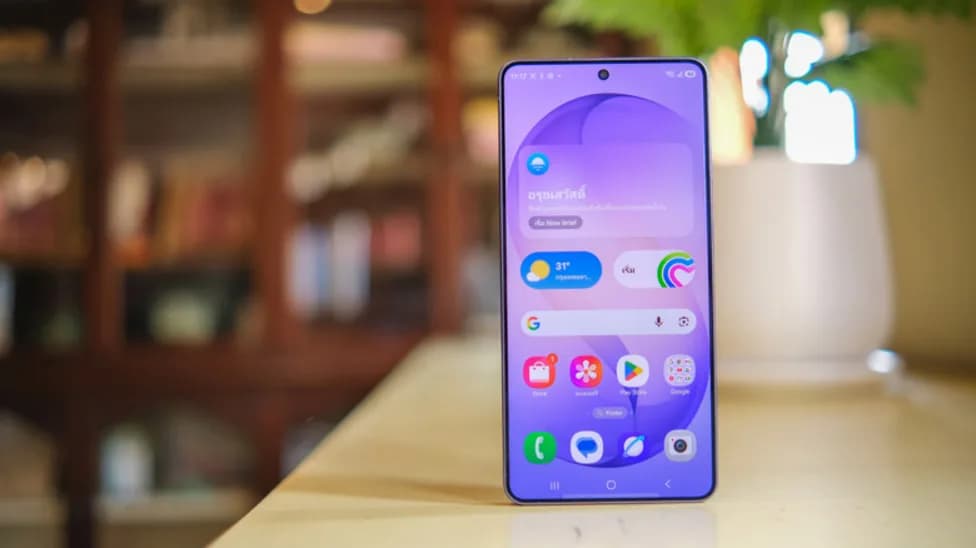
If a Samsung phone occasionally shows a small flashing dot – or several – on the display, the proximity sensor is almost certainly the cause. These dots typically appear near the top center of the screen and become most visible during phone calls, when the under-display sensor is actively working. It’s worth distinguishing these from the green dot that appears in the top corner of the screen, which is Android’s privacy indicator signaling that an app is using the camera or microphone. These are two different things entirely.
Not every Samsung device shows this behavior, and the history of it stretches back to specific model generations. The Samsung Galaxy S10 series was the first to move the proximity sensor under the display, and the phenomenon has appeared across several subsequent lineups. On the Galaxy S20 and S21 series, users noticed two flashing dots. Some Galaxy S21 FE owners reported seeing two static dots rather than flashing ones. By the time the Galaxy S23 arrived, reports described four dots instead. Galaxy S25 FE owners have also flagged the issue, this time with three green dots visible on the screen.
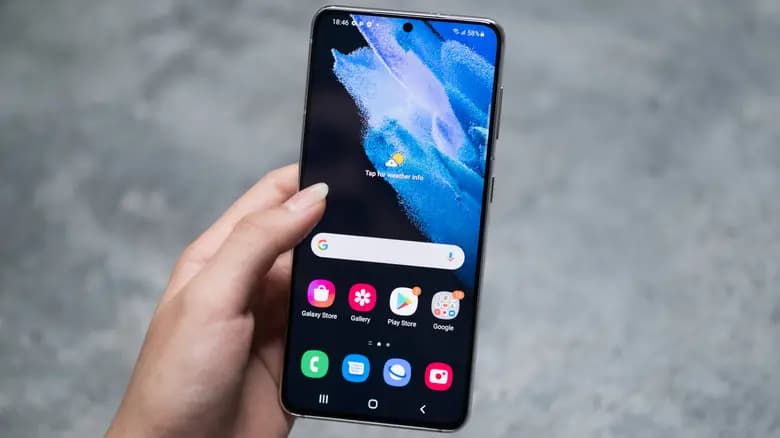
Samsung’s official position is that these flashing dots are not a defect. They’re described as part of the proximity sensor’s normal operation – which is another way of saying there’s no fix coming, because as far as Samsung is concerned, nothing is broken.
The under-display proximity sensor works by emitting infrared rays through the screen. A light-receiving component in the sensor detects the reflected rays bouncing back, which allows it to calculate how close an object is to the display. When something – like a face during a call – gets close enough, the sensor triggers the display to turn off, preventing accidental touchscreen inputs like mistouches or unintended taps.
Proximity sensors used to live in the slim gap between the screen and the bezel, but the push toward Samsung’s bezel-free Infinity Displays eliminated that space entirely. The sensor had to move somewhere, and under the display was the answer.
Because the infrared emitter sits behind the screen, the display itself has to allow those rays to pass through. Under certain conditions – a dark room, low screen brightness, during an active call in the Phone app, or when the screen is viewed from a particular angle – that infrared activity becomes faintly visible as small flashing dots or points of light. It looks odd, but it’s a normal side effect of the sensor doing exactly what it’s supposed to do.
For a problem to get a solution, it first has to be recognized as a problem. Samsung’s own documentation classifies the flashing dots as expected behavior, not a defect, which makes an official fix essentially off the table.
That said, not all Samsung phones are affected. Several flagship models – including the Galaxy S24 Ultra, Galaxy S25 Ultra, and Galaxy S26 Ultra – are not confirmed to display these dots. There have been some reports of the issue appearing on foldables like the Galaxy Z Fold 4, and on certain units the proximity sensor is faintly visible through the display, particularly after a screen replacement. Some Galaxy S24 Ultra units have also been reported as showing the dots, though this wasn’t observed on every device tested.
For Samsung owners dealing with this, the honest answer is that a fix isn’t coming. Samsung views it as normal hardware behavior, and short of switching to a different device, there’s little to be done about it.

Google Pixel Watch 5 (45mm)

Cristian Penisoara is a Guides Writer and Android specialist at Droid Tools. An Android user since version 2 and a professional event photographer, he combines technical curiosity with a detail-oriented approach - every guide he publishes is tested step-by-step on a real device before it goes live.

Behind a two-tap recharge sits a surprising amount of plumbing. Every prepaid network has its own rules about what can be topped up, in which denominations, and how quickly credit posts to a SIM. MobileTopUP hides that complexity behind a single form: pick a country, enter a number, choose an amount. What the coverage map actually covers […]
Knowing how to turn off Safe Mode on Android comes in handy, since Safe Mode is a built-in troubleshooting tool that disables every third-party app on a phone and switches on Airplane Mode, making it easier to isolate an app causing lag, battery drain, or other issues. It's also useful for safely deleting a suspected […]
Opening a brand-new phone has a particular excitement. After removing the plastic, you move your pictures, log into your Google account, and begin taking your first snapshot. However, we frequently overlook a few crucial settings that can improve our phone in all that excitement. I looked at a few options on my current phone, a […]
If your Android phone won’t turn on, connect it to a tested wall charger for at least 30 minutes, then hold the Power button for several seconds. If nothing happens, inspect the cable, adapter, outlet, charging port, and physical buttons before attempting a forced restart. A phone that appears completely dead may actually have a […]
The next story loads as you reach the end. You can also load it using the button.


Comments & Discussions
Join the conversation! We use Disqus to handle comments. Click the button below to load the comment section.