When it comes to sheer feature breadth, Android generally has the upper hand. Split-screen multitasking, desktop PC mode via an external monitor, the ability to swap out the default launcher — these are things iPhones simply can't do. Customization and openness have always been Android's calling card. Even so, Apple has quietly built a set ...
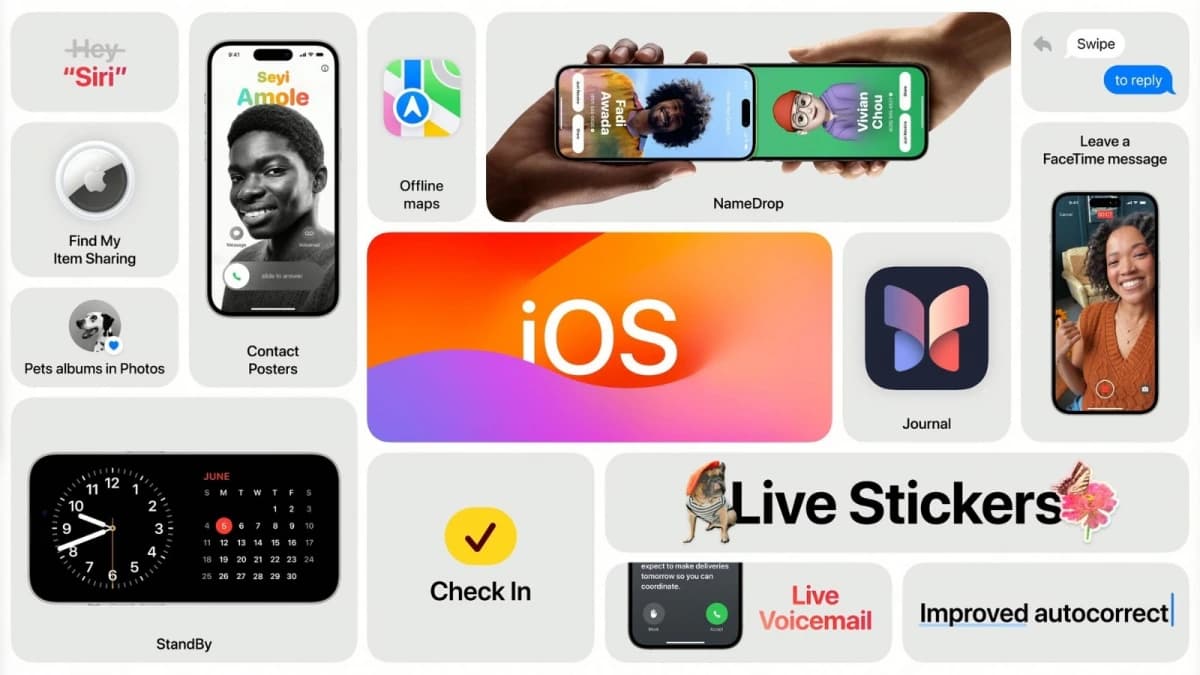
When it comes to sheer feature breadth, Android generally has the upper hand. Split-screen multitasking, desktop PC mode via an external monitor, the ability to swap out the default launcher — these are things iPhones simply can’t do. Customization and openness have always been Android’s calling card. Even so, Apple has quietly built a set of features that are so well-executed, so frictionless, that they make a compelling case for staying in the walled garden — even with all its limitations.
Android has come a long way, but there are still areas where iOS leads in ways that matter. The six features below are baked into the iOS operating system and its default apps, working out of the box without third-party software. That’s the standard being applied here — if it requires additional apps or setup, it doesn’t count as a native feature. Some of these do extend across the broader Apple ecosystem beyond just the iPhone.
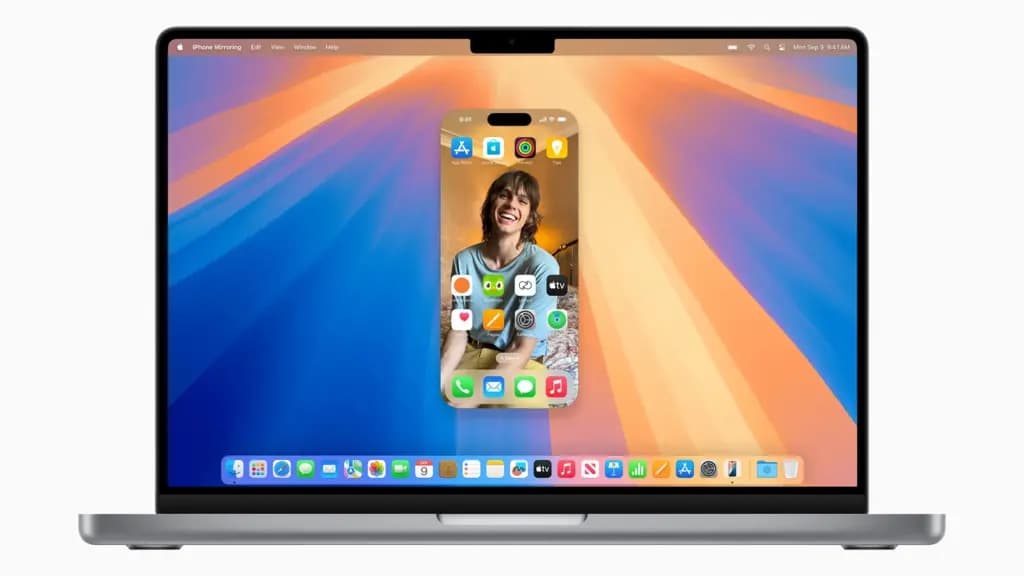
Android has had Windows notification integration for years before Apple got around to it. Phone Link is a well-designed app with a solid feature set, and it works — but it requires a third-party app, a fair amount of setup, and a significant pile of permissions, granted to an operating system that practically demands walking back privacy settings the moment it’s installed fresh. iPhone Mirroring, by contrast, works on any iPhone running iOS 18 and any Mac running Sequoia, and setup requires nothing more than a passcode.
Android gets some latitude here — Windows is a separate operating system, which makes a native solution genuinely difficult. That’s unlikely to change unless Chrome OS somehow overtakes Windows in market share and builds in a native mirroring feature. Linux users face an even longer road. On iPhone, this is a core function of both iOS and macOS.
iPhone Mirroring isn’t a direct Phone Link replacement, nor does it need to be. Its focus is full control of the iPhone from a Mac in a single click, with integrated iPhone notifications being the headline feature. Many of Phone Link’s capabilities are already built into macOS through iCloud anyway — calls, for instance, can be taken on a Mac through the Phone app entirely outside of iPhone Mirroring. On Android, any equivalent functionality requires a third-party app.
The camera on a smartphone almost always beats the one built into a laptop, and iPhones have long been able to let Macs borrow that hardware wirelessly. Android has copied the camera-sharing side of this. What it didn’t copy is the microphone-only sharing option built into Continuity Camera. With an iPhone nearby, the microphone can be selected on demand as an audio input on any Mac — for calls, dictation, voice notes, or anything else — without any additional setup.
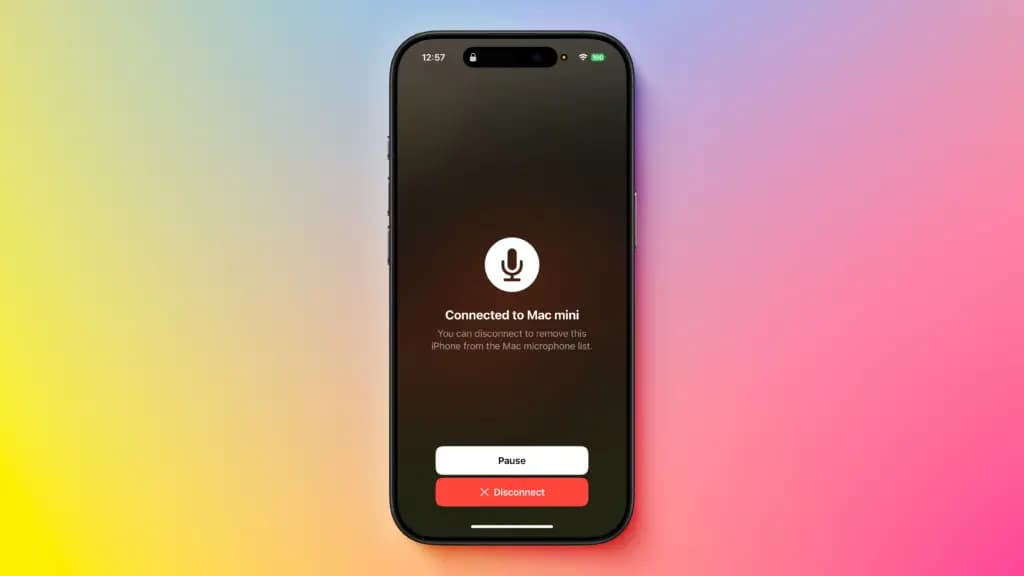
Apple positions this primarily for Macs without built-in microphones, like the Mac Mini, but it works across the board. It’s also useful in situations like running a MacBook in clamshell mode with the microphones physically covered. Testing confirms the feature works well, with minimal latency, and given how good recent iPhone microphones sound — particularly with newer voice isolation features — it can genuinely outperform built-in laptop audio.
On Android, microphone sharing to a PC does exist, but only through third-party apps and additional configuration. Microsoft’s Phone Link would be the obvious candidate for a native version of this feature, but currently it only supports camera sharing. High-quality microphone arrays are common on Macs, but far less so on Windows laptops — which makes this feature significantly more useful on the Android side than it would be for most Mac users.
Both platforms support digital family groups. Android allows up to six members to share a payment method, manage subscriptions, and use Family Link for parental controls over a child’s activity. That’s a useful set of tools, but Apple’s Family Sharing goes further.
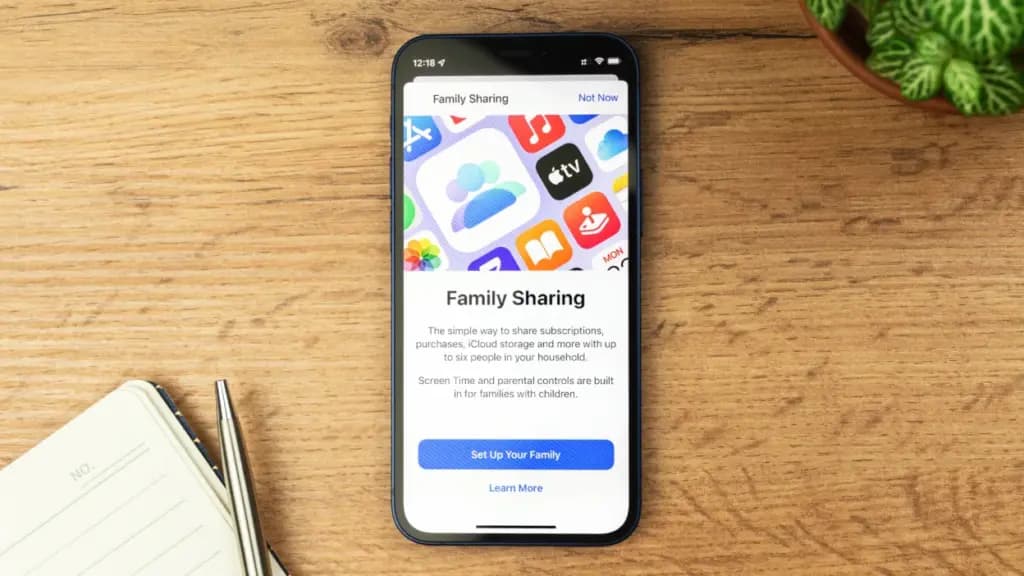
Shared payments and eligible subscriptions are covered, as on Android. Screen time tracking and parental controls are present too, with further expansion of those controls coming in iOS 27. But Family Sharing also integrates automatic location tracking through Find My — which extends to family devices and AirTags — along with the ability to set custom arrival and departure notifications. Emergency contacts, account recovery contacts, legacy contacts for posthumous account access, shared family calendars, shared Reminders lists, and secure password sharing are all part of the same system, accessible from settings without additional apps.
None of these things are technically impossible on Android. But doing all of them from one place, with no extra setup, isn’t how the Android ecosystem works. Family Sharing has been used extensively, and the implementation is genuinely polished. The main limitation is the obvious one: it only works if everyone in the family has an Apple device.
Universal Clipboard is one of those features that’s hard to appreciate until it’s part of daily life — and then becomes nearly impossible to give up. Copy something on an iPhone, iPad, or Mac, and paste it almost instantly on any other device logged into the same Apple account. No setup required. Works automatically as long as the devices are nearby and Wi-Fi and Bluetooth aren’t disabled. For anyone who regularly moves text, links, or images between devices, this is one of the most genuinely useful features in the Apple ecosystem.
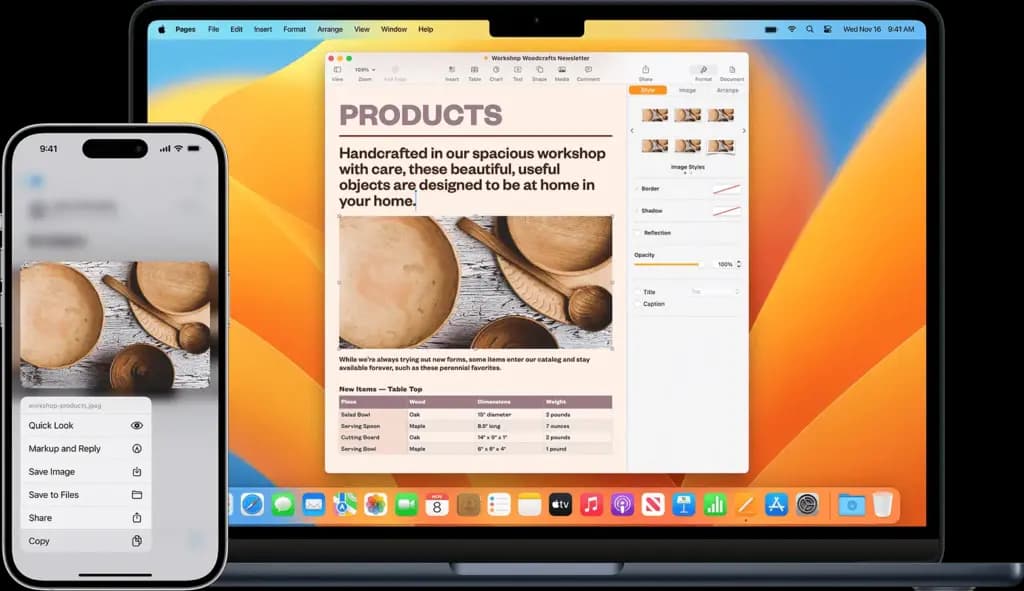
Android has partial versions of this. Samsung supports clipboard sharing between Galaxy devices, though it requires setup and is limited to PCs via Phone Link. Google appears to be building something similar for Android 17, passing copied content over Google Play Services — but early indications suggest it’ll initially be limited to Pixel devices and PCs, and will likely require some degree of setup on Windows, if it gets broad support at all. Third-party apps can bridge this gap, but the point is that Apple ships this working by default across every device on the same account.
The same pattern shows up with audio device switching. AirPods switch between Apple devices automatically, with no configuration, as long as the same account is signed in. Both Google and Samsung have added similar functionality for their own earbuds, but these features are platform-limited — Google’s Audio Switch works only with Android devices, and Samsung’s Auto Switch has similarly narrow device compatibility. The experience isn’t universal by default, which is exactly where Apple still holds the advantage.
Private Relay is an Apple-exclusive privacy feature with no real Android equivalent. It routes browsing traffic through two separate servers before it reaches the destination site — not through a single encrypted VPN tunnel, but through a dual-relay architecture that limits any single party’s knowledge of both who the user is and what they’re browsing. The concept loosely echoes the Tor network, though Private Relay is not a VPN and operates quite differently in practice.
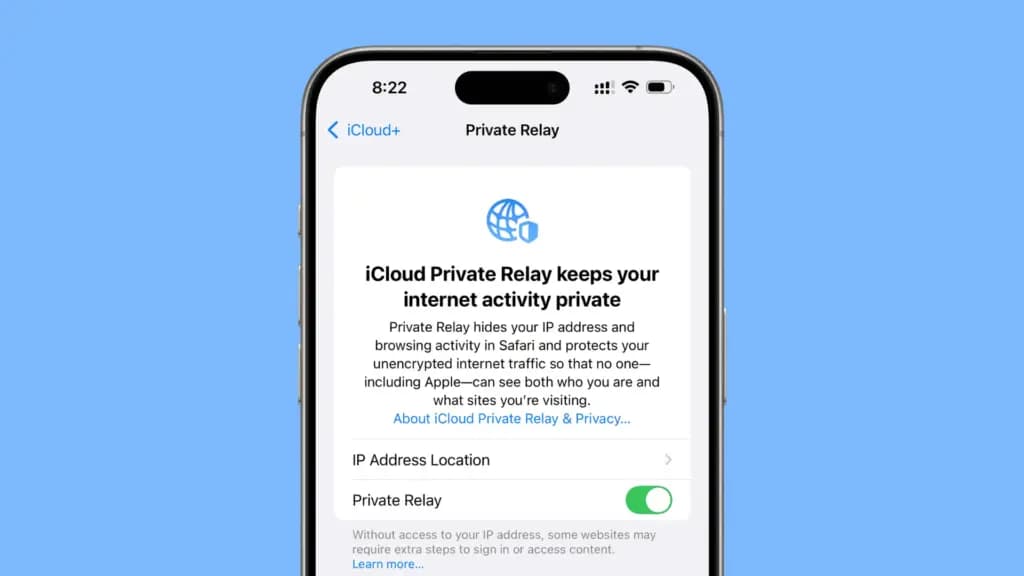
The appeal is practical: it obscures browsing activity from the ISP, from Apple, and from the destination website — which is one of the core reasons people use VPNs. Unlike most VPNs, though, Private Relay exits at a relay near the user’s actual location, meaning regional content like local search results remains intact. It’s also designed to have a smaller impact on speeds and latency than a traditional VPN. There’s no manual configuration needed — toggle it on in settings and it runs in the background.
It’s not free, but it’s cheap. The minimum requirement is an iCloud+ subscription at the 50GB tier, which costs $1 per month — less than even the most aggressively discounted multi-year VPN plans. Android’s closest equivalents are DNS-over-HTTPS or proxy configurations, neither of which is accessible or automatic for the average user.
Around 28.7% of U.S. adults — roughly 1 in 4 — live with some form of disability, according to the CDC. Many of these disabilities are not immediately visible to others, and it’s been a slow, frustrating push to get meaningful software accommodations for these users. Android has a solid list of accessibility features, but Apple has consistently been further ahead in this space.
Personal Voice is a clear example: the feature recreates a user’s voice so it can be used with tools like Live Speech if they lose the ability to speak. Android has no equivalent. Eye Tracking, Sound Recognition, Name Recognition, and Vocal Shortcuts are other iOS capabilities without Android counterparts. The gap does narrow over time — Android 17 is finally bringing a Motion Assist feature to reduce car sickness, something that’s been on iPhone for years — but development isn’t always consistent. Features like Google’s Project Relate have stalled, leaving users dependent on them uncertain about their future.
The data reinforces the point. WebAIM found that while around 56% of people without disabilities use iPhones, that figure jumps to 72% among people with disabilities — a pattern that holds in other countries too. Older research has pointed to a similar preference among blind users. Some manufacturers of dedicated accessibility hardware have also noted that Apple’s native tools require the least additional configuration. The numbers tell a clear story.

Samsung Galaxy Watch 8

Robert Haba is the founder and editor-in-chief of Droid Tools. A lifelong gadget enthusiast with over a decade following the Android ecosystem, he built this publication to cut through the noise and give readers honest, real-world coverage of the tech they actually use.

Code in Android 17 reveals Google's Face Active Illumination, a setting designed to brighten Pixel screens for biometric unlock in the dark.

Motorola Razr Ultra (2025) Android 17 rollout has begun for unlocked AT&T models, reportedly adding TikTok and reactivating Moto AI ahead of Android 18.

Samsung updated its Members app banner, signaling possible One UI 9.5 beta preparations that could lead to a December release for Galaxy S26 phones.
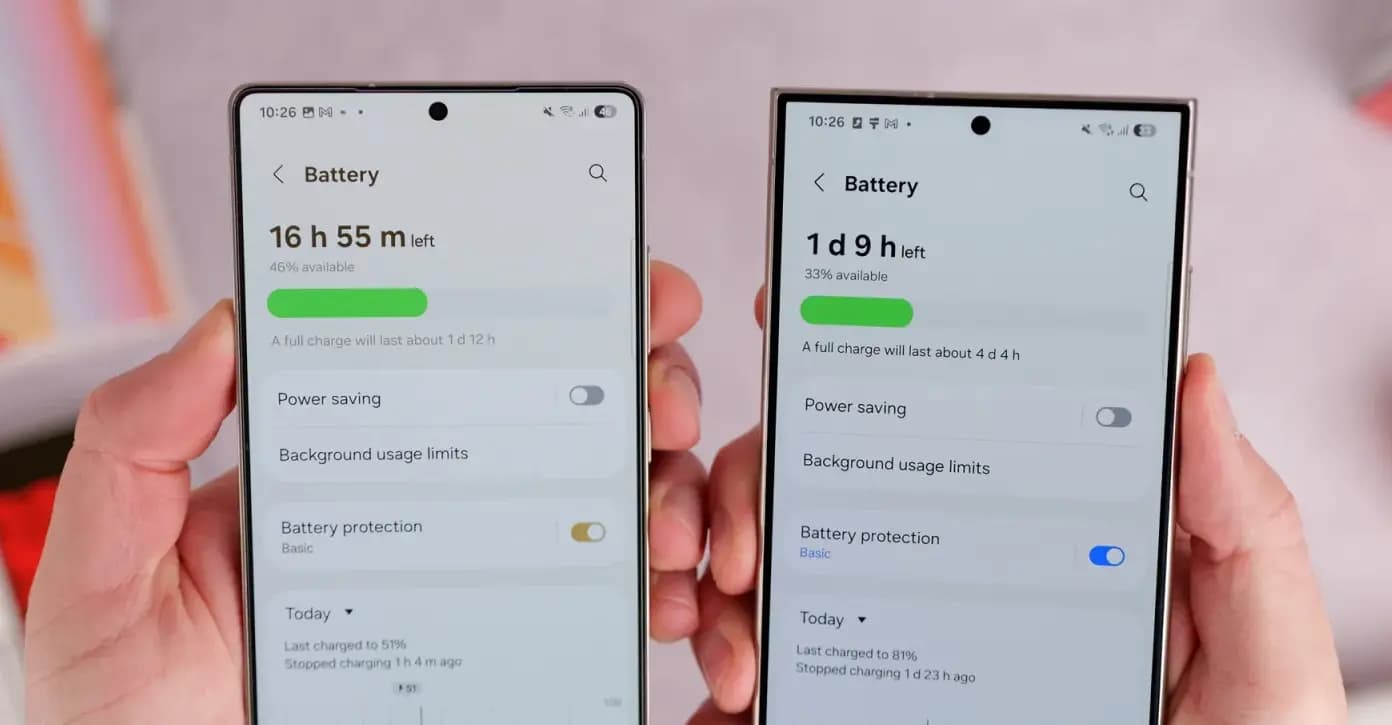
Some Samsung Galaxy S24 and S25 users report One UI 9 battery drain after the Android 17 update, though reports indicate the issue remains isolated.
The next story loads as you reach the end. You can also load it using the button.


Comments & Discussions
Join the conversation! We use Disqus to handle comments. Click the button below to load the comment section.