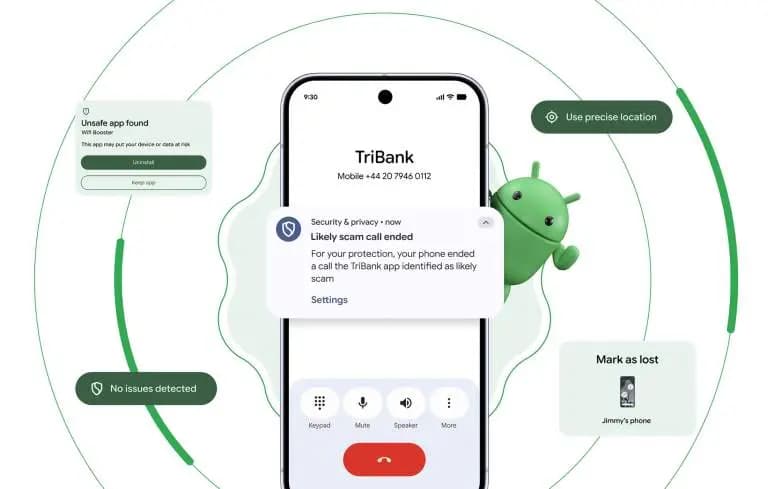
Google is significantly raising the security bar for Android devices in 2026 with Android 17. The update delivers a broad sweep of security and privacy improvements targeting some of the most common threats users face today — financial fraud, physical device theft, and invasive app tracking.
One of the most persistent and costly attack vectors involves caller ID spoofing, where criminals disguise their number to impersonate a legitimate bank. This tactic contributes to nearly $950 million in losses globally every year. Google’s response is verified financial calls.
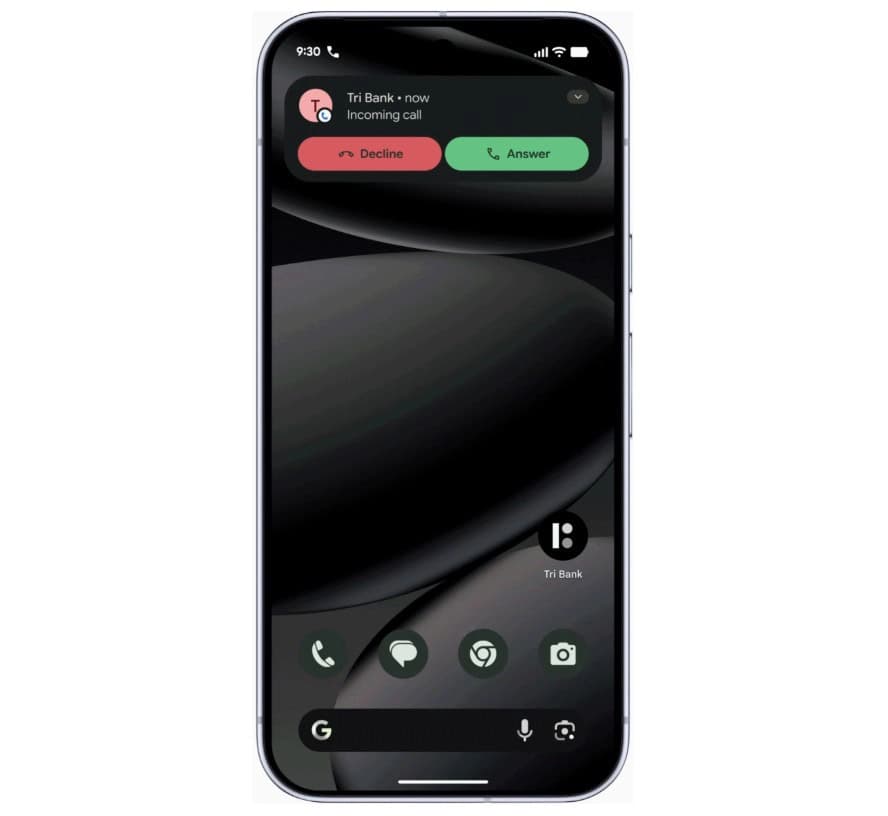
On devices running Android 11 or higher, the system will work silently in the background alongside banking apps like Revolut and Nubank. When an incoming call arrives, Android checks with the bank to confirm whether the call is genuine. If it isn’t, the call is terminated automatically — before the user even has a chance to answer. The scam is blocked at the source rather than after the damage is done.
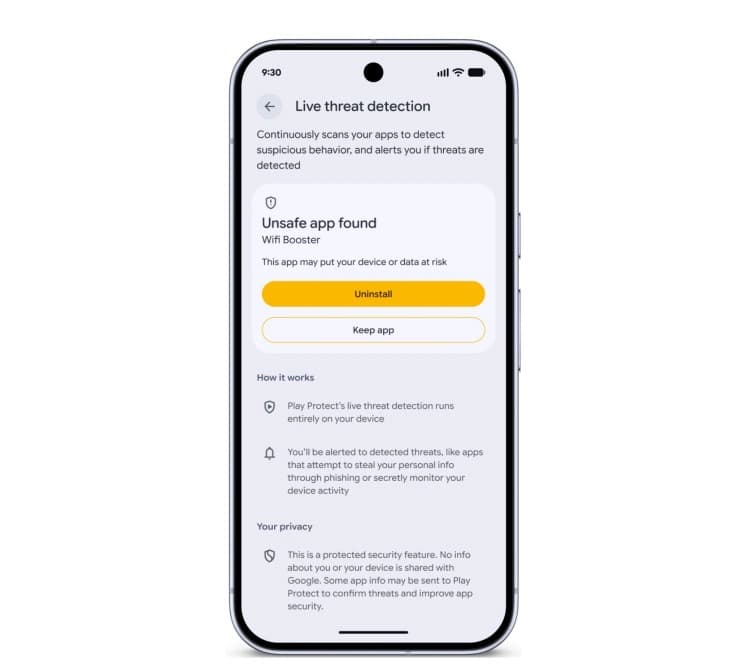
Android 17 also makes the platform significantly better at identifying malicious apps after they’ve been installed. The updated Live Threat Detection uses on-device AI to continuously monitor how apps behave in practice. If an app begins forwarding SMS messages, attempts to conceal its icon, or tries to launch silently from the background, the system flags the suspicious behavior and alerts the user.
Chrome on Android gets a new layer of protection as well. At the moment an APK file is downloaded, Chrome will evaluate it against known malware signatures and issue a warning before the file even reaches local storage.
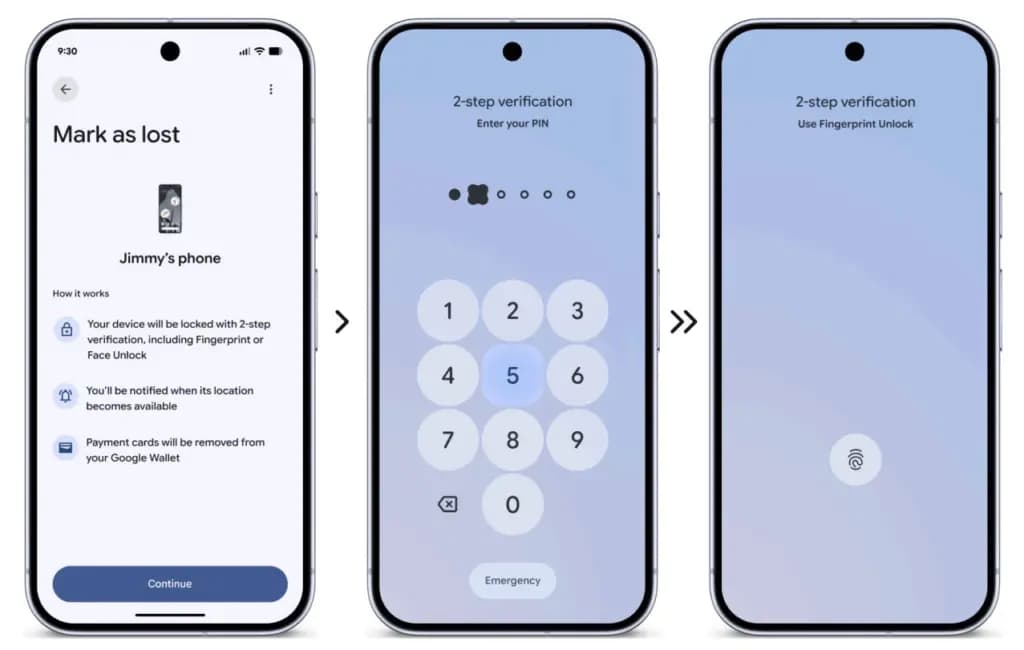
Physical theft isn’t just about losing hardware — the data inside is often worth far more. Android 17 introduces a biometric lock for the “Mark as Lost” feature, meaning a thief who has obtained a user’s passcode still can’t disable tracking or regain access without a fingerprint or face scan.
Google is also expanding its default-on theft protection features globally. New and upgraded devices will automatically enable Remote Lock and Theft Detection Lock, which use onboard sensors to detect when a phone has been grabbed and instantly lock the screen in response.
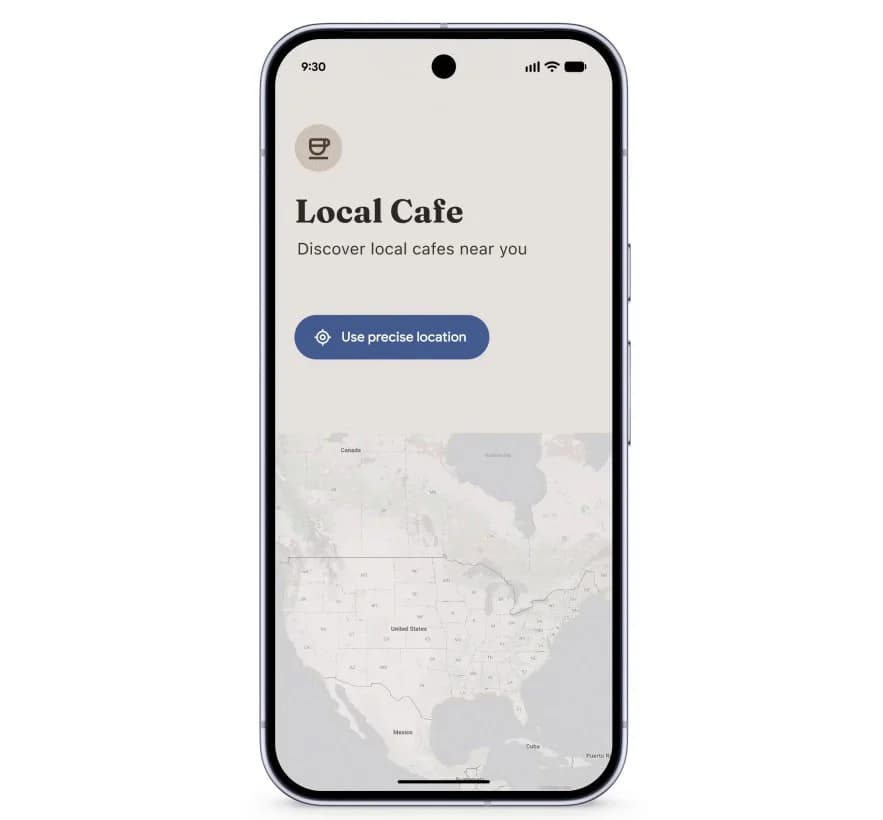
Privacy permissions are getting more precise with Android 17’s new one-time location sharing. Rather than granting a café app permanent GPS access, users can share their precise location only for the current moment while the app is open — and nothing beyond that.
A similar approach is coming to contacts. A new contact picker lets users share only the specific contacts an app needs, rather than handing over full access to the entire address book. Apps get only what’s necessary, nothing more.
Security also extends to the operating system at its core. Google has observed a rise in unofficial, modified Android builds designed to mimic legitimate software while secretly compromising user data. Android 17 addresses this with Android OS verification, launching initially on Pixel devices.
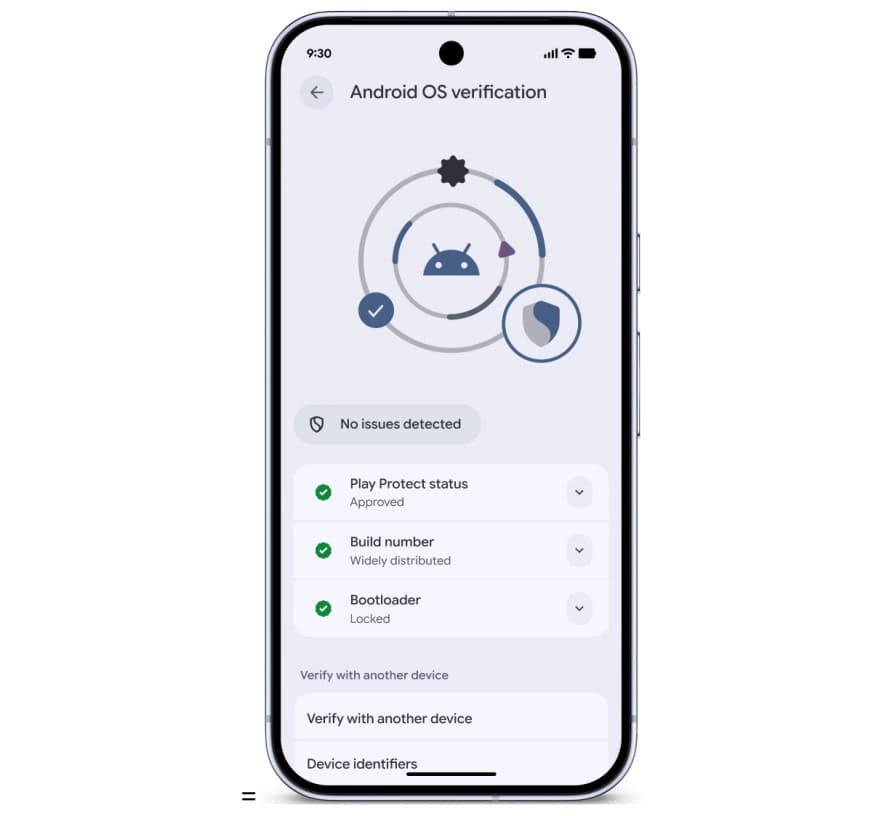
The feature allows users to confirm that their phone is running an official, widely distributed build of Android. A public, cryptographically verifiable “Source of Truth” ledger provides proof that both the apps and the OS itself are authentic production versions — making it effectively impossible for a fake Android build to hide its intent behind a familiar-looking interface.
Looking further ahead, Android 17 includes protections designed for threats that don’t yet exist at scale. OTPs (one-time passwords) will be hidden from malicious apps, closing off another common attack vector. Google also introduced Post-Quantum Cryptography in March, laying the groundwork for encryption that can withstand the computational power of future quantum systems — a forward-looking measure that reflects how seriously Google is treating long-term platform security.

Google Pixel Watch 5 (45mm)

Robert Haba is the founder and editor-in-chief of Droid Tools. A lifelong gadget enthusiast with over a decade following the Android ecosystem, he built this publication to cut through the noise and give readers honest, real-world coverage of the tech they actually use.
Google has officially released Android 17 QPR2 Beta 7 (build CP41.260831.016), delivering essential bug fixes to Pixel owners across several generations. The release builds on patches that arrived earlier in Android 17 QPR2 Beta 6 and in incremental builds such as Android 17 QPR2 Beta 6.1. Testing on newer Android development tracks continues at the […]
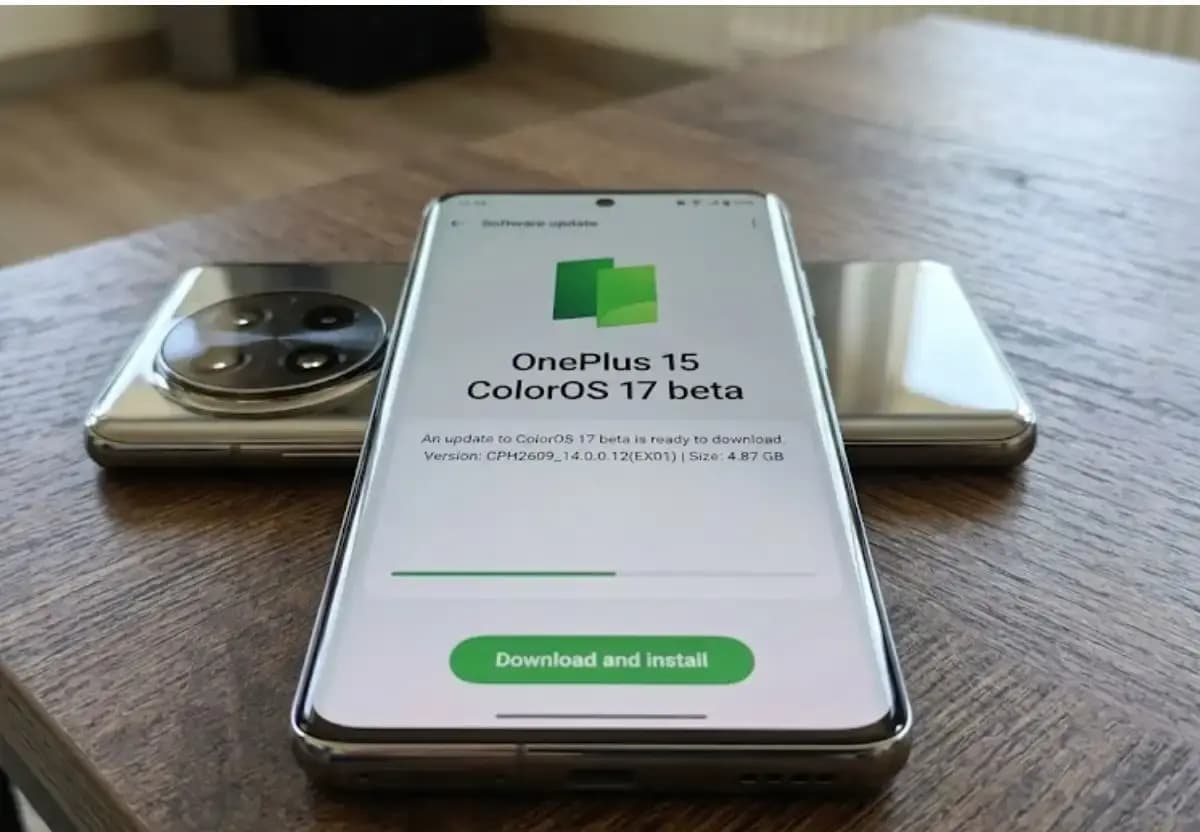
Some OnePlus 15 owners can now apply for the ColorOS 17 open beta and voluntarily move their phones from OxygenOS to ColorOS. OnePlus opened applications for the program, which for now is limited to users in India. The OnePlus 15 will be remembered as the swan song of OnePlus for its fans in the US […]

Xiaomi has confirmed that the HyperOS 4 stable update will start reaching users in China on October 15. The first batch of stable builds is meant for select Xiaomi, Redmi, and tablet owners, and the wait is nearly over. The news arrives as Xiaomi’s internal testing recruitment is scheduled to close on October 14. Because […]

Google has released Android 17 QPR2 Beta 7, the latest in a series of updates meant to fix issues and bugs affecting Android 17. The Alphabet subsidiary pushes these updates to Pixel models that still receive support from the company, and this beta reaches devices as old as the Pixel 6a. Installing it requires a […]
The next story loads as you reach the end. You can also load it using the button.


Comments & Discussions
Join the conversation! We use Disqus to handle comments. Click the button below to load the comment section.