Skip to content
Droid ToolsDroid Tools
Home
About UsContact
Editorial PolicyReview Policy
Privacy PolicyCookie PolicyTerms & Conditions
⌘K
Search
FacebookX (Twitter)InstagramThreadsBlueskyTikTokYouTubeRedditTelegramRSS Feed
Droid Tools

Droid Tools covers the latest Android news, device reviews, app updates, and OS guides. Stay informed with hands-on coverage from mobile tech experts.

Explore

  • News
  • Apps
  • OS
  • Phones
  • Reviews

Legal & Info

  • About Us
  • Contact
  • Editorial Policy
  • Review Policy
  • Privacy Policy
  • Terms & Conditions
  • Cookie Policy
  • Affiliate Disclosure
  • Disclaimer
  • HTML Sitemap
  • XML Sitemap
© 2026 Droid Tools. All rights reserved.
Home/Apps/Google rolls out new Android scam protections and Messages upgrades
Apps
google

Google rolls out new Android scam protections and Messages upgrades

google messeges scam detection
Cristian Penisoara
Oct 15, 20262 min read
Cristian Penisoara
Cristian Penisoara
Guides Writer · Android Power User
Cristian Penisoara is a Guides Writer and Android specialist at Droid Tools. An Android user since version 2 and a professional event photographer, he combines technical curiosity with a detail-oriented approach - every guide he publishes is tested step-by-step on a real device before it goes live.
Profile →

Google is introducing several Android security updates to mark Cybersecurity Awareness Month. The additions include an Enhanced Protection mode in Google Messages, expanded scam detection for chat notifications across major third-party manufacturers, automatic screen-share privacy in web views, and proactive warnings against unauthorized call forwarding.

0%
Share on XFacebookBluesky
Follow on Google
Trust this source on GoogleAlways see our reviews and tech guides first in search results
Add trusted source

Google is rolling out several Android scam protections to help users detect and avoid fraudulent schemes. Android already incorporates tools like Advanced Protection Mode, call and text scam detection, and theft detection. Cybersecurity Awareness Month | CISA, Google is expanding these defenses. The updates introduce an Enhanced Protection mode in Google Messages alongside wider OEM support for notification alerts. The company is also adding safeguards against unauthorized call forwarding.
Enhanced Protection and Gemini Nano in Google Messages

Google rolls out new Android scam protections and Messages upgrades

Later this month, Google Messages will offer an optional Enhanced Protection mode that users can activate manually. Enabling this mode activates scam detection backed by secure cloud analysis, as well as warnings for links received from unfamiliar numbers. It also uses on-device Gemini Nano machine learning to detect malicious links. Google notes that this link protection differs from the app’s current setup by targeting brand-new domains that have not yet been cataloged in security databases. According to Google, this smarter link protection feature requires a Pixel 10 or newer, a Galaxy S26 series device, Galaxy Z8 foldables, or other select devices.

Broader notification alerts and call safeguards

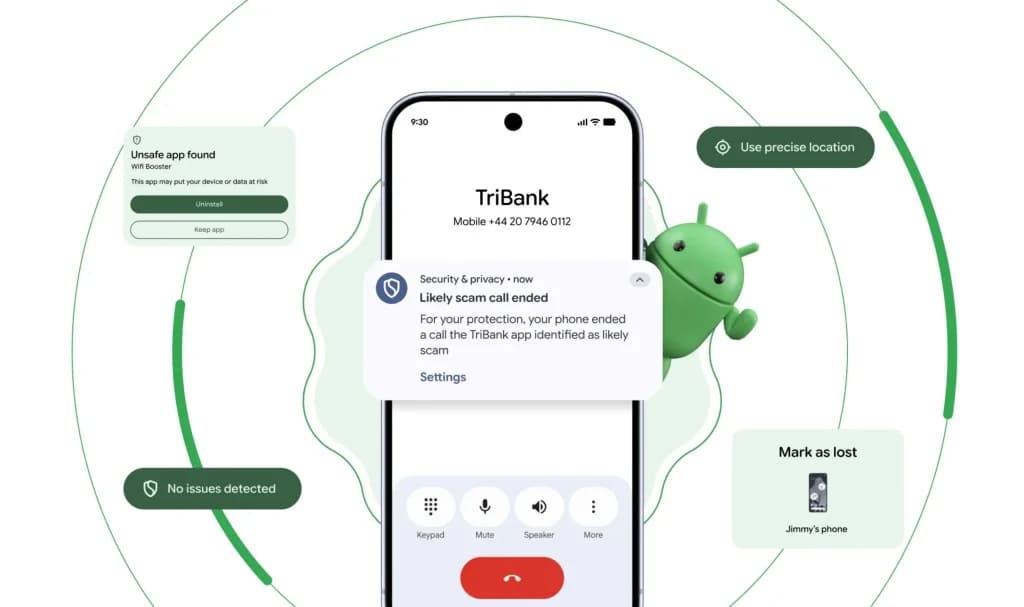
Google is also expanding Scam Detection in chat notifications to a wide range of devices globally. Previously exclusive to Pixel phones, the feature displays a “likely scam” warning on notifications flagged as potential fraud. Tapping the alert reveals security tips, reminding users not to share personal information and to avoid opening suspicious links or attachments. Google is rolling out this notification defense to phones from third-party manufacturers, including HONOR, Infinix, Motorola, OnePlus, OPPO, TECNO, vivo, and Xiaomi.

Two other updates focus on screen-sharing and phone call redirection. Google already hides login fields and payment screens in native apps during screen sharing. A new automatic privacy update extends that protection to Chrome and the Android System WebView, shielding sensitive details during remote-sharing sessions on devices running Android 15 or newer. Finally, Android will block apps from silently turning on call forwarding in the background. The phone will display an immediate warning if an app or scammer tries to divert calls. Google says this protection prevents scammers from stealing one-time passwords by redirecting carrier verification calls. The call-forwarding warning will begin rolling out in early December on Pixels and other select phones.

Trust this source on GoogleAlways see our reviews and tech guides first in search results
Add trusted source
Tags:#ai#geminigoogle#messeges#protection#scam#security#upgrade
Recommended Deals
1 / 5
Google Pixel Watch 5 (45mm)

Google Pixel Watch 5 (45mm)

5.0
$459.99$529.99-13%
Buy on Amazon
* As an Amazon Associate, Droid Tools earns from qualifying purchases. Read our editorial policy
Cristian Penisoara
Cristian PenisoaraGuides Writer · Android Power User

Cristian Penisoara is a Guides Writer and Android specialist at Droid Tools. An Android user since version 2 and a professional event photographer, he combines technical curiosity with a detail-oriented approach - every guide he publishes is tested step-by-step on a real device before it goes live.

Next Story in Apps

Google Messages may remove the SMS/MMS-only toggle for RCS chats

Rich Communication Services (RCS) has reshaped Google Messages, bringing read receipts, larger media attachments, and cross-platform messaging with iPhone users. RCS isn't without its own issues, though, and Messages has so far offered an easy way to opt out on a per-chat basis if it causes problems - a feature that now looks like it […]

→

Latest Stories

nothing os 501

Nothing OS 5 update rolls out Android 17 to Phone 3

02

Google sends 30% Pixel 11 discount code to select AI Pro subscribers

03

Realme ColorOS 17 update: new features and eligible phones list

04

Google Expands Android Scam Detection With Gemini AI and Link Checks

Amazon Deals
5.0
Google Pixel Watch 5 (45mm)

Google Pixel Watch 5 (45mm)

Best Price
$459.99$529.99-13%
Buy

Top Deals

Google sends 30% Pixel 11 discount code to select AI Pro subscribers

Deal
Google sends 30% Pixel 11 discount code to select AI Pro subscribers

Galaxy Watch 7 deal: get the Wear OS watch for $159 at Amazon

Deal
Galaxy Watch 7 deal: get the Wear OS watch for $159 at Amazon

Amazfit September 2026 update adds new coordinate formats and navigation upgrades

Deal
Amazfit September 2026 update adds new coordinate formats and navigation upgrades
Recommended stories

Continue reading

More from this category →
Google Messages rcs
AppsOct 7, 2026

Google Messages may remove the SMS/MMS-only toggle for RCS chats

Rich Communication Services (RCS) has reshaped Google Messages, bringing read receipts, larger media attachments, and cross-platform messaging with iPhone users. RCS isn't without its own issues, though, and Messages has so far offered an easy way to opt out on a per-chat basis if it causes problems - a feature that now looks like it […]

By Robert Haba
ai video generator
AppsOct 1, 2026

6 Best AI Video Generators for Creators and Teams in 2026

AI video generation has moved well beyond experimental clips. In 2026, creators, marketing teams, agencies, and video professionals can use these tools for social content, product videos, storyboards, advertisements, B-roll, explainers, and early-stage creative concepts. The challenge is choosing the right platform. Some focus on cinematic generation, while others are better for rapid marketing production […]

By Robert Haba
Google Messages rolls out Keep Notes integration from the September Android Drop
AppsSep 24, 2026

Google Messages rolls out Keep Notes integration from the September Android Drop

Google Messages is now widely rolling out its new Keep Notes integration, following last week's September 2026 Android Drop announcement. Opening the “plus” menu inside a conversation reveals a new Keep Notes shortcut, and those pills can be reordered like usual. Alternatively, Google might surface a contextual “Create list” shortcut directly in the suggestions row. […]

By Robert Haba
android 17 developer mode
AppsSep 14, 2026

Android 17 quietly blocks apps from detecting Developer Mode status

Developers have discovered that Android 17 quietly blocks apps from checking whether Developer Options and USB Debugging are turned on, in what's being described as one of the release's hidden changes. Regardless of whether Developer Mode is actually enabled on a device, apps that try to read its status in Android 17 will always get […]

By Cristian Penisoara
Next in queue

Read the next article

The next story loads as you reach the end. You can also load it using the button.

Comments & Discussions

Join the conversation! We use Disqus to handle comments. Click the button below to load the comment section.