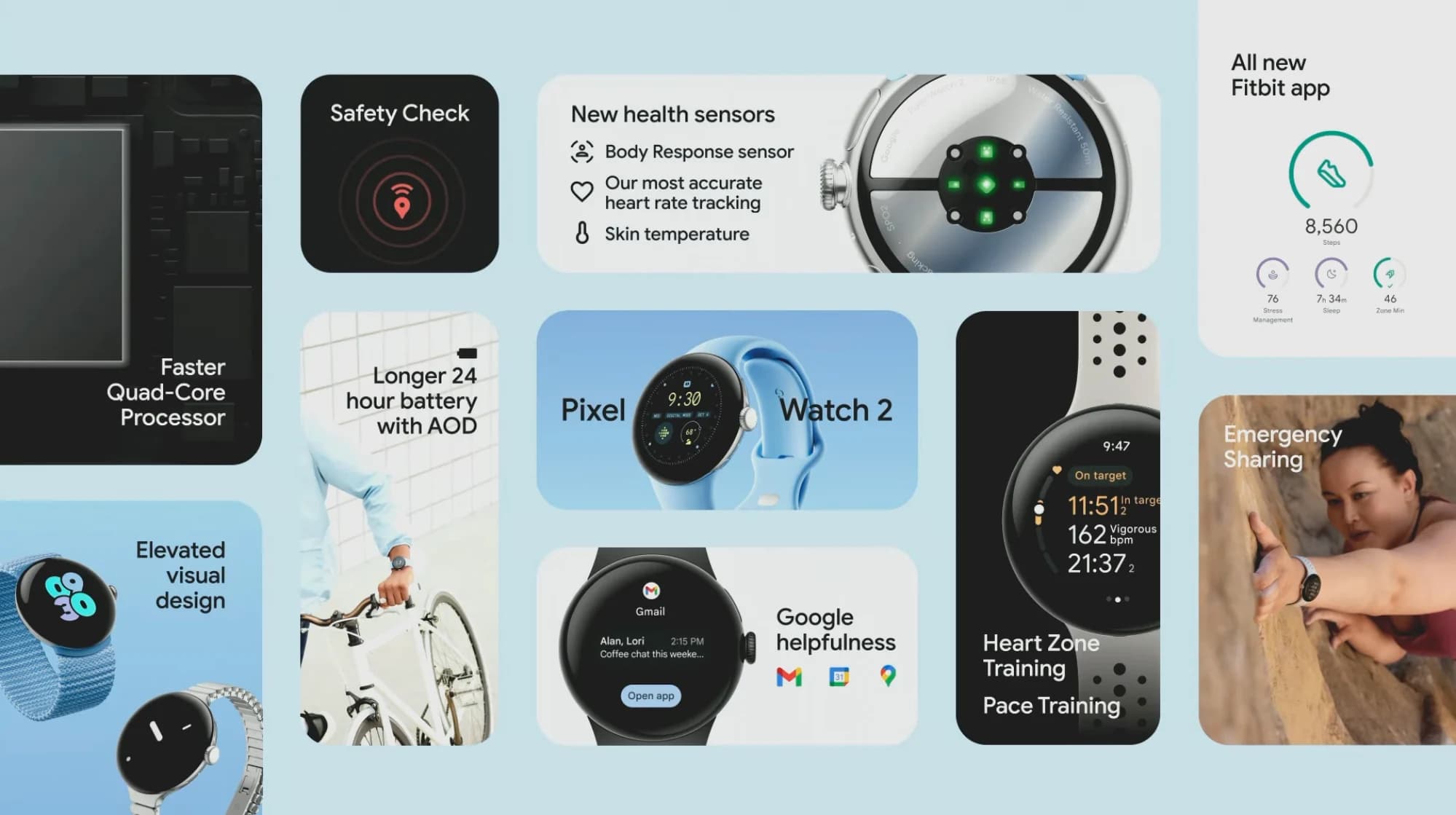
Not all Android smartwatches are built the same. The Pixel Watch carries a handful of features that simply don’t exist on a Galaxy Watch or any other Wear OS device. Anyone wearing one should know what those advantages actually are.
Pixel phones — specifically the Pixel Launcher — have long included a persistent home screen widget called “At a Glance.” It dynamically updates to show relevant information like upcoming calendar events, flight details, sports scores, and travel times, defaulting to weather when nothing else is pending.
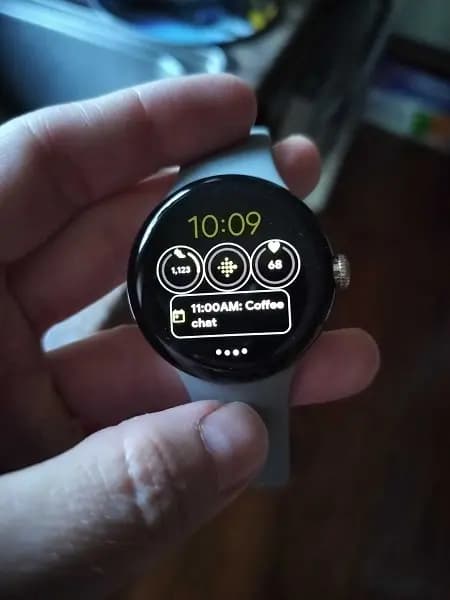
A scaled-down version of that same widget is available as a watch face complication on the Pixel Watch. It used to be limited to the extra-wide complication slot, but it can now be placed anywhere on the face. On the watch, it primarily shows time until the next calendar event, reminders for when to leave, flight information, and weather. It’s added the same way as any other complication — just select “At a Glance” from the complication picker when customizing a watch face.
There are several ways to launch Gemini on a Wear OS smartwatch. Every device supports activation through “OK Google” or by mapping it to a hardware button shortcut. The Pixel Watch 4 adds a third option: “Raise to Talk.”
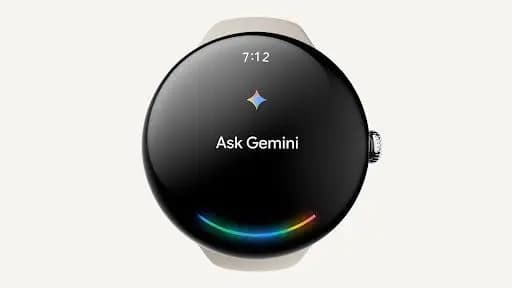
The feature works exactly as described — instead of pressing a button or saying a wake phrase, raising the Pixel Watch 4 toward the face and speaking immediately activates Gemini. A blue glow appears at the bottom of the screen once it’s ready to listen.
To turn it on, go to Settings > Gestures > Raise to Talk, then toggle it on. Sensitivity for both the raise gesture and voice detection can be adjusted from the same menu, and the visual indicator can be disabled entirely if preferred.
On a phone, tapping to pay is as simple as unlocking the screen — there’s no need to manually open Google Wallet first. That convenience hadn’t historically extended to Wear OS devices, which required manually launching Google Wallet before tapping the payment terminal.
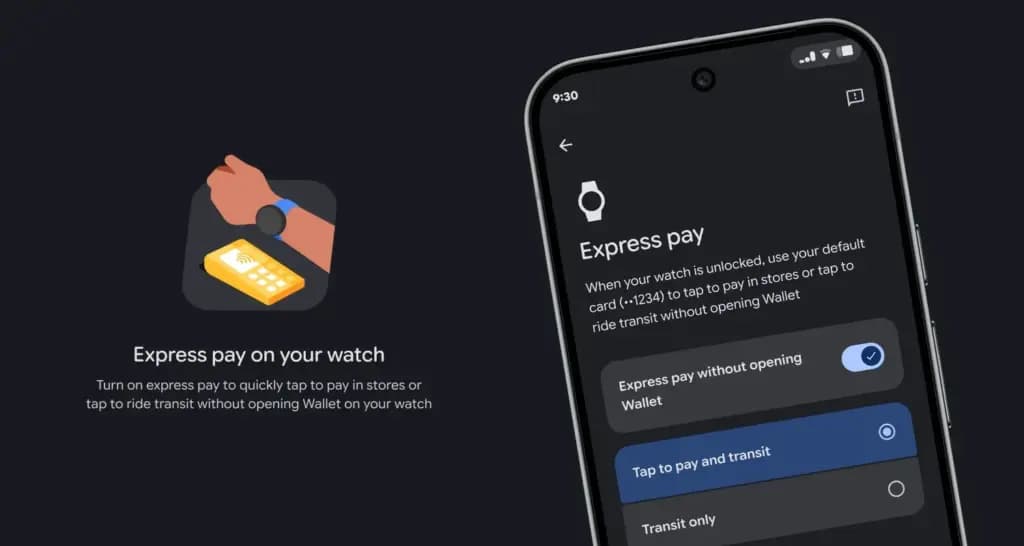
Earlier this year, the Pixel Watch closed that gap with a feature called Express Pay. Once enabled, tap-to-pay works without opening Google Wallet at all — the watch screen just needs to be unlocked, which only has to happen once each time it’s put back on the wrist.
Express Pay is enabled through the Pixel Watch app on the paired phone. Go to Google > Google Wallet > select the default card > Express Pay, then toggle it on and choose “Tap to pay and transit.”
Most Wear OS devices offer some level of remote camera control from the wrist. On a Galaxy Watch paired with a Galaxy phone, that means switching between photo and video mode, toggling the timer, and using the bezel to zoom — and that’s about the extent of it.
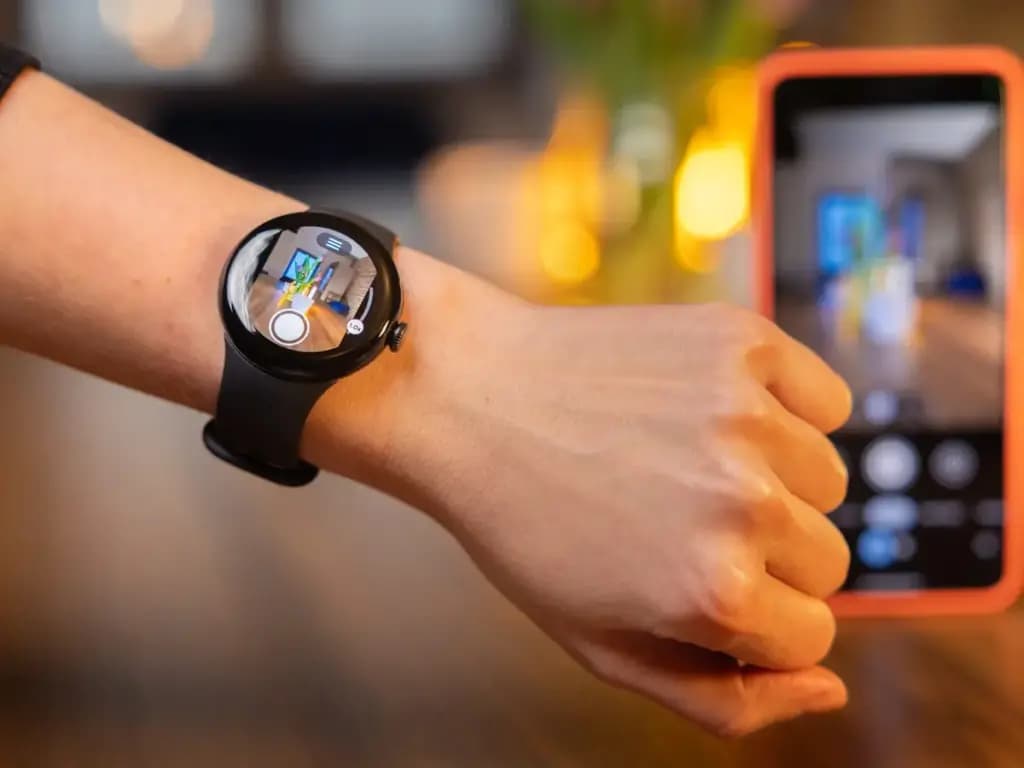
A Pixel Watch paired with a Pixel phone, by contrast, gets close to full camera control. Beyond switching between photo and video, users can swap between the front and rear cameras, adjust zoom, set timer length, and select shooting modes including Night Sight, portrait, slow motion, time lapse, and even cinematic blur for video. Most of these controls live in on-screen buttons, with the front/rear camera swap handled by double-tapping the screen.
“Exclusive” features weren’t always part of the Android smartwatch experience. There was a time when every device ran the same interface with the same basic feature set, back when the platform was still called Android Wear. That changed when Samsung adopted Wear OS in 2021, which pushed the platform toward the same manufacturer-specific differentiation seen on Android phones — distinct UIs and features included. Whether that’s a good or bad thing depends on perspective, but Pixel Watch owners specifically have real advantages worth using.

Google Pixel Watch 4

Robert Haba is the founder and editor-in-chief of Droid Tools. A lifelong gadget enthusiast with over a decade following the Android ecosystem, he built this publication to cut through the noise and give readers honest, real-world coverage of the tech they actually use.

This Galaxy Watch 7 deal is a strong one: Amazon is selling the smartwatch for just $159, which is 36% off its current retail price of $250. The Galaxy Watch 7 is a complete smartwatch that won’t let you down, with a thin, lightweight design and impressive tracking features. For anyone shopping for a new […]

Amazfit has officially announced its September 2026 update, which is already rolling out to many of the brand’s smartwatches and adds new navigation features alongside other improvements. The software release covers many Balance, T-Rex, Cheetah, and Active series models, and the full list of supported watches appears below. The navigation changes come first. The seven […]

Samsung's first AI glasses are now a step closer to reaching store shelves. According to The Korea Herald, a Samsung official has confirmed the company plans to launch its Intelligent Eyewear in November, though pricing remains unannounced. Digital Trends first saw the glasses at Google I/O in May, where Google showcased the Android XR platform […]

Samsung's September 2026 security update bulletin leaves out two of its older smartwatches: the Galaxy Watch 4 and Galaxy Watch 4 Classic, effectively marking the end of software support for both devices going forward. Samsung had promised the Galaxy Watch 4 series four generations of Wear OS upgrades, and delivered on that promise: Wear OS […]
The next story loads as you reach the end. You can also load it using the button.


Comments & Discussions
Join the conversation! We use Disqus to handle comments. Click the button below to load the comment section.