The Pixel 11 Pro camera features are shaping up to be a larger part of Google’s new phone story than its hardware changes. An early preview by Android Police showed five additions in action: Camera Looks, 120x zoom, Magic Capture, Instant Night Sight, and 5x Portrait zoom. They arrive alongside the Tensor G6 chip and ...
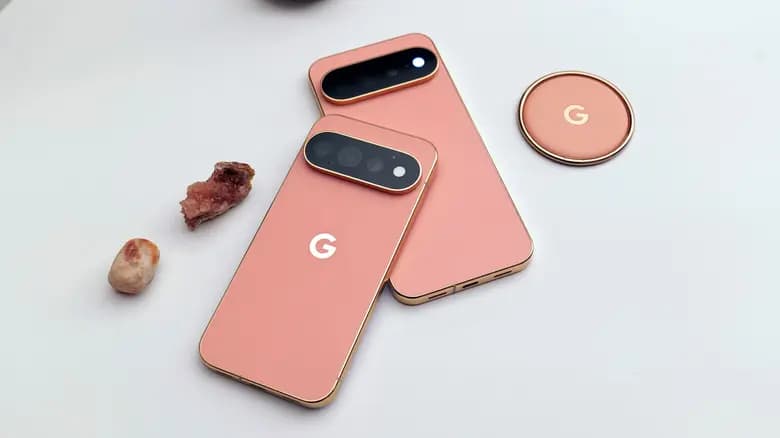
The Pixel 11 Pro camera features are shaping up to be a larger part of Google’s new phone story than its hardware changes. An early preview by Android Police showed five additions in action: Camera Looks, 120x zoom, Magic Capture, Instant Night Sight, and 5x Portrait zoom. They arrive alongside the Tensor G6 chip and its new Image Signal Processor, while the Pixel 11 series also introduces software changes such as the Gemini-powered Gboard Ramble.
Android Police writer Rita El Khoury, who says she takes more than 3,000 photos on her Pixel each year, received an early look at these camera tools. Her impressions are encouraging, although several features still need proper testing across more situations.
Filter-style camera presets are common on competing phones because they let users shape a photo while shooting instead of editing it afterward. Google had remained an outlier, but Camera Looks now brings that option directly into the Pixel Camera interface.
The controls sit at the top of the camera UI, making it possible to move quickly among four default looks: Original, Classic, Shadows, and Vanilla. Each changes the appearance of the resulting image. The source also refers to a new Natural Look, which appears intended to address the Pixel’s tendency to mute certain colors and remove warmth. Whether that behavior remains consistent in different environments will require more testing.
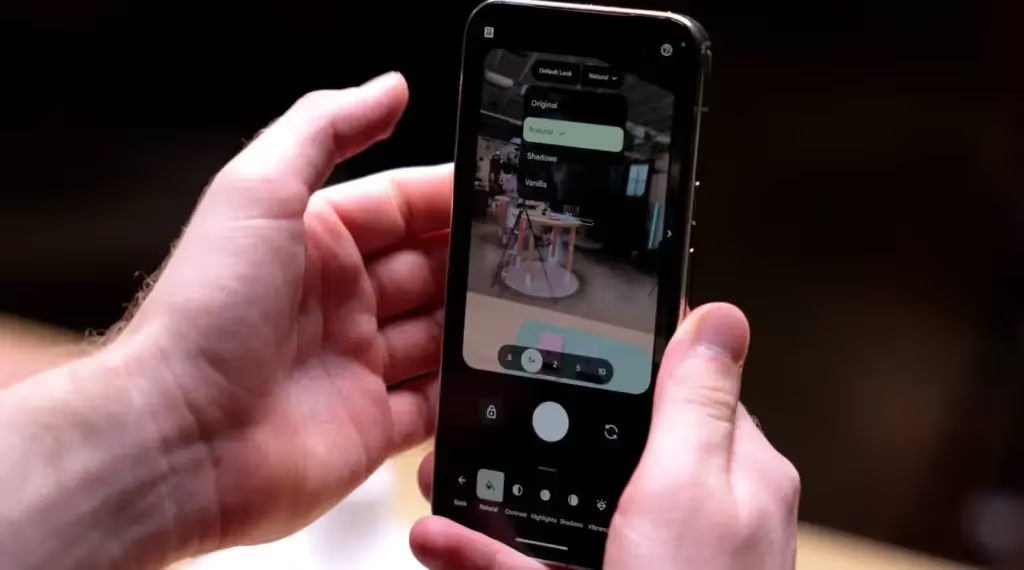
Camera Looks goes beyond offering a fixed set of filters. Any of the four principal looks can be selected as the default, and the Camera app remembers that selection after it is closed and reopened. Users therefore should not have to adjust the same Pixel Camera settings every time they take a photo.
Each look can also be edited and saved. Available adjustments include warmth, shadows, highlights, contrast, saturation, and other image characteristics. That gives users room to create a preferred appearance instead of accepting Google’s preset processing unchanged.
Several additional looks are available, including Editorial and Black Tie. These extras cannot be selected as the default, but they remain editable. In practice, that provides several more starting points that can be customized and retained.
Moving from the Pixel 10 Pro’s 100x zoom to 120x may sound like a minor numerical increase, but the early demonstration delivered a usable result. El Khoury photographed a tiny green Android figurine from across a large courtyard and described the image as decent. The camera also provides both the unprocessed and processed versions, allowing the difference to be inspected.
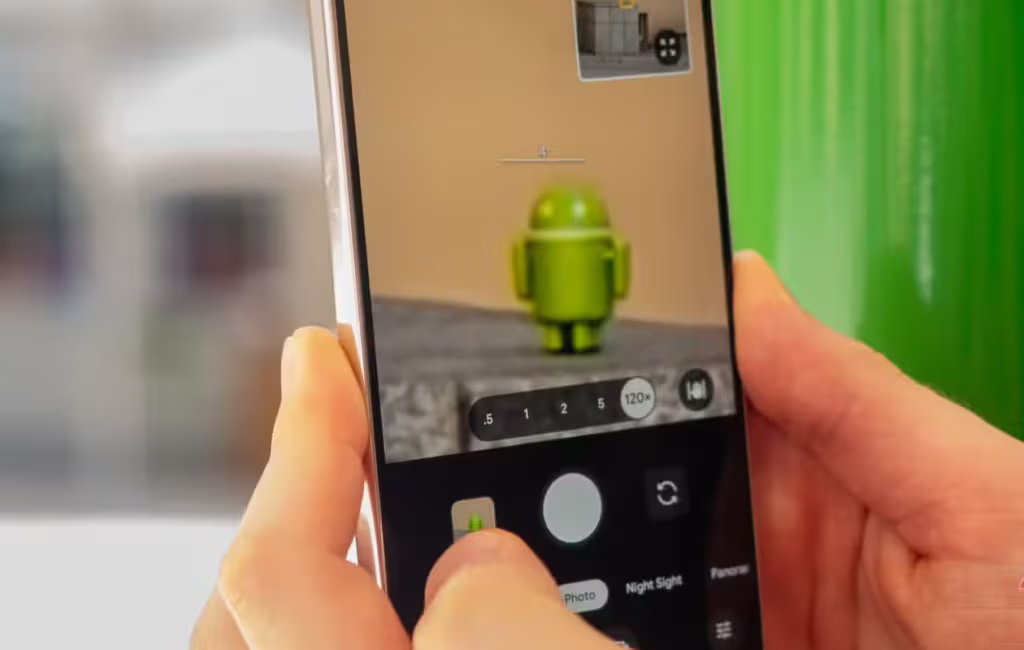
Google continues to say that the extreme zoom feature should be used for inanimate objects rather than people, matching its guidance for the Pixel 10 Pro’s 100x option. Previous attempts by the writer to use 100x zoom on animals and people produced poor results.
The more practical improvement could appear before reaching 120x. Even if the maximum setting is rarely needed, the additional range may inspire more confidence at 50x or 60x because the camera still has room beyond those levels.
Magic Capture appears as a third option at the bottom of the Pixel 11 Pro Camera app, next to Photo and Video. Selecting it allows the phone to capture photos and video simultaneously, removing the need to choose one format before an unpredictable moment unfolds.
Google’s processing handles the work in the background. The feature prioritizes a high-quality video while also producing high-quality photos from important moments. Automatic cropping and unblurring are applied as those separate images are created.
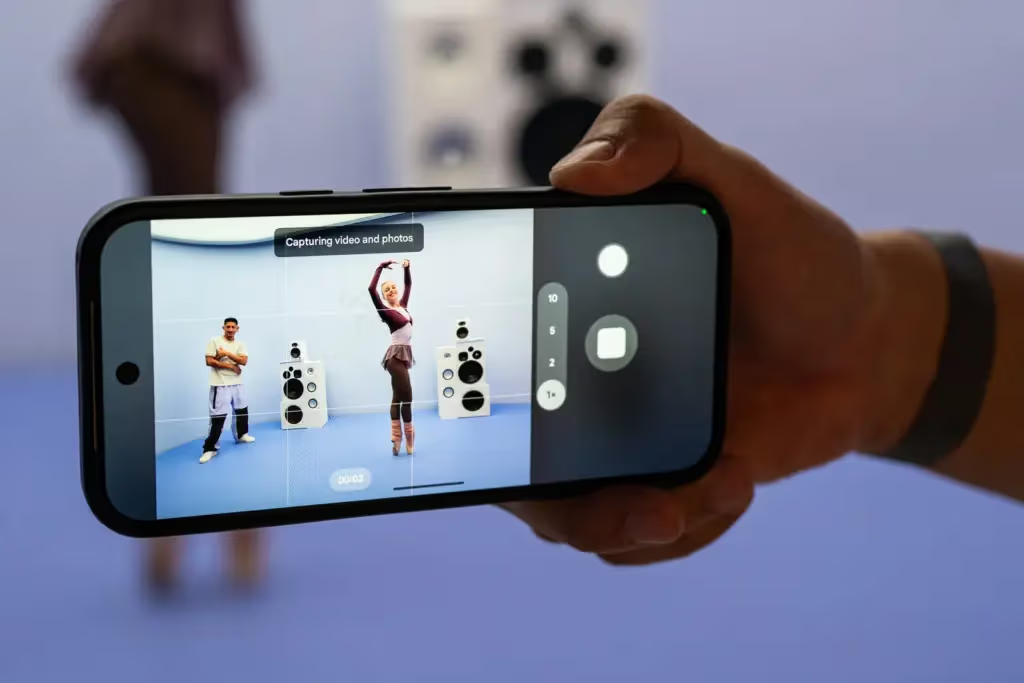
During the demonstration, a Google employee ran toward the Pixel 11 Pro, took a shot with a ball, and made several faces at the camera. The phone retained the video and generated four individual photos from the sequence.
Some of this is possible with existing camera controls, but with compromises. Holding a finger on the shutter while taking photos records a low-resolution video. Photos can also be captured manually while recording video, but the user must press the button at precisely the right moment.
Magic Capture appears to address both limitations by automating the selection while retaining high-quality output in both formats. Its real-world reliability has not yet been established by the preview. If it performs as demonstrated, it could be useful at concerts and sporting events, during family moments, or while photographing pets.
Instant Night Sight could prove more useful in daily shooting than some of the more attention-grabbing additions. Low-light photography often requires the user to remain still for several seconds, which can be inconvenient at dimly lit exhibitions, underground pubs, dark cathedrals, gloomy halls, and other challenging locations.
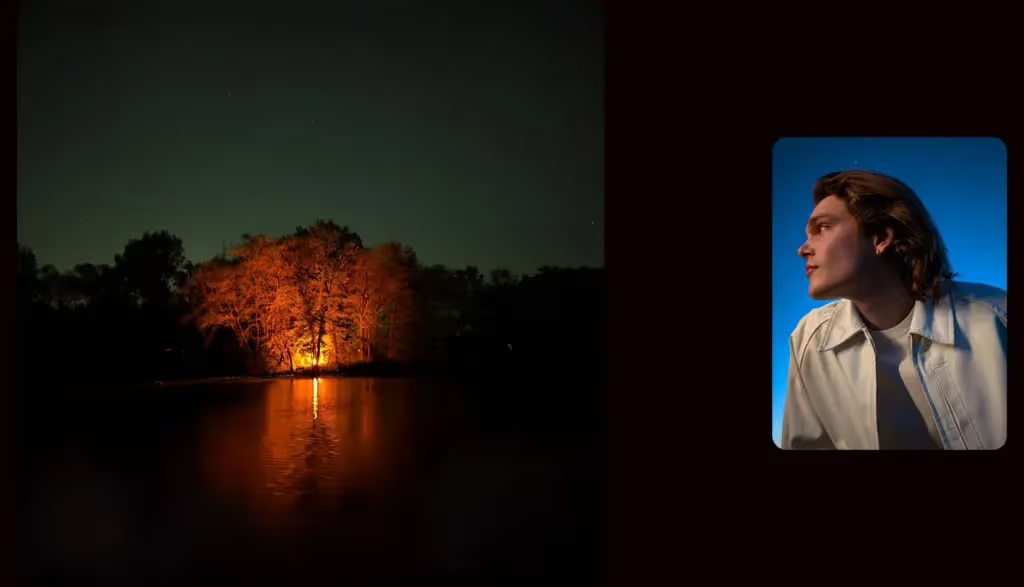
In the preview, the Pixel 11 Pro captured a Night Sight image in a split second. Its new sensors let in more light, and the live preview appeared to reveal more of the scene than the Pixel 10 Pro could show. The result left a strong early impression, although broader testing is still needed.
Faster capture could matter especially at concerts, where a delay of even a few seconds can mean missing the moment or ending up with a blurred image. That makes Instant Night Sight a likely candidate to become one of the most frequently used Pixel 11 Pro camera features.
Portrait mode receives a less dramatic but potentially valuable upgrade. The Pixel 10 Pro limits Portrait zoom to 2x, while the Pixel 11 Pro raises it to 5x. The extra reach allows portraits to be taken from farther away while pursuing stronger background blur and subject separation.
The sample image shown during the preview delivered a clearly visible portrait effect even at a distance. El Khoury described the bokeh effect as perfect and expects to use the feature for more candid photos, including shots of her husband throughout the year.
These five additions were the only new Pixel 11 Pro XL camera features available during the early look, but Google has more planned for its latest phones. The remaining additions include Stable video, 8K Video Boost, a new Teleprompter mode, and a Creator suite for trimming and re-ordering video. The base Pixel 11 also gets 30x Super Res Zoom.
Those features, particularly the video improvements, will need to wait for a complete review. The early preview nevertheless suggests that Google’s biggest Pixel 11 camera changes may come from the software and processing enabled by Tensor G6 rather than from sweeping hardware revisions.

Robert Haba is the founder and editor-in-chief of Droid Tools. A lifelong gadget enthusiast with over a decade following the Android ecosystem, he built this publication to cut through the noise and give readers honest, real-world coverage of the tech they actually use.

Explore six Pixel features that give Google an edge over Samsung Galaxy phones, from Gemini voice editing to magnetic charging and call waiting tools.

Honor Magic 9 series reportedly led 2026 Android flagship sales with 390,000 units in week 42, ahead of an overseas launch set for January 2027.

The Galaxy S27 launch may arrive by January, but rising component costs and chip testing delays could affect Samsung's upcoming lineup.
Huawei Pura 90 Plus leak reveals a 6.8-inch quad-curved screen, Kirin 9025 processor, and a 50MP camera ahead of its expected October 28 debut.
The next story loads as you reach the end. You can also load it using the button.


Comments & Discussions
Join the conversation! We use Disqus to handle comments. Click the button below to load the comment section.