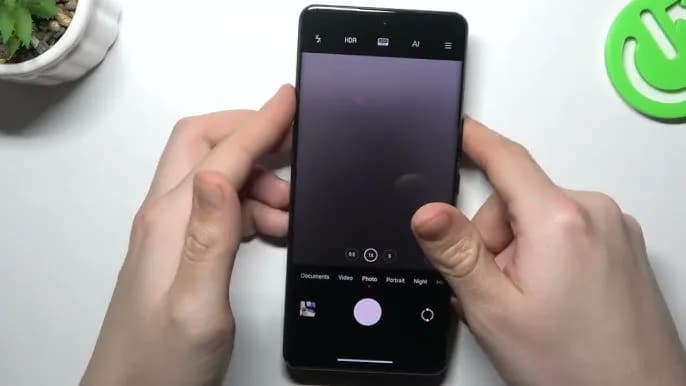
The cross-ecosystem LivePhoto transmission compatibility of HyperOS 2 was formally revealed by Xiaomi, enabling smooth live photo sharing between Xiaomi phones, Xiaomi Pads, iPhones, and iPads. Grayscale mode is supported, and the feature is progressively being made available in batches.
The enhancement is one of the actions Xiaomi is taking to create a comprehensive ecosystem that will provide a more seamless experience across devices. For optimal compatibility, users who are interested in the functionality should update their smartphones to the most recent versions of Xiaomi Photo Album and Xiaomi Share.Xiaomi HyperOS is always evolving, providing consumers with fresh and creative features to enhance their convenience.
Sharing dynamic pics in the LivePhoto format while maintaining their motion effects is now possible with Xiaomi HyperOS 2. Users can now share and enjoy LivePhotos on both Xiaomi and Apple devices with ease thanks to the latest update, which was revealed in the official Q&A (Episode 8) for Xiaomi HyperOS on March 7.
For successful transmission of LivePhotos, users must meet the following requirements:
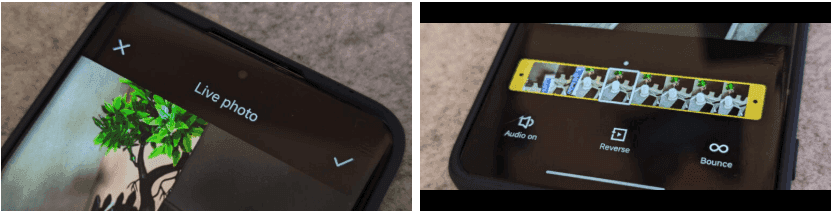
The Xiaomi ecosystem is greatly improved by this function, which allows users to find and share LivePhotos on several platforms without compromising motion effects. It is easier than ever to switch between devices and share memories with pals via an iPhone. In the days ahead, customers may anticipate even more cross-platform interoperability capabilities as Xiaomi develops HyperOS 2. Keep an eye out for additional information regarding Xiaomi HyperOS 2 and its ongoing feature additions.

Google Pixel Watch 5 (45mm)

Robert Haba is the founder and editor-in-chief of Droid Tools. A lifelong gadget enthusiast with over a decade following the Android ecosystem, he built this publication to cut through the noise and give readers honest, real-world coverage of the tech they actually use.
WhatsApp message scheduling has appeared in an Android beta build, allowing users to queue encrypted messages and media up to two weeks in advance.
Global smartphone shipments dropped 20% in Q3 2026 to a 14-year low as memory costs rose, though Samsung retained its top spot with foldables.

Google is emailing a 30% Pixel 11 discount code to select Google AI Pro members, cutting up to $570 off the Pixel 11 Pro Fold without a trade-in.

Google is upgrading Android scam detection across Messages and calls, using Gemini models and new on-device checks to flag suspicious links and phone scams.
The next story loads as you reach the end. You can also load it using the button.


Comments & Discussions
Join the conversation! We use Disqus to handle comments. Click the button below to load the comment section.