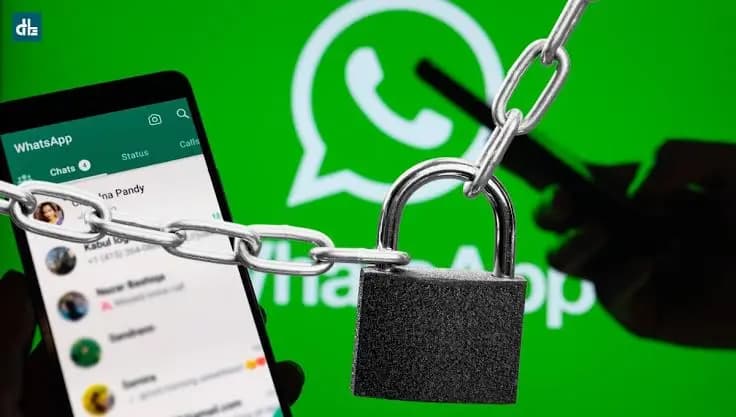
A locked Android phone may not be as locked as it seems. A reported WhatsApp behavior suggests that someone with physical access to a locked Android device could potentially reach the phone’s photo gallery while answering an incoming WhatsApp video call, though the issue doesn’t appear to affect every handset, with results reportedly varying by manufacturer.
According to the reports, tests on multiple devices found that a Google Pixel 6 Pro and an Oppo K13 allowed access to the full gallery straight from the lock screen, while a Samsung Galaxy S25 Ultra reportedly required a PIN or biometric authentication before showing any photos. Notably, the Oppo and Samsung devices were both running Android 16, which suggests the difference may come down to each manufacturer’s own software implementation rather than the Android version itself.
The reported method doesn’t involve malware, hacking tools, or a remote attack – it simply requires someone to have physical access to the phone while an incoming WhatsApp video call comes in. From there, the reported sequence goes like this: the person answers the call without unlocking the device, then opens WhatsApp’s effects interface, which offers filters, backgrounds, and other options. A Meta AI image option can reportedly lead to an Edit Photo button, and on affected devices, tapping it may open the phone’s gallery without asking for authentication. The rest of the phone stays locked, but that unrestricted gallery access could still expose personal photos, screenshots, scanned documents, and other sensitive images.
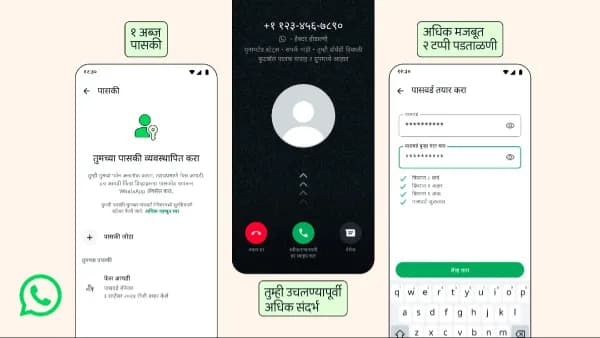
The differing results across devices suggest the behavior may depend on how individual manufacturers handle lock-screen restrictions. Android phone makers customize the operating system through software layers such as ColorOS, One UI, and Pixel software, so two phones running the same Android version can behave differently when apps are accessed from the lock screen.
iPhones don’t appear to have the same exposure, since WhatsApp calls there rely on Apple’s CallKit framework. When an iPhone is locked, incoming WhatsApp calls come through Apple’s own system calling interface rather than WhatsApp’s full in-call interface, which keeps users from reaching that same effects panel before unlocking the device.
Anyone concerned about this behavior can restrict WhatsApp’s photo permissions for extra protection: go to Settings > Apps > WhatsApp > Permissions > Photos and videos, then choose Select photos and videos, Limited access, or the equivalent option instead of granting access to the entire library, and pick only the images WhatsApp actually needs.
There’s currently no universal fix mentioned in the reports, and since the behavior varies by manufacturer, users should check their own device’s lock-screen behavior and avoid giving WhatsApp unrestricted access to their full photo library where possible.

Google Pixel Watch 5 (45mm)

Robert Haba is the founder and editor-in-chief of Droid Tools. A lifelong gadget enthusiast with over a decade following the Android ecosystem, he built this publication to cut through the noise and give readers honest, real-world coverage of the tech they actually use.

Google is introducing new Android scam protections, including Enhanced Protection in Messages, call-forwarding warnings, and screen-share privacy defenses.
Rich Communication Services (RCS) has reshaped Google Messages, bringing read receipts, larger media attachments, and cross-platform messaging with iPhone users. RCS isn't without its own issues, though, and Messages has so far offered an easy way to opt out on a per-chat basis if it causes problems - a feature that now looks like it […]

AI video generation has moved well beyond experimental clips. In 2026, creators, marketing teams, agencies, and video professionals can use these tools for social content, product videos, storyboards, advertisements, B-roll, explainers, and early-stage creative concepts. The challenge is choosing the right platform. Some focus on cinematic generation, while others are better for rapid marketing production […]

Google Messages is now widely rolling out its new Keep Notes integration, following last week's September 2026 Android Drop announcement. Opening the “plus” menu inside a conversation reveals a new Keep Notes shortcut, and those pills can be reordered like usual. Alternatively, Google might surface a contextual “Create list” shortcut directly in the suggestions row. […]
The next story loads as you reach the end. You can also load it using the button.


Comments & Discussions
Join the conversation! We use Disqus to handle comments. Click the button below to load the comment section.