Solipsism Browser is an open-source, Chromium-based Android browser available outside the Play Store via GitHub and F-Droid. Barely more than four months old, it features a right-side vertical navigation rail, host-based and cosmetic ad blocking, Decoy Mode browsing history, and user scripts instead of browser extensions.
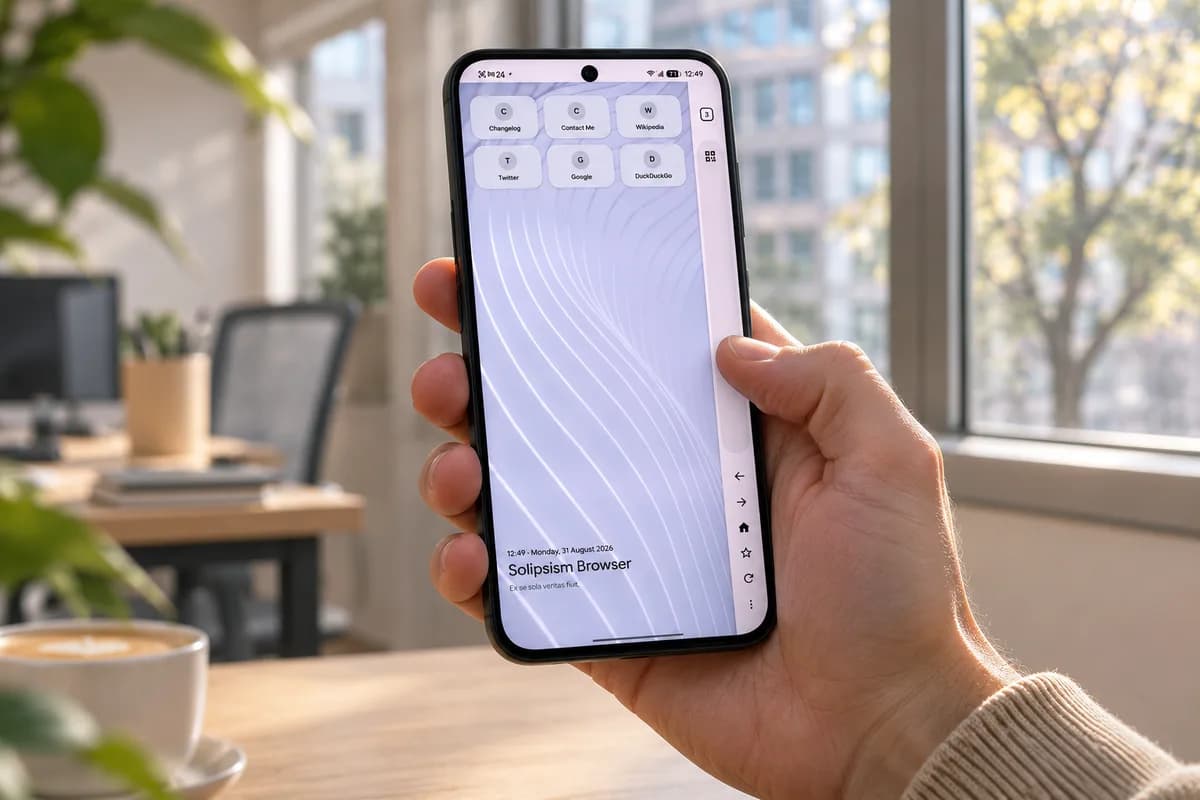
Android users looking beyond Google Chrome can find Play Store alternatives ranging from privacy-focused browsers like Brave to extension-friendly options like Firefox. Yet those choices often lack customization, features, or personality. Solipsism Browser stands apart as an open-source, Chromium-based alternative distributed outside the Play Store. The developer has not stated why it is absent from Google’s store, though privacy-leaning open-source developers often make that deliberate choice. Sideloading the browser requires a few extra steps, but installation remains straightforward.

The quickest installation method is downloading the APK directly from GitHub. Open a mobile browser, navigate to Solipsism’s GitHub page, scroll down to the Releases section, and tap the latest version. Under Assets, tap the APK file to download it. Tap Install to confirm. If a Permission required prompt appears, tap Settings and turn on the Allow Permission toggle.
Users can also install the browser through F-Droid, a third-party app store that exclusively hosts free and open-source software. F-Droid is not on the Play Store either, so it must be sideloaded first. Users visit F-Droid’s website, download its APK, and install it. Once F-Droid is running, search for Solipsism Browser and install it directly from the app. This route makes sense for anyone planning to install additional open-source Android apps.
Installing apps outside the Play Store is usually painless, though keeping them updated can be a concern. Solipsism Browser avoids update hassles. F-Droid installations check for new versions in the background and update automatically, as long as automatic updates are enabled in settings. Users who sideload the APK directly from GitHub do not need to check the repository manually. The browser alerts users when a new version is out, letting them tap the notification to download the latest APK.
A third option is Obtainium, a free, open-source app designed to track updates for software installed outside the Play Store. Users must sideload Obtainium first, then point it at Solipsism’s GitHub repository. Obtainium watches for new releases and lets users install updates with a single tap. This method is best suited for those who maintain multiple apps sideloaded from different sources.
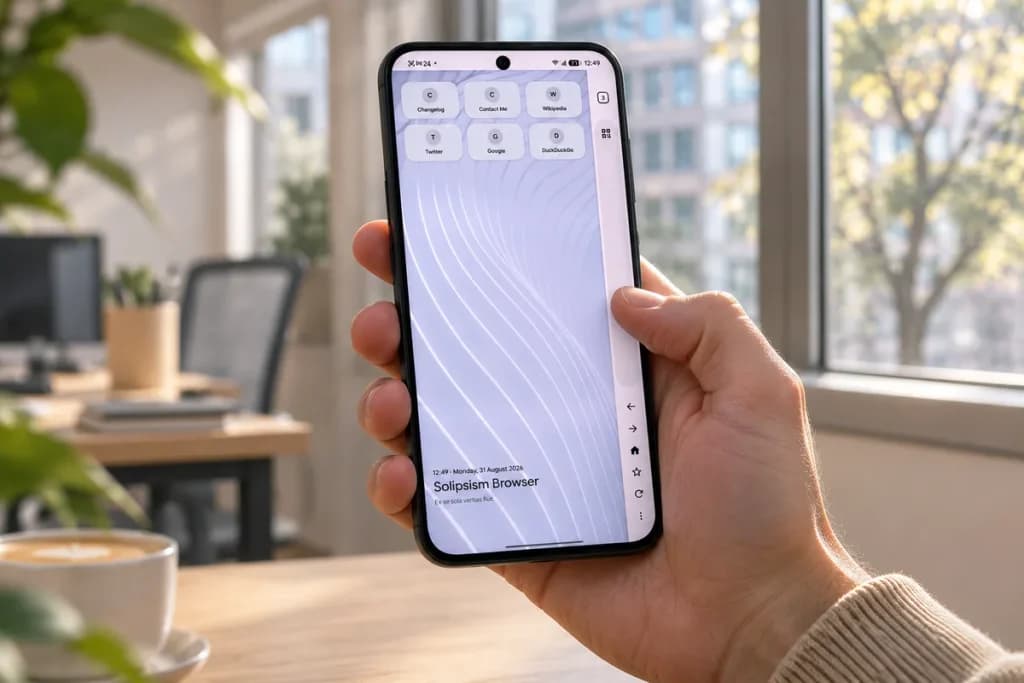
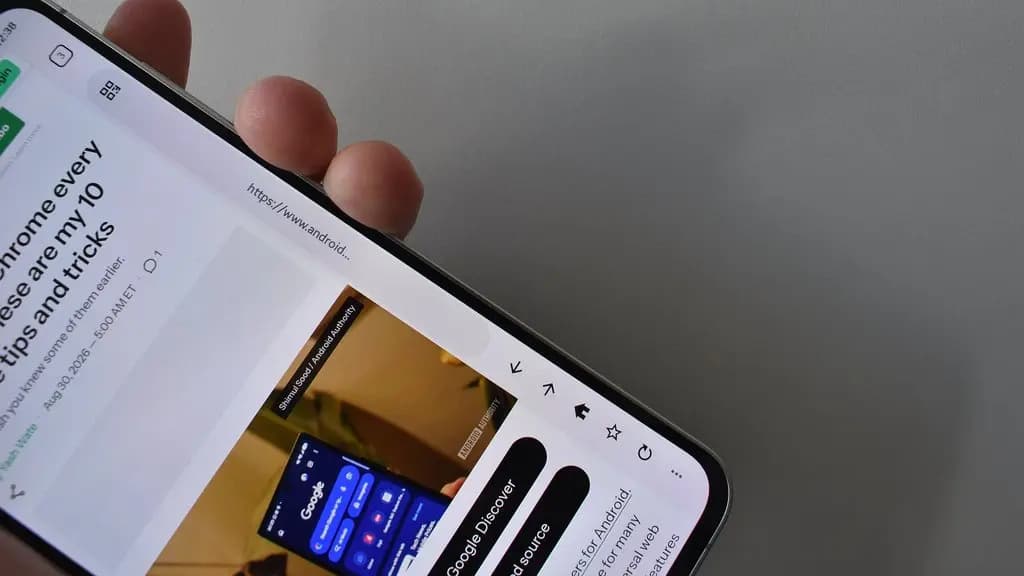
Solipsism Browser does not look or feel like Google Chrome. It drops standard top and bottom navigation bars in favor of a single vertical strip on the right side of the screen. This rail houses the address bar, tabs, back, forward, and refresh controls, optimizing the browser for one-handed use. Left-handed users can move the rail to the left side. The vertical rail feels particularly comfortable on wide foldables like the Galaxy Z Fold 8.
The built-in ad blocker combines host-based blocking with uBlock-style cosmetic filtering to keep pages clean. Users see no ads, and custom filters allow ads on specific sites users wish to support. An element blocker hides clutter that is not strictly an ad. These features are typically found only in desktop browsers.
Solipsism Browser also emphasizes privacy. Users can manage cookies on a site-by-site basis, send Do Not Track requests, and control WebRTC. A built-in malware scanner helps protect users who frequently download files from across the internet. Instead of wiping history, Decoy Mode replaces it with a fake, believable browsing session. Other features include homepage customization, an audio equalizer, a screenshot tool, and haptics control.
The browser is barely more than four months old, and its most noticeable limitation is the lack of extensions. Users switching from Firefox or Samsung Internet will miss them immediately. Solipsism partially offsets this limitation with scripts. These allow users to tweak how sites behave by stripping paywalls, forcing dark mode, or auto-skipping “are you human” cookie banners. While not for everyone, these scripts serve as the browser’s closest equivalent to an extension store.

Google Pixel Watch 4

Luiza Mosneagu is Reviews Editor at Droid Tools. A psychologist by training and tech writer by passion, she has tested over 60 Android devices since 2020 - always for a minimum of two weeks before writing a word. Her focus is camera quality, everyday usability, and cutting through marketing claims to tell you what a device is actually like to live with.
Unreleased code in Google Photos v8.0 points to an upgraded Ask Photos interface capable of performing multi-step tasks like editing and album creation.

Google Photos may add a dedicated RAW images section to Collections to help users find, edit, and manage space-heavy RAW photos.

Google Messages pinned chats are receiving an updated layout with large contact photos in beta, alongside a new floating search button.

Google is rolling out gradient icon redesigns to Phone and Contacts apps, with subtle gradients and cleaner edges across mobile and web platforms.
The next story loads as you reach the end. You can also load it using the button.


Comments & Discussions
Join the conversation! We use Disqus to handle comments. Click the button below to load the comment section.