Google expanded the Android Earthquake Alerts System on October 15, 2026, growing coverage from 98 countries and regions to more than 200. Because Google activates the feature by default in supported regions, many phones have it switched on and running in the background. Learning how Android earthquake alerts operate gives people a clear reference before an emergency triggers an alarm.
On the US West Coast, phone warnings come from the ShakeAlert network, which pulls data from 1,675 dedicated seismic sensors across California, Oregon, and Washington. Building that kind of network in every earthquake-prone country is slow and expensive, and many countries lack one. Google bypassed that problem by turning billions of ordinary Android phones into a crowdsourced sensor network.
Standard Android phones contain a small accelerometer that knows when the screen rotates. That same sensor can pick up the fast primary waves at the start of an earthquake. When a dense cluster of phones detects those waves, Google servers calculate the epicenter and push an alert to nearby devices before the destructive secondary waves arrive.
Each phone serves two roles. When plugged in and sitting still, it works as a sensor, and it is always ready to work as an alarm. In June, when back-to-back magnitude 7.2 and 7.5 earthquakes hit Venezuela, Google reported that its alerts reached 11.4 million people, giving some of them seconds and others up to two minutes to take cover. Venezuela has no national warning system.
Crowdsourced detection has experienced misfires, including a false alarm that hit Brazil in February 2025. Early warnings can also leave tight response windows. People near the epicenter might receive no advance notice at all, while individuals farther out may get only a few seconds to work it out. Android sorts every alert into one of three levels, and each asks something different of you.
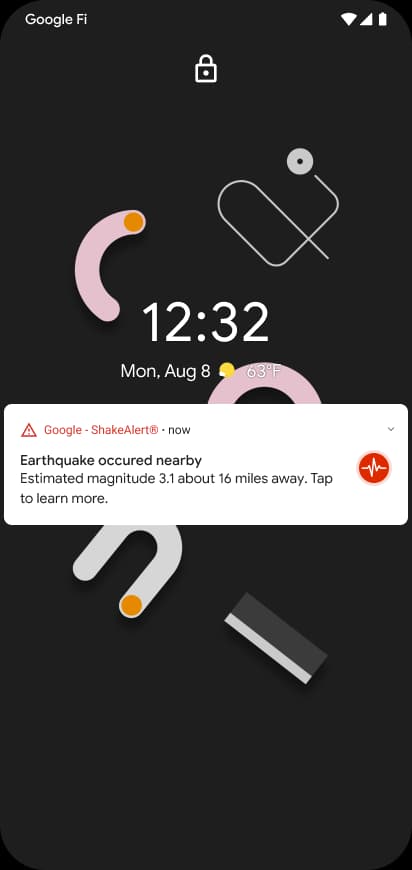
The lowest tier is Be Aware. Google sends it when it detects an earthquake of magnitude 4.5 or greater with expected light shaking at your location. Seismologists call that a 3 or 4 on the Modified Mercalli Intensity (MMI) scale. An MMI 3 is like a truck rumbling past, while MMI 4 is like that same truck hitting the building.
During such shaking, parked cars might rock, dishes and windows can rattle, and walls may make a cracking sound. Structural damage is highly unlikely. Because the danger is minimal, Android treats Be Aware like a regular notification. It follows your volume settings and respects your Do Not Disturb schedule. If a phone is on silent on the nightstand, it stays silent, displaying a notification on the lock screen that you can tap for more details about the quake. This alert asks little of you: check anything sitting on a high shelf, then resume what you were doing.
The middle tier is Be Ready. It covers the same light-to-moderate shaking (around MMI 4) as the top end of Be Aware, though Google reserves it for what it calls a significant earthquake. Receiving Be Ready instead of Be Aware indicates that the quake is big. The ground will move enough that you need to act right away.
Built to grab attention, the Be Ready alert can break through Do Not Disturb. Google also announced an upgrade for this tier that is not out yet. In the coming months, the Be Ready alert will show a map of where shaking was detected along with the estimated magnitude, plus a button to learn more as new information arrives. Alerts on phones today do not include these features. For now, when you hear the Be Ready sound, secure what is around you and get set to take cover.
Android issues a Take Action alert when you are about to experience shaking of MMI 5 or greater. At MMI 5, objects tip over. Higher up the scale, heavy furniture moves and chimneys break, and poorly built structures can take considerable damage.
Android treats Take Action as a full-blown emergency that overrides your volume and Do Not Disturb settings. Your screen wakes up and fills with a bright red warning while a loud siren sounds. The interface gives instructions to drop, cover, and hold on.
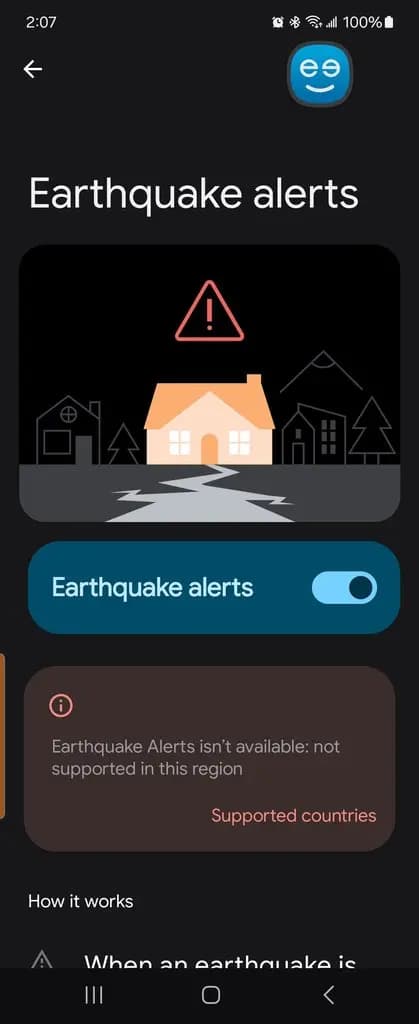
Do not assume the feature is on. While Google activates it by default in supported regions, software updates and carrier configurations can sometimes reset permissions. The system also requires Wi-Fi or mobile data plus location services turned on to pinpoint your phone and push a local warning.
To check the feature, go to Settings > Safety & emergency > Earthquake alerts. On some phones, it is under Settings > Location > Advanced instead. Near the bottom, look for a button labeled See a demo. The phone simulates the full Take Action alert, which is extremely loud. Testing the demo helps your brain learn the sound now, avoiding lost seconds decoding it later.

Robert Haba is the founder and editor-in-chief of Droid Tools. A lifelong gadget enthusiast with over a decade following the Android ecosystem, he built this publication to cut through the noise and give readers honest, real-world coverage of the tech they actually use.
Google updated Find Hub to support native left-behind reminders on compatible trackers, including Moto Tag and Chipolo, with custom exclusion zones.

Google released Create My Widget in the November Pixel Drop. Eligible Pixel users can access it early by enrolling in the Google Play beta.

If Gboard Rambler is missing after the November 2026 update, updating Android AI Core manually can activate the voice typing feature on Pixel 10 devices.

Google rolled out Extreme Charging Mode to the Pixel 10 in Android 17 QPR2, temporarily boosting charging speeds below 50% battery.
The next story loads as you reach the end. You can also load it using the button.


Comments & Discussions
Join the conversation! We use Disqus to handle comments. Click the button below to load the comment section.