Users now have more options for managing what they view on Instagram. You can now personalize your Instagram feed with a few of the new features the business has introduced. First off, it is a test of the feature that lets you designate several postings as “uninterested.” In the Explore page, you can choose whatever ...

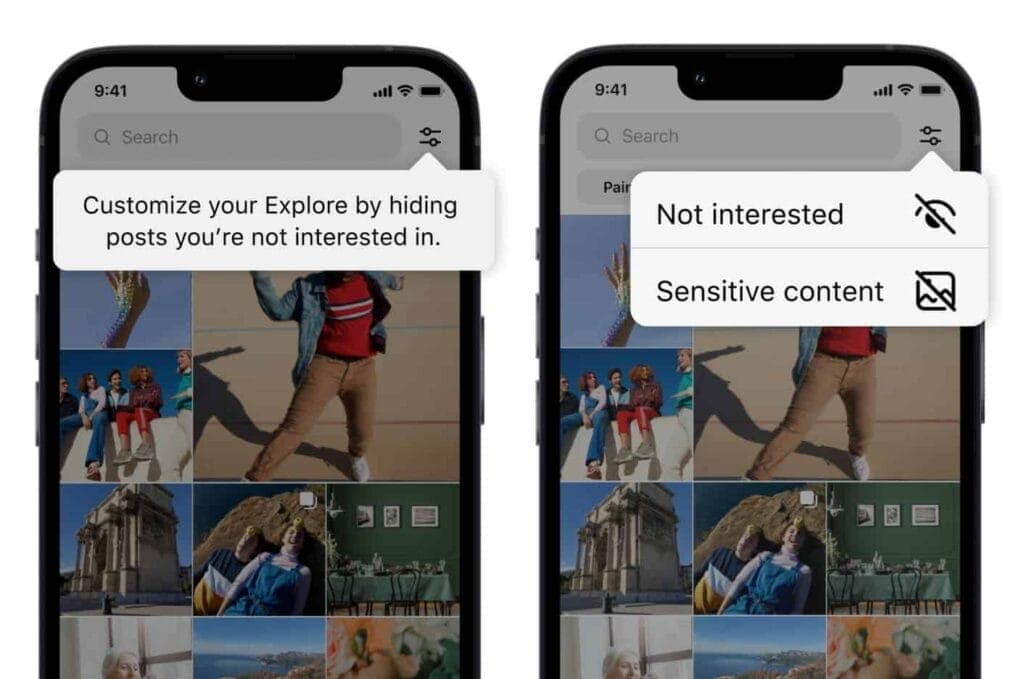
Users now have more options for managing what they view on Instagram. You can now personalize your Instagram feed with a few of the new features the business has introduced. First off, it is a test of the feature that lets you designate several postings as “uninterested.” In the Explore page, you can choose whatever posts you want to flag for the app at once. The chosen posts are instantly removed from your feed. Additionally, you won’t see any more such content in the future. You may presently only do that for individual postings on the Meta-owned platform. Multiple posts cannot be flagged at once.
You must tap the new Filter option in the Explore tab, which is located next to the search box, in order to flag multiple posts on Instagram. There are two choices there: Sensitive Content and Not Interested. Decide between the two options, then indicate on the posts. Tap Done to finish the activity at this point. Compared to the present implementation, which calls for you to first open a post, tap on the three-dot menu, and then choose Not Interested, this is far more convenient. For each piece of content you want to filter out, you must repeat these steps.
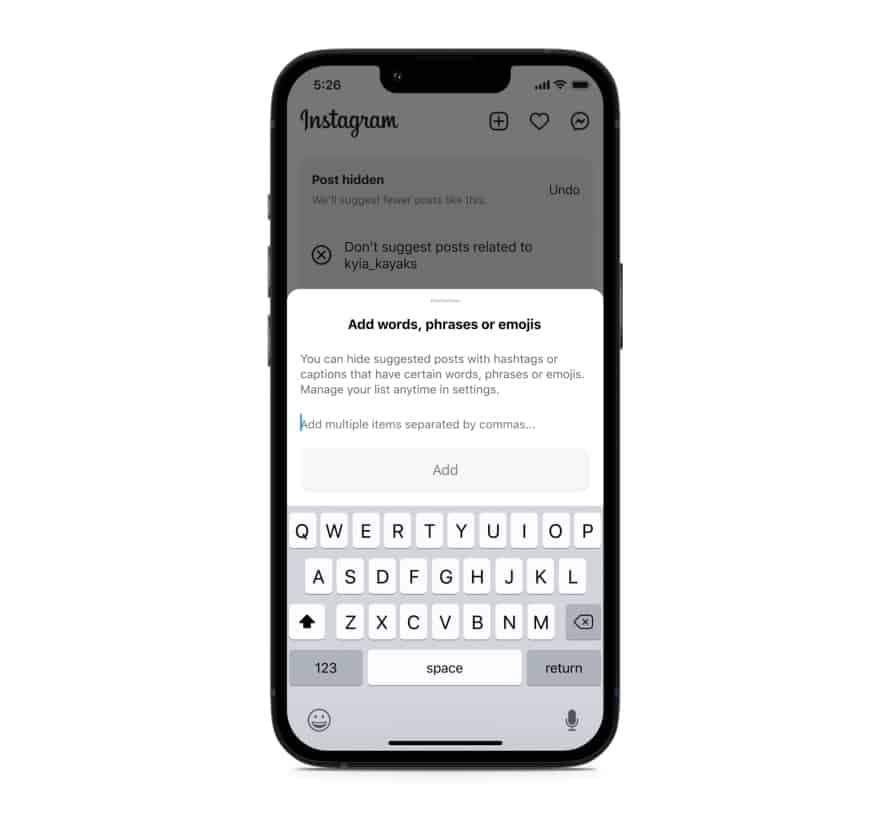
Instagram will also soon start testing the ability to filter out content based on keywords. You can create a list of words, phrases, and emojis that will trigger this filter. The app will look for those keywords in a post’s caption or hashtags and remove all related posts from your feed. “Whether you’re seeing something that’s not relevant, or have moved on from something you used to like, you can use this feature to stop seeing content that’s not interesting to you,” Meta said in a blog post. TikTok already offers similar keyword-based filtering of posts.
Instagram started out as a photo-sharing app before later adding video functionality. However, it currently favors short videos akin to TikTok over everything else. Reels is the name of the TikTok-inspired feature that is quickly dominating the site. Users now frequently hide material from their friends and relatives by seeing more Reels from accounts they don’t follow. The CEO of Meta, Mark Zuckerberg, has asserted that interest-based recommended content will dominate Instagram, despite widespread opposition to this notion.
Instagram is expanding its selection of filters to make sure users don’t see things they don’t want to. In addition to the current options for switching between your Favorites and Following feeds, these two new capabilities will be available soon. You can already designate specific topics as Not Interested, and you can choose to snooze suggested content for 30 days. Additionally, Instagram has modified its filters for delicate content.

Ring Indoor Cam 2K

Robert Haba is the founder and editor-in-chief of Droid Tools. A lifelong gadget enthusiast with over a decade following the Android ecosystem, he built this publication to cut through the noise and give readers honest, real-world coverage of the tech they actually use.

Circle to Search in Google Messages helps identify suspicious texts on supported Android phones, offering guidance on potential scams and next steps.

Google Messages Enhanced Protection adds Gemini scam analysis and on-device link checks for select Android phones as beta testing begins gradual rollout.
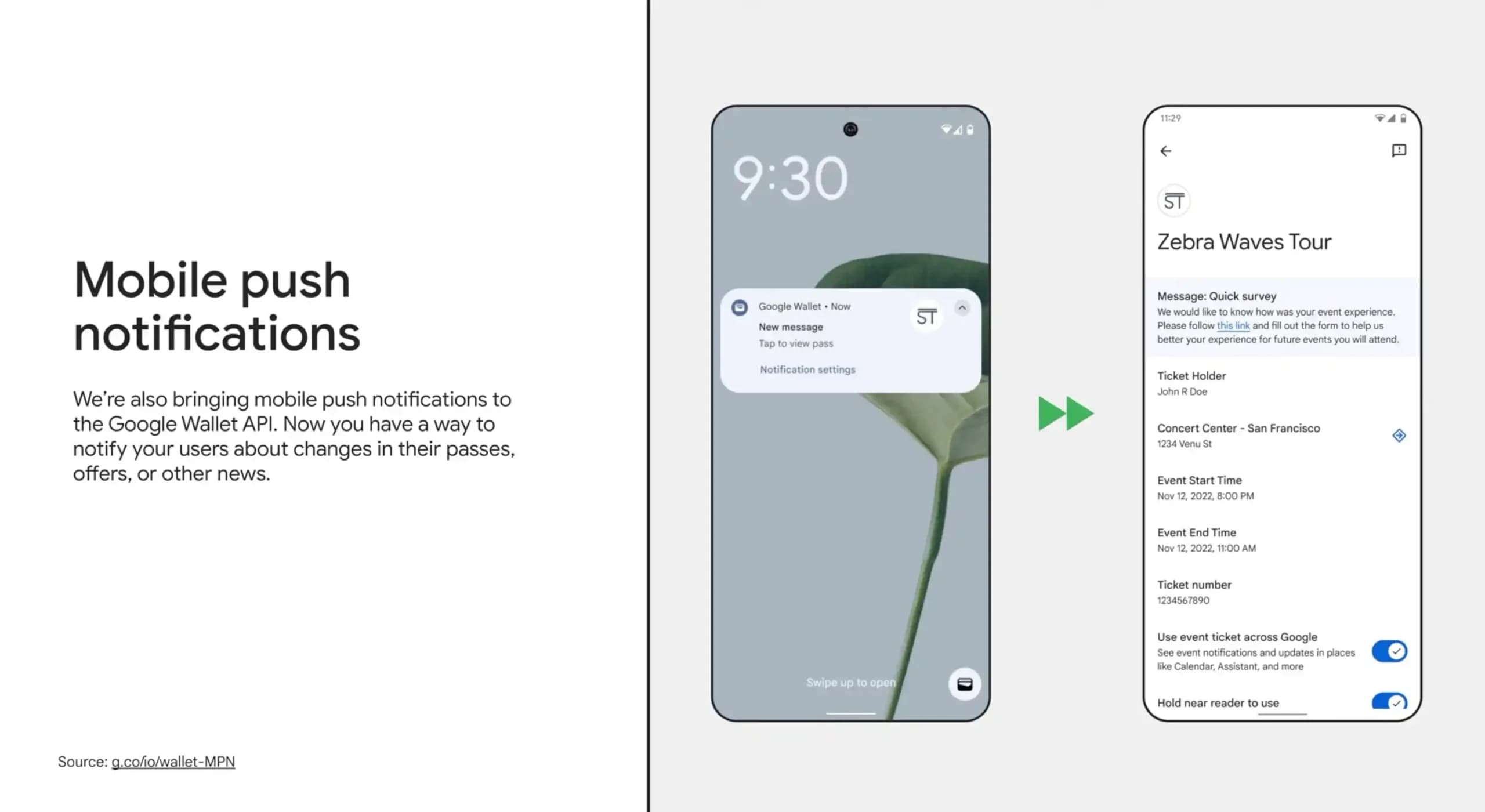
Google Wallet is rolling out an in-app notifications feed on Android alongside expanded digital passport support for Ireland and Italy.

Google Messages Enhanced Protection may replace the single spam toggle with three security options, including cloud link scans, per a new leak.
The next story loads as you reach the end. You can also load it using the button.


Comments & Discussions
Join the conversation! We use Disqus to handle comments. Click the button below to load the comment section.