Nothing has been open about its Android 17 plans and has published a clear roadmap for supported devices. The Phone (3) went first, receiving a beta in August. Now Nothing OS 5.0 has an official general release, bringing big changes and new features, which gives owners of supported phones plenty to look forward to. What’s ...
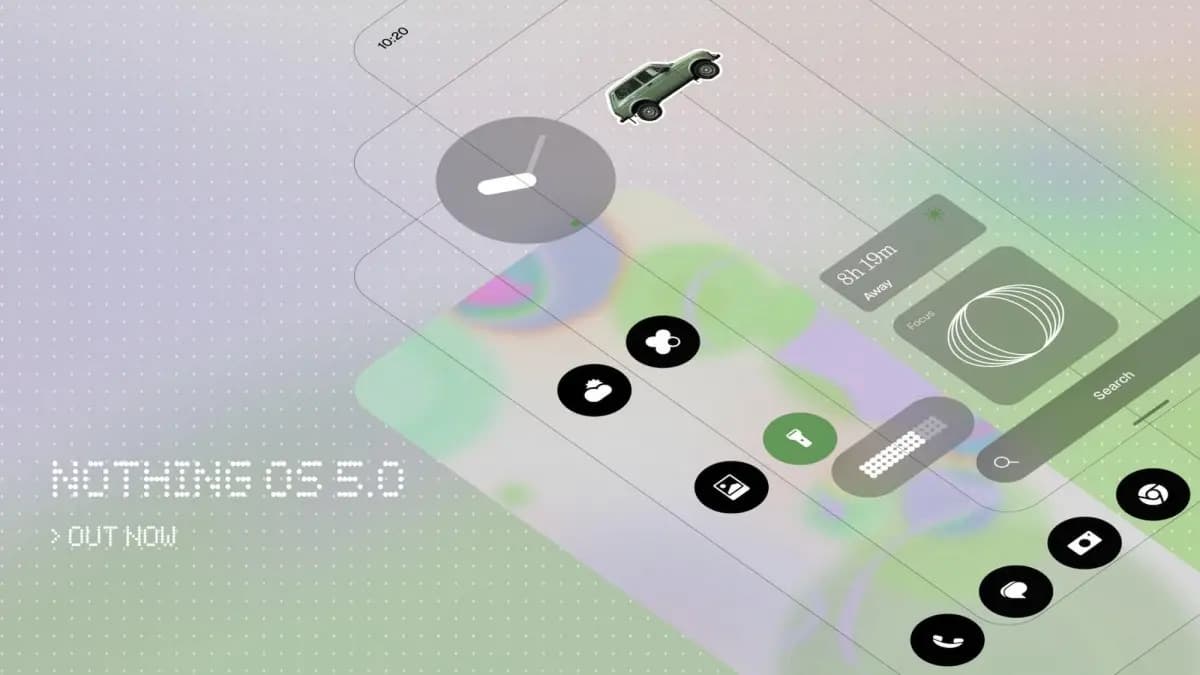
Nothing has been open about its Android 17 plans and has published a clear roadmap for supported devices. The Phone (3) went first, receiving a beta in August. Now Nothing OS 5.0 has an official general release, bringing big changes and new features, which gives owners of supported phones plenty to look forward to.
Nothing announced the Nothing OS 5.0 general release on its community page. The brand said the release will feature a “redesigned Launcher, Micrographics clock face, refreshed design system, deeper personalization, smoother performance, improved Essential AI tools and the best of Android 17.”
A major OS release is rarely a bad thing. It makes a phone feel fresh and adds plenty of new features to experiment with, which is part of the appeal of any major update. Nothing also published a solid breakdown of everything that comes with Nothing OS 5.0, and that guide covers the full list of changes in detail. Because it is built on Android 17, you get a more refined Android experience as the base.

Nothing has naturally added its own customizations so the software works smoothly with its products. With Nothing OS 5.0, the brand is making a big statement by changing the look and feel, and it has adjusted small details such as “Typography, icons, spacing, materials and motion.”
The Settings menu is cleaned up and much easier to navigate, and the Status Bar gets the same treatment. The Camera app offers “updated icons, cleaner controls and more polished motion, making important controls easier to identify without distracting from the viewfinder.”
The Nothing Gallery app also receives refinements that make it easier to sort through the photos you care about most. Home screen personalization may matter even more. Transparent details and subtle color tints help icons blend into the wallpaper for a more cohesive feel.
Nothing has also added a batch of new widgets, giving you more ways to try tools that can be useful at a glance. The Collector widget is likely to be a highlight for many, since it lets you create widget icons from your own photos. It lets you take the clutter you love and spread it across your phone for added personality. That will not appeal to everyone, but it is a fun option some people will enjoy. There is far more to cover, so a deep dive into the new settings and features is worth your time.

Nothing has laid out clearly when the update reaches each supported phone. The next push is slated for early November, with Android 17 arriving on the Nothing (3A) and Nothing (4A) series phones. The Nothing (2A) gets the update in mid-November, and the Phone (3A) Lite follows sometime in late December.
Finally, the Nothing (4B) and CMF Phone 2 Pro receive the Android 17 update in January. Things will probably go as planned for the most part, though hiccups are always possible. Still, it helps that the brand details everything, so owners are not left wondering whether their phone will get the new features.

Robert Haba is the founder and editor-in-chief of Droid Tools. A lifelong gadget enthusiast with over a decade following the Android ecosystem, he built this publication to cut through the noise and give readers honest, real-world coverage of the tech they actually use.

One UI 9.5 will debut on the Galaxy S27 series with a flagship rollout expected in April 2027, as leaks point to AI agents and eligible devices.
One UI 9.5 Beta 1 includes unconfirmed features like Compass waypoints and Track Back, plus Quick Panel tips, document reader, and S26 eligibility notes.

Google rolled out Android 17 QPR2 for Pixel devices in November, bringing new theming options, status bar settings, and fixes for over 200 bugs.
OPPO's ColorOS 17 November 2026 update rolls out in India through November 30 with photo export presets, OSee updates, O+ Connect links, and utility upgrades.
The next story loads as you reach the end. You can also load it using the button.
As an Amazon Associate, Droid Tools earns from qualifying purchases. Editorial policy


Comments & Discussions
Join the conversation! We use Disqus to handle comments. Click the button below to load the comment section.