Skip to content
Droid ToolsDroid Tools
Home

Explore

  • News
    429
  • OS
    266
  • Apps
    231
  • Phones
    190
  • Guides
    175
  • Wearables
    104
  • Reviews
    16

Latest Articles

  • Google Photos Ask Photos update may add multi-step tasks
    Apps

    Google Photos Ask Photos update may add multi-step tasks

  • ColorOS 17 rollout begins with initial support for OnePlus and Realme devices
    News

    ColorOS 17 rollout begins with initial support for OnePlus and Realme devices

  • Huawei Nova 17 series leak points to 200MP camera and Kirin 8 chip
    News

    Huawei Nova 17 series leak points to 200MP camera and Kirin 8 chip

  • Sony releases Xperia 10 Android 17 update with missing flagship features
    OS

    Sony releases Xperia 10 Android 17 update with missing flagship features

  • GrapheneOS brings Linux 6.18 kernel to Pixel 10 series and eyes Pixel 11 support
    OS

    GrapheneOS brings Linux 6.18 kernel to Pixel 10 series and eyes Pixel 11 support

Live Offers

Deal Alerts

Browse reported discounts on phones, wearables, and accessories. Check the retailer for the current price and availability.

View All Deals

Latest Deal Alerts

  • Sony WF-1000XM6 earbuds drop to $238 in limited B&H Photo Video discount
    🔥 Offer

    Sony WF-1000XM6 earbuds drop to $238 in limited B&H Photo Video discount

  • Walmart cuts iVANKY ultra-slim magnetic power bank to $15 in 50% discount
    🔥 Offer

    Walmart cuts iVANKY ultra-slim magnetic power bank to $15 in 50% discount

  • 🔥 Offer

    Amazon offers $749 Pixel 10 Pro XL deal as memory prices climb

  • Moto Tag 2 price increases to $29.99 as introductory discount ends
    🔥 Offer

    Moto Tag 2 price increases to $29.99 as introductory discount ends

  • Samsung Galaxy S26 discounts continue on Amazon after October Prime Day
    🔥 Offer

    Samsung Galaxy S26 discounts continue on Amazon after October Prime Day

About UsContact
Editorial PolicyReview Policy
Privacy PolicyCookie PolicyTerms & Conditions
⌘K
Search
Official Channels10 Profiles
FacebookX (Twitter)InstagramThreadsLinkedInBlueskyTikTokTelegramMastodonRSS Feed
Droid Tools

Droid Tools covers the latest Android news, device reviews, app updates, and OS guides. Stay informed with hands-on coverage from mobile tech experts.

Explore

  • News
  • Phones
  • Apps
  • Android OS
  • Wearables
  • Guides
  • Reviews
  • Deals

Legal & Info

  • About Us
  • Contact
  • Editorial Policy
  • Review Policy
  • Privacy Policy
  • Terms & Conditions
  • Cookie Policy
  • Affiliate Disclosure
  • Disclaimer
  • HTML Sitemap
© 2026 Droid Tools. All rights reserved.
Home/Guides/How to use Gemini hands-free on your phone
Guides
•google

How to use Gemini hands-free on your phone

Gemini supports hands-free operation through voice commands to control phone settings, make calls, dictate messages, and manage tasks from the lock screen. Enabling Device Assistance and lock-screen access allows users to handle everyday phone tasks without typing.
Cristian Penisoara• Guides Writer · Android Power User
Nov 9, 2026•3 min read
How to use Gemini hands-free on your phone
0%
Share on XFacebookBluesky
Follow on Google
Trust this source on GoogleAlways see our reviews and tech guides first in search results
Add trusted source

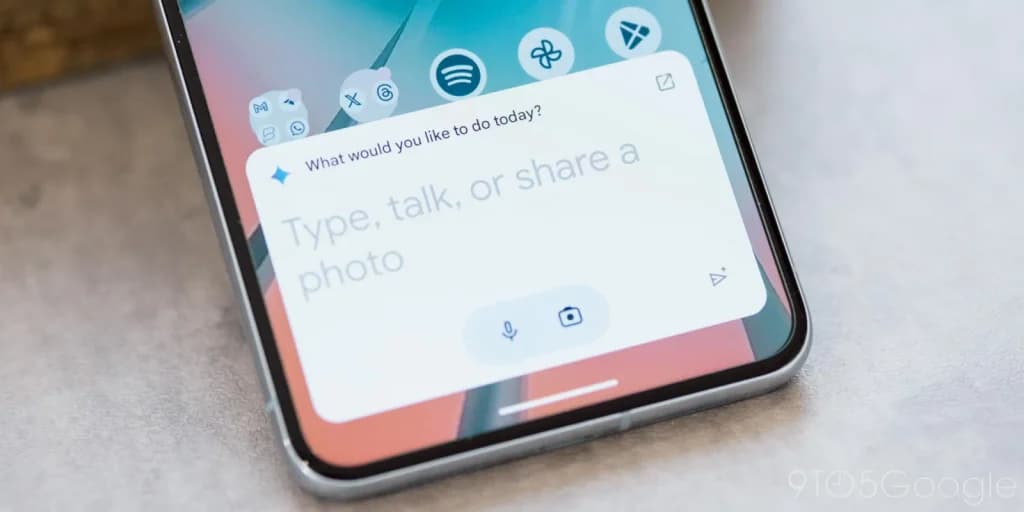
Using Gemini hands-free through voice commands helps when driving, doing chores, or working. By adjusting a few settings in the Gemini app, users can control their phone, manage alarms, place calls, and dictate text messages without typing commands or navigating multiple menus.
Managing phone settings and utilities

Device Assistance, formerly called Utilities, lets Gemini control different parts of the phone through voice commands. To enable this feature, open the Gemini app, go to Settings > Personal Intelligence, and select Connected Apps. Find Device Assistance and toggle it on.

After enabling it, voice commands can manage the phone, set timers, control media playback, and perform other actions. For example, saying “Hey Google, turn on the flashlight” helps when looking for something in a dark room. Voice commands can also enable Bluetooth before connecting earbuds, activate Battery Saver when the phone is running low, adjust the volume, change screen brightness, and open specific apps or settings menus.

Running assistant tasks from the lock screen

Gemini can also handle tasks without unlocking the device. To enable this feature, open the Gemini app, go to Settings > Device controls, open Gemini on lock screen, and turn on Use Gemini without unlocking.

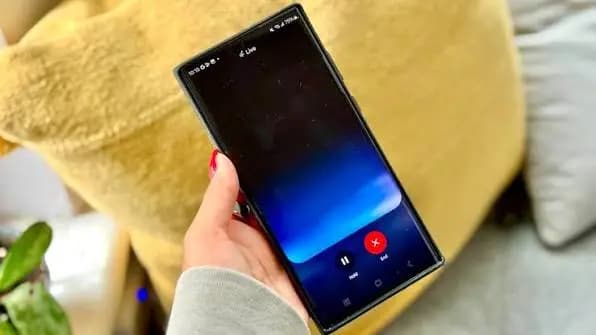
While the phone remains locked, Gemini can answer general questions, set or cancel alarms, start timers, pause music, turn on the flashlight, adjust the volume, and enable Battery Saver. Users can also ask for directions through Google Maps and control smart home devices.

Gemini may still ask users to unlock the phone before handling requests involving personal information, such as accessing calendar details. This prevents someone from picking up a locked phone and freely accessing sensitive information through voice commands.
You may also likeRelated
GuidesHow to turn off Pixel camera AI features on newer Google devicesOct 28, 2026→GuidesHow Pixel Watch Find Hub Settings Helped Recover a Lost Device at Airport SecurityOct 26, 2026→GuidesGoogle Pixel update schedule and device lifespan guideOct 23, 2026→

Placing calls, sending messages, and changing voices

Gemini also lets users place calls and dictate text messages using voice commands. Saying “Call Mom” starts a phone call, and Gemini can also call a business or dial a specific phone number.

Sending messages works similarly. Users can ask Gemini to send a message and dictate its contents in the same request, such as “Hey Google, send Sarah a message saying I’ll be 15 minutes late.” Gemini uses the default messaging app to handle the request, and it also supports WhatsApp on Android. To set this up, open Gemini, go to Settings > Personal Intelligence > Connected Apps, and ensure Phone and Messages are connected. Users may also need to grant the Google app permission to access contacts and the phone.

Google offers several voice options for Gemini. To change Gemini’s voice, open the Gemini app on the phone, go to Settings > Voice > Gemini’s voice. Tap the voice names to preview them, select one, and tap Confirm.

Using Gemini hands-free allows users to complete tasks without interrupting what they are doing. Spoken commands can change a device setting, set an alarm, call a contact, draft a message, or start a timer. While typing remains useful for giving detailed instructions, speaking to Gemini is often faster and more convenient for quick questions and everyday tasks.
Trust this source on GoogleAlways see our reviews and tech guides first in search results
Add trusted source
Tags:#ai#geminigoogle#guide#handfree
Recommended Deals
1 / 9
Google Pixel Watch 5 (45mm)

Google Pixel Watch 5 (45mm)

5.0
$459.99$529.99-13%
Buy on Amazon
* As an Amazon Associate, Droid Tools earns from qualifying purchases. Read our editorial policy
Cristian Penisoara
Cristian PenisoaraGuides Writer · Android Power User

Cristian Penisoara is a Guides Writer and Android specialist at Droid Tools. An Android user since version 2 and a professional event photographer, he combines technical curiosity with a detail-oriented approach - every guide he publishes is tested step-by-step on a real device before it goes live.

Next Story in Guides

How to turn off Pixel camera AI features on newer Google devices

Learn how to turn off Pixel camera AI features like Auto Best Take and Auto Edit on newer Google phones to prevent unwanted photo adjustments.
→

Latest Stories

GrapheneOS01

Five common GrapheneOS myths evaluated on a Google Pixel

02

Google Photos Ask Photos update may add multi-step tasks

03

ColorOS 17 rollout begins with initial support for OnePlus and Realme devices

04

Huawei Nova 17 series leak points to 200MP camera and Kirin 8 chip

Recommended Deal
-13% OFF
Google Pixel Watch 5 (45mm)

Google Pixel Watch 5 (45mm)

5.0(1,771 reviews)
$459.99$529.99
Buy on Amazon

* As an Amazon Associate, Droid Tools earns from qualifying purchases.

Top Deals

Sony WF-1000XM6 earbuds drop to $238 in limited B&H Photo Video discount

Deal
Sony WF-1000XM6 earbuds drop to $238 in limited B&H Photo Video discount

Walmart cuts iVANKY ultra-slim magnetic power bank to $15 in 50% discount

Deal
Walmart cuts iVANKY ultra-slim magnetic power bank to $15 in 50% discount

Amazon offers $749 Pixel 10 Pro XL deal as memory prices climb

Deal

Continue reading

More from this category →
google pixel camera
GuidesOct 28, 2026

How to turn off Pixel camera AI features on newer Google devices

Learn how to turn off Pixel camera AI features like Auto Best Take and Auto Edit on newer Google phones to prevent unwanted photo adjustments.

By Luiza Mosneagu
How Pixel Watch Find Hub Settings Helped Recover a Lost Device at Airport Security
GuidesOct 26, 2026

How Pixel Watch Find Hub Settings Helped Recover a Lost Device at Airport Security

A traveler recovered a lost smartwatch in ten minutes using Pixel Watch Find Hub settings. Learn how to configure location toggles and ring missing devices.

By Cristian Penisoara
Google Pixel update schedule and device lifespan guide
GuidesOct 23, 2026

Google Pixel update schedule and device lifespan guide

Track the Google Pixel update schedule, including seven-year lifespans for newer models, quarterly patch shifts, and dual Android OS release windows.

By Cristian Penisoara
How to fix Android time zones amid Canadian daylight saving changes
GuidesOct 23, 2026

How to fix Android time zones amid Canadian daylight saving changes

Google explained how to manage Android time zones as Canadian regions end seasonal time changes, offering steps for automatic and manual clock adjustments.

By Cristian Penisoara
Next in queue

Read the next article

The next story loads as you reach the end. You can also load it using the button.

Comments & Discussions

Join the conversation! We use Disqus to handle comments. Click the button below to load the comment section.