Starting at $1,299, the Samsung Galaxy S26 Ultra features a built-in Privacy Display, a 200MP quad-camera array, 60W wired charging, and the Snapdragon 8 Elite Gen 5 processor. Buyers seeking smaller dimensions or lower prices can consider the Galaxy S26, Galaxy S26 FE, or foldable alternatives.

The Samsung Galaxy S26 Ultra starts at $1,299. It combines Samsung’s most capable camera system, a built-in hardware Privacy Display, and top-tier gaming and AI performance in a traditional slab smartphone. The device is powered by a Snapdragon 8 Elite Gen 5 for Galaxy processor and features a 200MP quad-camera array. Casual users can save hundreds by choosing the Galaxy S26 or Galaxy S26 FE instead.
The Galaxy S26 Ultra includes a 6.9-inch Dynamic AMOLED 2X display with Qualcomm’s 3nm Snapdragon 8 Elite Gen 5 chip. Storage starts at 256GB with 12GB of RAM, scaling up to 1TB with 16GB of RAM, with no microSD card slot. An integrated S Pen slots directly into the bottom of the device for note-taking, sketching, and precision photo editing.
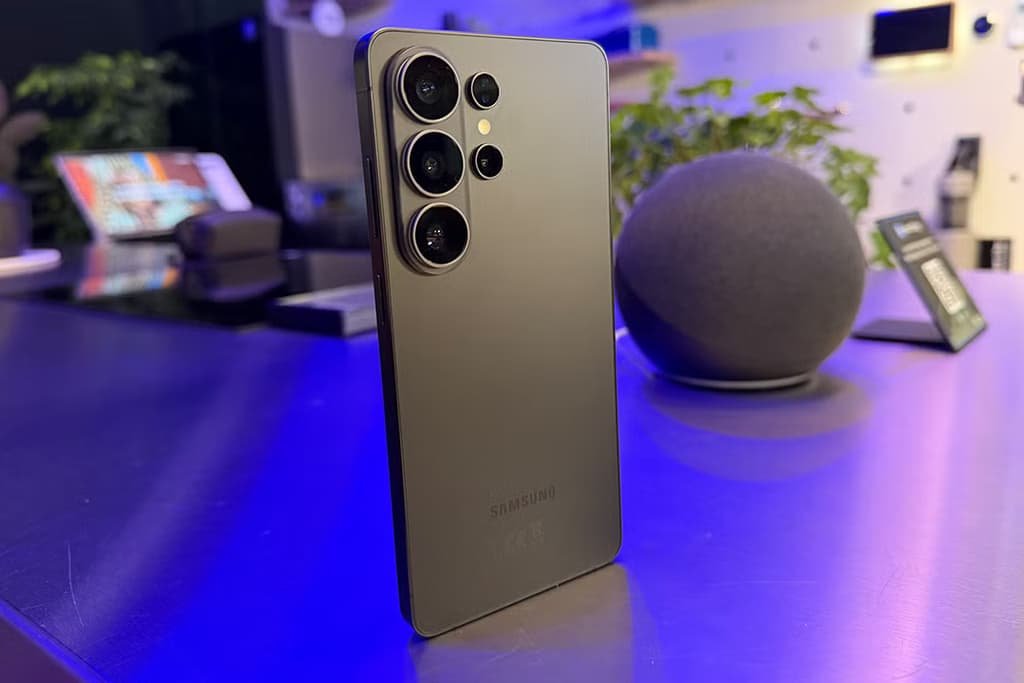
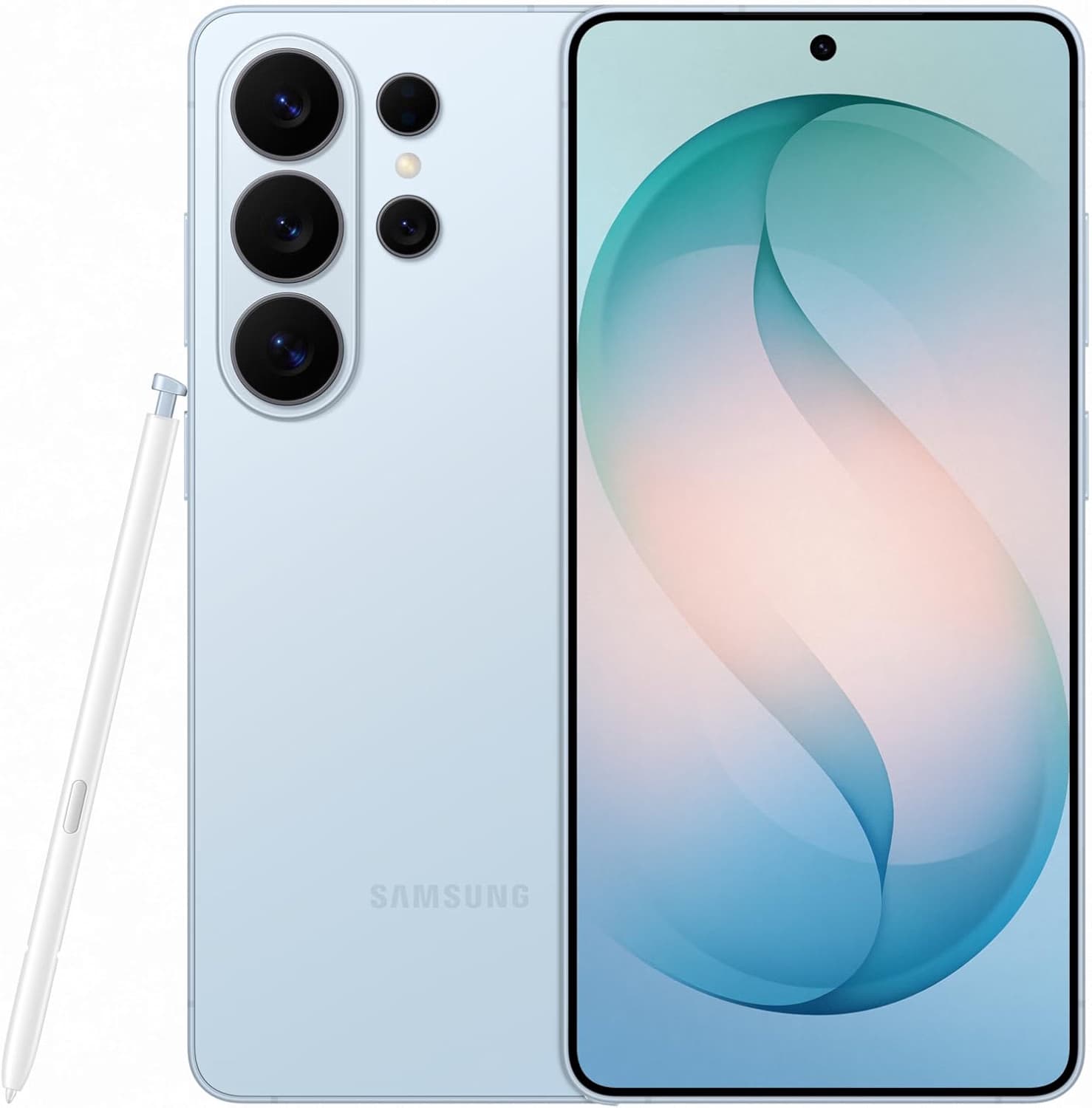
The Galaxy S26 Ultra introduced the industry’s first built-in Privacy Display on a smartphone. The panel keeps content crisp and easy to read when viewed straight on, while darkening the screen for those viewing content from the side. Unlike stick-on privacy screen protectors that dull brightness and colors across everything you do, Samsung’s implementation can be toggled automatically or manually. Users can configure the display to auto-enable when entering passwords, viewing lock-screen notifications, or opening banking and messaging apps.
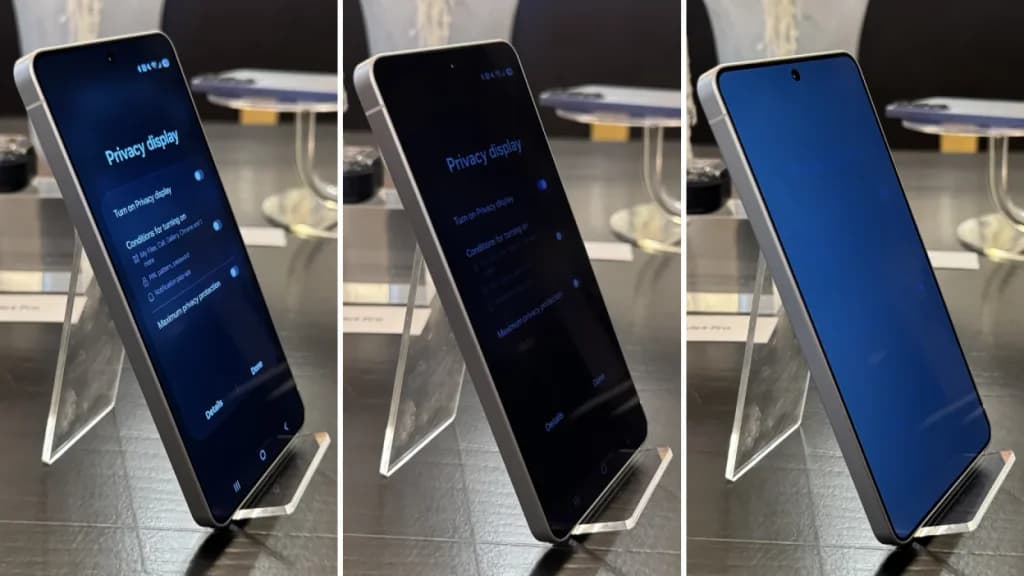
In review testing, there are two levels to Privacy Display. Privacy Display can automatically activate for selected apps, while Maximum Privacy Protection is a separate setting that further narrows the viewing angle. Maximum Privacy Protection can be used across the entire device, but it makes viewing the display difficult from any angle and results in losing display clarity and color. The reviewer suggests running Privacy Display without maximum protection when possible.
The Galaxy S26 Ultra houses Samsung’s strongest S-series camera system, anchored by a 200MP main sensor with wider apertures for cleaner low-light video and Nightography. It includes dual telephoto lenses (a 10MP 3x optical lens and a 50MP 5x periscope lens) that bridge into AI Zoom up to 100x with Space Zoom stabilization.
For everyday shooting, the camera handles a wide variety of shot types out of the box, managing heavy zooming with optical quality and tapping into AI power when needed. It delivers a strong camera experience without having to tweak settings or dive into menus. For on-device AI editing, owners get access to Photo Assist and Creative Studio.
Samsung upgraded wired charging on the Galaxy S26 Ultra to Super Fast Charging 3.0 at 60W, replenishing its 5,000mAh battery to roughly 75% in 30 minutes. Samsung rates the phone for up to 31 hours of video playback on a single charge. In review testing, the device averaged 7.5 hours of screen-on time with regular YouTube and TikTok consumption, going to bed with around 20% to 30% battery remaining.
Choosing whether to buy the Galaxy S26 Ultra comes down to whether you will actually use pro-level camera hardware, the S Pen, and the Privacy Display.
Buy the Galaxy S26 Ultra if:
Consider an alternative if:
Does the Galaxy S26 Ultra include an S Pen?
Yes. The S Pen slots directly into the bottom of the device for note-taking, sketching, and precision photo editing.
What comes in the box?
A USB-C to USB-C cable and a SIM ejection pin tool. Samsung does not include a charger.
How many years of software updates does the Galaxy S26 Ultra get?
Samsung supports the Galaxy S26 Ultra with up to seven years of Android OS upgrades and seven years of security updates.
Which carriers does the Galaxy S26 Ultra work on?
Samsung sells specific models for each US carrier (Verizon, AT&T, and T-Mobile), plus an Unlocked model compatible with major US carriers, subject to carrier compatibility requirements.
Is it easy to transfer data from an older phone to the Galaxy S26 Ultra?
Yes. Using Samsung’s Smart Switch app during setup, you can scan a QR code and transfer photos, messages, apps, and settings wirelessly without cables.

Cristian Penisoara is a Guides Writer and Android specialist at Droid Tools. An Android user since version 2 and a professional event photographer, he combines technical curiosity with a detail-oriented approach - every guide he publishes is tested step-by-step on a real device before it goes live.

A reported Xiaomi wide phone may feature a 16:9 screen with 1mm symmetrical bezels, though launch timing and global availability remain unconfirmed.

Vivo is reportedly considering three flagship chips for the Vivo X Fold 7 as the company weighs pricing for its next square foldable phone.

The Huawei Mate 90 Air design has been revealed with a slim build, Kirin chipset, and HarmonyOS 7 ahead of November 24.
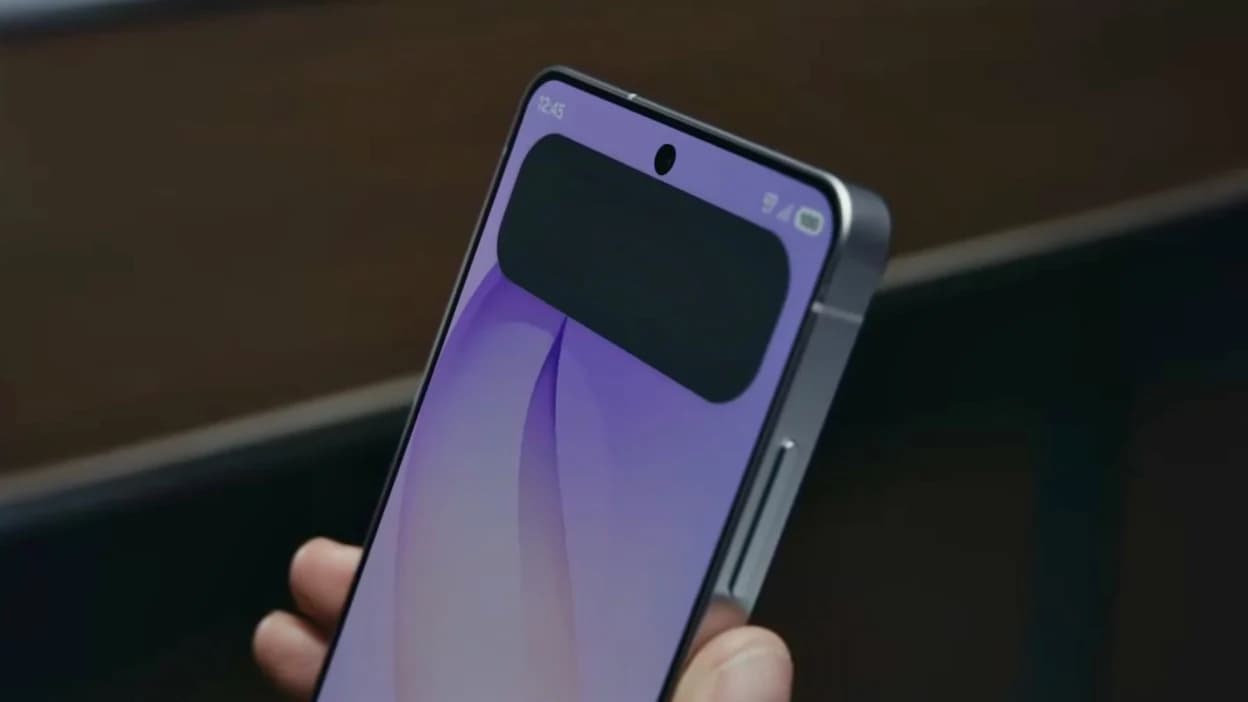
The One UI 9.5 beta brings granular Privacy Display options to the Galaxy S26 Ultra, adding controls for private albums, locked notes, and app previews.
The next story loads as you reach the end. You can also load it using the button.


Comments & Discussions
Join the conversation! We use Disqus to handle comments. Click the button below to load the comment section.