






Google is now making Gems available to all users after originally unveiling the functionality last fall. In case you are unfamiliar, Gemini Gems provides you with a personalized AI helper. You have the option of creating one using your own instructions or selecting one of Google’s pre-made solutions.
Being able to set instructions that only apply when you use that Gem is what distinguishes this from using Gemini the conventional way. If you use Gemini in different contexts at different times, such as when you need assistance producing formal reports for the same company, blog articles, and social media postings, this is a terrific tool.
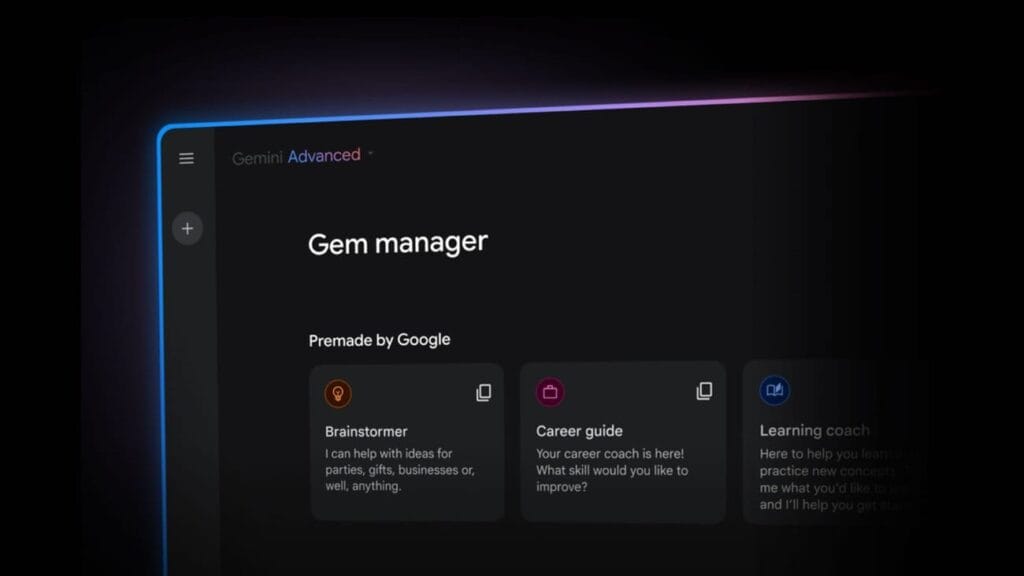
Which Gems are available?
The Gems already available include:
- A learning coach that helps you break down complex topics, making them easier to understand.
- A brainstormer to give you easy inspiration — from fresh ideas for a themed party to the perfect gift for an upcoming birthday.
- A career guide to help you unlock your career potential with detailed plans to refine your skills and achieve your career goals.
- A writing editor to elevate your writing through clear, constructive feedback on everything from grammar to structure.
- A coding partner that levels up your coding skills and can help you build projects and learn as you go.
- A chess champ that lets you play chess with a language model (this one is still in experimental mode).
How to access and use Gems
Locate the tiny gem symbol on the left side of the Gemini app to use Gems. You will see the alternatives that are already available as well as an arrow to make your own. The latter allows you to add up to 10 files for reference, name your Gem, and provide instructions.
Gems can only be created on the web app, however they can be used on iOS and Android devices. Tap your account photo in the upper right corner of a mobile app to access Gems, then search for “Gem manager.”