




OPPO has released ColorOS 16.1, its mid-cycle upgrade that remains based on Android 16 and arrives ahead of the Android 17 update expected for eligible devices later this year. The release is a substantial one, covering everything from a new live activity system and a redesigned camera interface to AI assistant improvements and cross-platform file sharing with Apple devices.
ColorOS 16.1 is rolling out to the Find X9 series first
The update is currently making its way to OPPO’s Find X9 lineup, with the Reno 15 series and Find X8 series set to follow. Other flagship and mid-range models are expected to receive it in the near future as well. The Find X9 Ultra and Find X9s will ship with ColorOS 16.1 pre-installed in select regions.
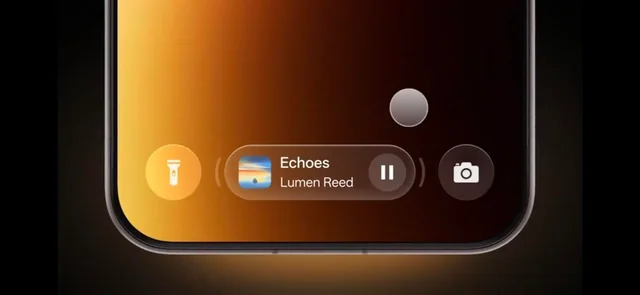
The most prominent addition in this release is Live Space — a new live activity system displayed as an expandable capsule-style card at the bottom of the lock screen. It surfaces real-time updates for things like timers, music playback, food delivery tracking, and notifications, and users can swipe between active sessions directly from the lock screen without opening any apps. Live Space also integrates with Google Maps, extending its usefulness beyond basic notifications.
System animations have also been overhauled across the board. App launches, closures, in-app scrolling, and general system interactions all feel smoother and more fluid. The Control Center and notification shade now feature stronger blur effects and cleaner transitions when pulled down, and touch recognition improvements help reduce the scrolling jitter that can creep into app interactions.
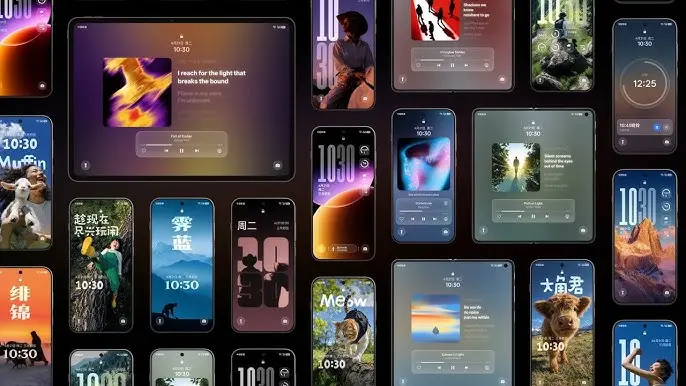
Live Space, redesigned camera app, and smoother system animations
ColorOS 16.1 introduces a Contour Glow effect throughout Settings, adding a subtle shimmer animation around UI elements including Control Center toggles, the lock screen, widgets, and the search bar. A new Audio Sharing feature allows two audio devices — such as earbuds and other supported Bluetooth accessories — to connect simultaneously to the same phone and play audio through both at once.
The Camera app has been redesigned with a noticeably different visual language, featuring translucent layers, glossy blur effects, floating cards, and bouncy animations throughout the interface. Settings no longer take over the full screen; they open inside pop-up cards instead, keeping the experience less disruptive. Devices like the Find X9 and Find X9 Pro also gain new Lumo-style watermarks within the camera app.
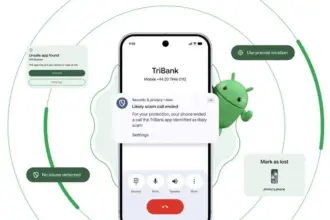

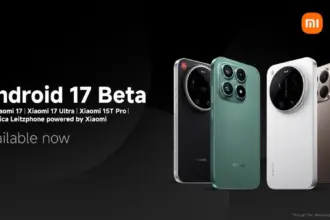
On the home screen side, ColorOS 16.1 adds AI-assisted organization that automatically arranges apps by category — games, music, social media, and so on — or by icon color. The same color-based sorting is available inside the app drawer as well.
AI improvements and AirDrop support
Several AI features have been upgraded or introduced. Mindspace gains a new assistant called MindPilot, which supports ChatGPT, Perplexity, and Gemini directly within the app and responds to natural language queries. A new AI Menu Translation feature uses the camera to scan menus and foreign-language text and translate it on the spot, with the added ability to identify and convert different currencies — a useful tool for travel.
The AI Bill Manager is a new addition that tracks expenses, income, daily averages, and monthly spending patterns. Users can set spending limits and query their financial data through the AI directly. Document Scanning has also been meaningfully improved — the system now automatically corrects wrinkles, shadows, glare, and blur in scanned images, handles handwriting, long paragraphs, and tables with greater accuracy, and saves documents directly to the Documents app. Multi-page scanning is faster as well.
ColorOS 16.1 also adds AirDrop compatibility to Quick Share, enabling file transfers to Apple devices without requiring any third-party apps. This feature is currently limited to the Find X9 and Find X9 Pro. Additional changes include Caller ID and spam protection, a speaker equalizer, and OPPO Share.