Reports indicate that Google Play Services may automatically verify and associate device phone numbers with every signed-in Google account on the same hardware. Users can limit this behavior by adjusting Google system settings and removing unneeded phone numbers from individual account profiles.

Recent user reports indicate that Google Play Services links device phone numbers to every Google account on an Android device. This background Google phone number verification runs without displaying an on-screen prompt or asking for approval. Once a mobile number is verified on the hardware, the system associates that contact detail with all signed-in profiles on the phone.
The practice raises immediate privacy questions for people who intentionally keep separate identities on a single device. Many device owners run different Google profiles to isolate work from personal life, or to maintain a secondary account with minimal personal details. Because the system attaches the same phone number to each account, Google establishes an internal link tying those distinct profiles to one identity.
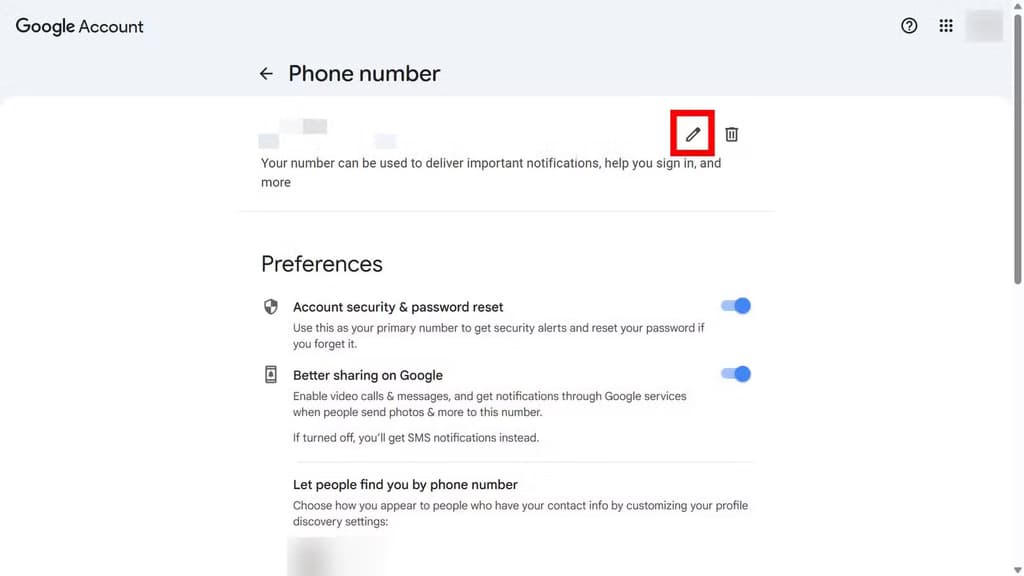
This shared phone number does not merge inbox contents, calendars, or files between accounts. A user logged into a workplace profile still cannot see files stored in a private profile. Even so, the shared identifier removes the separation between those accounts on Google’s backend. That connection occurs in the background without giving the user an explicit choice during setup.
The initial report surfaced on Reddit, where a member noticed that Google Play Services had verified their mobile number and attached it to every account on the phone. The same contributor observed this behavior on GrapheneOS, a privacy-focused mobile platform. Installing sandboxed Google Play Services on alternate firmware apparently produced identical automatic linking. That indicates the mechanism belongs to Google’s core services package.
Android users can manage these automated associations through device settings and account controls. To stop ongoing checks, open the Settings app, tap Google, and select the All services menu. From there, navigate to Privacy & security and locate Phone number verification. Disabling the automatic sync toggle inside this section prevents Google Play Services from continually registering the SIM number across installed accounts.
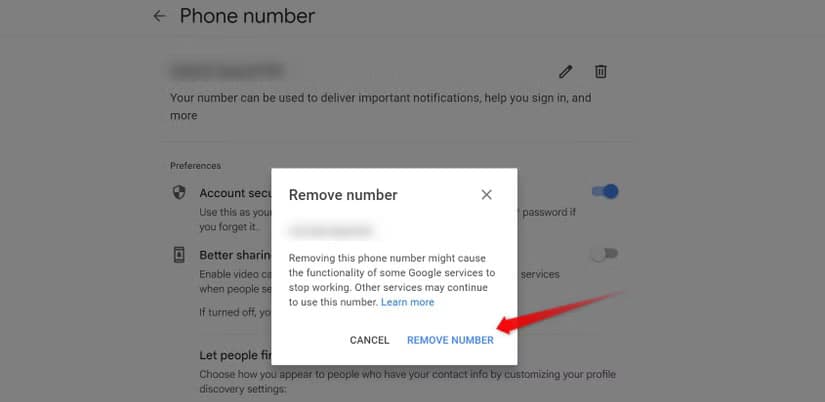
Turning off automatic sync does not remove numbers already saved to an existing profile. Each Google account requires a manual cleanup pass. Open the Google account page, select the Personal info tab, and scroll to the Phone section. Look for stored phone numbers that should not be associated with that specific profile, then delete them. Users managing multiple profiles must repeat these deletion steps across each account on the device.
Widespread data collection across mobile services has been documented for over a decade. While discovering automatic account links might have provoked strong public surprise years ago, automated identity tracking has become routine across large tech ecosystems in 2026. The ongoing integration of device-level identifiers with cloud accounts reflects how modern mobile platforms gather and organize user data behind the scenes.
Users who rely on Google services and want strict boundaries between their identities should review their device configurations promptly. Checking the verification menu and auditing phone numbers under each account shows what Google Play Services stored. Inspecting each profile ensures that private and workplace accounts do not remain connected without deliberate consent.

Ring Indoor Cam 2K

Robert Haba is the founder and editor-in-chief of Droid Tools. A lifelong gadget enthusiast with over a decade following the Android ecosystem, he built this publication to cut through the noise and give readers honest, real-world coverage of the tech they actually use.

Leaked Android code shows Google may bring cloud-rendered animated video wallpapers to Pixel devices, though official launch plans remain unannounced.

Early reports show isolated One UI 9 battery drain on the Galaxy S24 Ultra, though most users appear unaffected following the October update.
Pixel notification badges may soon display unread counts, based on hidden settings uncovered in the Android 17 QPR3 Beta 2 release.

Samsung tests the 2nm Exynos 2700 for the Galaxy S27 series, aiming for 12% faster speeds and lower processor costs than Qualcomm components.
The next story loads as you reach the end. You can also load it using the button.


Comments & Discussions
Join the conversation! We use Disqus to handle comments. Click the button below to load the comment section.