


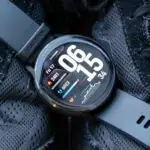


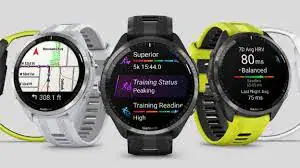
Many of the top Garmin watches on the market seem to be having issues with a recent software update that Garmin published. But there is a lot of uncertainty about what Garmin has changed and what might or might not be broken in the most recent version, especially for owners of the well-liked Forerunner line.
On December 2, Garmin released software version 21.19. The new Meditation activity, upgrades to the Pool Swim routines, and corrections for various issues and oddities are among the improvements mentioned.
Users of Forerunner have reported a number of problems with the update, particularly with accessing the touchscreen and syncing their devices with Wi-Fi. What is happening, and what information is necessary for you to know?

Garmin Forerunner software update
First, the simpler problem is that some customers are having trouble syncing their Wi-Fi after the update. One user complained on December 4 that “the wi-fi sync does not work after installing Forerunner 955 – Software Version 21.19.”
In its release notes, Garmin states that “it is advised users sync their devices via Garmin Express or Wifi to speed the transfer of files required for the meditation activity.” This is in line with the many complaints that point to a similar problem. Wi-Fi sync problems might be caused by the majority of the new version, which is packed with new features, but there does not appear to be an obvious cause or solution.
The changes and bugs pertaining to the touchscreen are much more perplexing. A issue that causes the Forerunner touchscreen to remain active during activities even when the ‘Touch Disabled’ setting is activated is being reported by a few of users. One user agreed, “I saw the same as the wet sleeve of my jacket was swiping through the data fields while I went out for a run in the rain at noon today.” Garmin has responded on at least one post stating, “We are aware of this issue and are presently investigating,” which suggests that this is a bug. I am sorry if this has annoyed you.


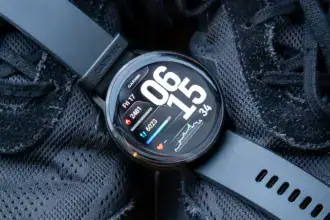

However, the problem is complicated since customers are experiencing another touchscreen “bug,” which Garmin claims is a deliberate modification. The Forerunner’s Stopwatch in 21.19 is operated using the device’s buttons rather than its touchscreen. “Since software version 21.19, I am unable to operate the stopwatch with a touch screen. I can only start, stop, and reset it using the buttons. One customer complained, “The touch screen does operate in the timer.”
In response, Garmin has subsequently stated that “This was a deliberate alteration. Now, you have to start, stop, and reset the time using the buttons on the Stopwatch and Timer screen. I apologize for any disappointment this modification may have caused.
In conclusion, there are undoubtedly some issues with the most recent Garmin update when it comes to Wi-Fi and utilizing the touchscreen when engaging in activities. However, Garmin claims that this is a deliberate adjustment if you have noticed that your stopwatch no longer functions via touchscreen and can only be operated by buttons. It remains to be seen if it was a good one. It is been a rough few days for the company’s software section because of this most recent disturbance and the recent problem with Garmin watch faces crashing.


