Developers have discovered that Android 17 quietly blocks apps from checking whether Developer Options and USB Debugging are turned on, in what's being described as one of the release's hidden changes. Regardless of whether Developer Mode is actually enabled on a device, apps that try to read its status in Android 17 will always get ...

Developers have discovered that Android 17 quietly blocks apps from checking whether Developer Options and USB Debugging are turned on, in what’s being described as one of the release’s hidden changes. Regardless of whether Developer Mode is actually enabled on a device, apps that try to read its status in Android 17 will always get back a 0, meaning “disabled,” instead of a 1 for “enabled.”
That matters because a considerable number of apps actively check whether a user’s device has Developer Mode turned on, and prompt the user to disable it before the app will work at all. According to code commit notes, Google says apps don’t need to detect Developer Mode’s status going forward, and that the underlying detection logic will simply stop working in Android 17.
That raises an obvious question: why do so many apps care whether Developer Mode is on, and why has Google now decided that information isn’t something apps should have access to?
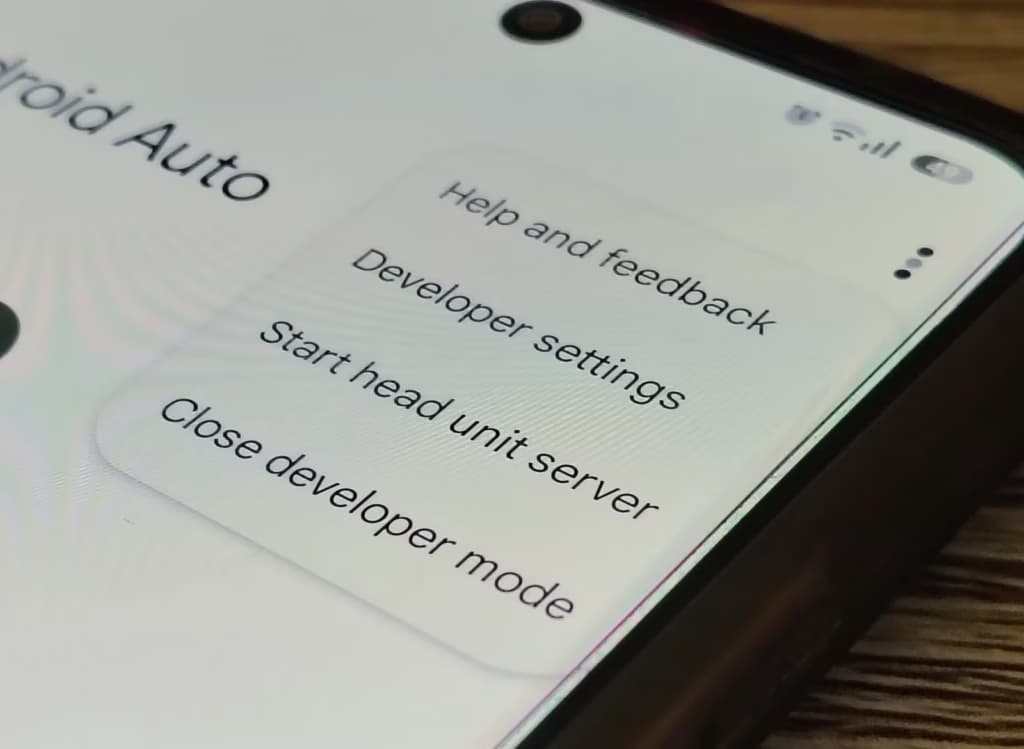
Developer Mode is a collection of debugging interfaces built into Android that lets devices communicate with development tools through the ADB (Android Debug Bridge) protocol. It’s designed for Android developers, with core functions covering performance monitoring, error tracking, and hardware adaptation during app development.
Early versions of Android weren’t as refined, though, and users sometimes had to turn on USB Debugging inside Developer Mode just to download apps over a USB connection, or even to back up their contacts. As a result, Developer Mode in practice has never been used only by developers – plenty of ordinary users have relied on it too.
That broader use created problems of its own. Once Developer Mode is enabled, Android grants read and write permissions to the /system/app/ directory, lifts protections around system-level settings, and exposes underlying parameters such as visual debugging tools, CPU scheduling policies, and memory allocation mechanisms, along with control interfaces for system services like window management and animation rendering.
Several of Developer Mode’s individual permissions carry specific risks. The “Select mock location app” permission can be exploited by malicious apps to spoof a device’s location; USB Debugging mode can open the door to man-in-the-middle attacks, letting malicious programs steal contacts, SMS messages, and other sensitive data through ADB commands; and the simulated-click permission is often abused by game cheats, with many so-called game assistants using Developer Mode to automate tasks like fighting monsters.
To guard against these risks, plenty of apps actively check for Developer Mode and shut down once they detect it. Mobile games, particularly competitive titles or games with player trading systems, tend to assume Developer Mode signals possible cheating or data tampering, and will block entry to the game or throw an error once it’s detected.
Financial apps are just as strict. Apps like Alipay, UnionPay QuickPass, and various banking apps may disable payment functions, warn about a risky environment, or refuse to run at all once Developer Mode is detected. Google itself has never wanted ordinary users relying on Developer Mode either – Developer Options has been hidden since Android 4.2.1, requiring users to repeatedly tap the system build number just to unlock it.
The problem, though, is that Android’s openness is treated as close to a fundamental law. Freedom and openness are core to Android’s identity, and access to Developer Mode is widely seen by the Android community as a symbol of that freedom. That leaves Google unable to simply announce it doesn’t want people using Developer Mode – it can only hide the switch. As the value of the Android ecosystem has grown, so have the security risks tied to it, and Developer Mode has become one of the weaker links in Android’s overall security.
Google is also concerned that users fiddling around in Developer Mode will change settings by mistake, cause system problems, and leave OEM partners to clean up the resulting support issues. Since Google can’t directly restrict what users are allowed to do while still protecting the ecosystem’s security and stability, it’s taking an indirect route: letting the developers of banking, payment, and gaming apps do the enforcing by forcing users to turn Developer Mode off.
Once Android 17 rolls out broadly, developers of those apps will no longer be able to easily detect whether Developer Mode is active on a device. To avoid the hassle, many are expected to simply ask users to permanently disable Developer Mode, refusing service otherwise. Given how central mobile payments and mobile gaming have become, most people are unlikely to see the “freedom” Developer Mode represents as worth losing access to those apps over.
In effect, Google gets to steer users away from Developer Mode without taking any drastic action itself, letting the feature return to something closer to its original, developer-focused purpose. After more than a decade of refinement, Android is mature enough now that most users shouldn’t need to dig around in it on their own.

Samsung Galaxy Watch 8

Cristian Penisoara is a Guides Writer and Android specialist at Droid Tools. An Android user since version 2 and a professional event photographer, he combines technical curiosity with a detail-oriented approach - every guide he publishes is tested step-by-step on a real device before it goes live.

Google Messages Enhanced Protection may replace the single spam toggle with three security options, including cloud link scans, per a new leak.

Google Messages location sharing is testing new map layers, including traffic overlays, satellite views, and terrain options for real-time tracking.

The Google Phone Contacts tab is returning to the bottom bar for beta testers on version 243, rolling back a previous navigation change.

A Google Messages update introduces swipe gestures for timestamps and expanded long-press options, though availability remains limited during rollout.
The next story loads as you reach the end. You can also load it using the button.


Comments & Discussions
Join the conversation! We use Disqus to handle comments. Click the button below to load the comment section.