We are using our mobile devices for more and more of our everyday internet browsing. Therefore, having a fantastic VPN that functions properly on your phone is more crucial than ever. While some services are more effective on Windows, others are especially good on Android smartphones. To help you choose the best option for your ...
We are using our mobile devices for more and more of our everyday internet browsing. Therefore, having a fantastic VPN that functions properly on your phone is more crucial than ever. While some services are more effective on Windows, others are especially good on Android smartphones. To help you choose the best option for your needs, I have put together a list of our favorites.
We take into account a number of factors when deciding what constitutes a solid VPN for Android. First and foremost, its complete OS functionality is essential. Additionally, I test these apps over several days to examine service stability and speed because Wi-Fi can occasionally be erratic. Lastly, I thought about the Android app itself and how user-friendly it was, along with other factors like cost and how many devices each account could have at once. The top Android VPNs listed below are determined in part by each of these parameters.
Here are our picks for the top VPNs for Android without further ado.
Easily one of the most well-known VPN providers available is NordVPN. The organization has more than 6,000 servers spread across more than 110 nation locations. Additionally, it guarantees that its service will be compatible with Netflix. Although it does not provide dedicated servers for this purpose, Netflix is meant to function regardless of the server you are on, and it consistently did so in our tests.

Similar to the desktop app, Nord’s Android app allows you to choose a place using a map of the same layout. With a complete list of countries below and a movable carousel of well-known destinations, the remainder of the app is incredibly mobile-friendly. Additionally, Meshnet, multi-hop VPNs, and Nord’s specialized servers for P2P file sharing are supported via the Android app. In addition, NordVPN has excellent security features including virus protection, ad filtering, a link checker, and a new password manager.
With the completion of its fourth successful audit of its no-logs policy earlier this year, NordVPN has maintained its stellar privacy record. Despite being more expensive, this VPN is quick and packed with features. Nord is the fastest VPN available, maintaining about 72% of the base internet speed during our tests.
NordVPN should be at the top of the list for anyone looking for a VPN and owning an Android phone or other device. The Android software is among the most user-friendly and straightforward I have ever seen, in addition to offering all the fantastic features that come with a top service like NordVPN.
NordVPN should be at the top of the list for anyone looking for a VPN and owning an Android phone or other device.
CyberGhost from Kape Technologies is another excellent option for novices. The design of this VPN’s Android app is incredibly user-friendly and intuitive. The tile where you can select the nation location is located beneath the app’s straightforward on/off button at the top. When you tap on the country location option, a list of servers that are ideal for streaming, gaming, or torrenting appears. You may also select a connection based on the country. During my tests, CyberGhost maintained respectable speeds for the most of tasks you would want to accomplish with a VPN, including streaming and web browsing.

More capabilities, including split-tunneling, have recently been added to CyberGhost, but if you only want the essentials, you do not need to play around with them. This software is a great choice for beginners because it does not offer much more than that. CyberGhost provides monthly, one-year, and two-year programs; the longer-term plans are significantly less expensive.
Along with ProtonMail, ProtonCalendar, and ProtonDrive, this service is only one component of a broader portfolio of offerings. Although ProtonVPN is a stand-alone service, you do not have to subscribe to anything. However, if you choose the premium plan, you also get access to ProtonDrive.
ProtonVPN kept about 57% of the base speed during our tests. It offers a large selection of countries, a privacy policy that fulfills all of its promises, and support for P2P on the majority of servers, TOR over VPN, and Netflix streaming. Additionally, it provides multi-hop connections with its Secure Core feature, which is a much-needed additional layer of obfuscation for privacy-conscious users. Long-term subscription plans make ProtonVPN more inexpensive, but its monthly subscriptions are on the pricey side at around $10.
Another excellent choice for those who are concerned about their privacy is ProtonVPN.
ExpressVPN’s outstanding speeds and user-friendliness make it a fantastic option for everyone. ExpressVPN maintained a remarkable 72.14 percent of the base speed during my tests, earning it a place among our fastest VPNs.

Simply touching on the tile beneath the on/off button at the top will switch places. The background of the application is red when the VPN is not in use and green when it is.
Split tunneling, auto-connect, and a kill switch are other features that ExpressVPN for Android offers to assist protect privacy in the event that the VPN connection is lost.
This VPN just missed out on the top slot since it is a little more expensive and less user-friendly than NordVPN. In any case, if you also have other non-Android devices, it is still a great choice with broad support. For the first 15 months, Express VPN’s multi-device membership costs roughly $100.
ExpressVPN, like NordVPN, is a great choice for almost everyone, in my opinion.

Google Pixel Watch 4

Robert Haba is the founder and editor-in-chief of Droid Tools. A lifelong gadget enthusiast with over a decade following the Android ecosystem, he built this publication to cut through the noise and give readers honest, real-world coverage of the tech they actually use.

Google Messages Enhanced Protection adds Gemini scam analysis and on-device link checks for select Android phones as beta testing begins gradual rollout.
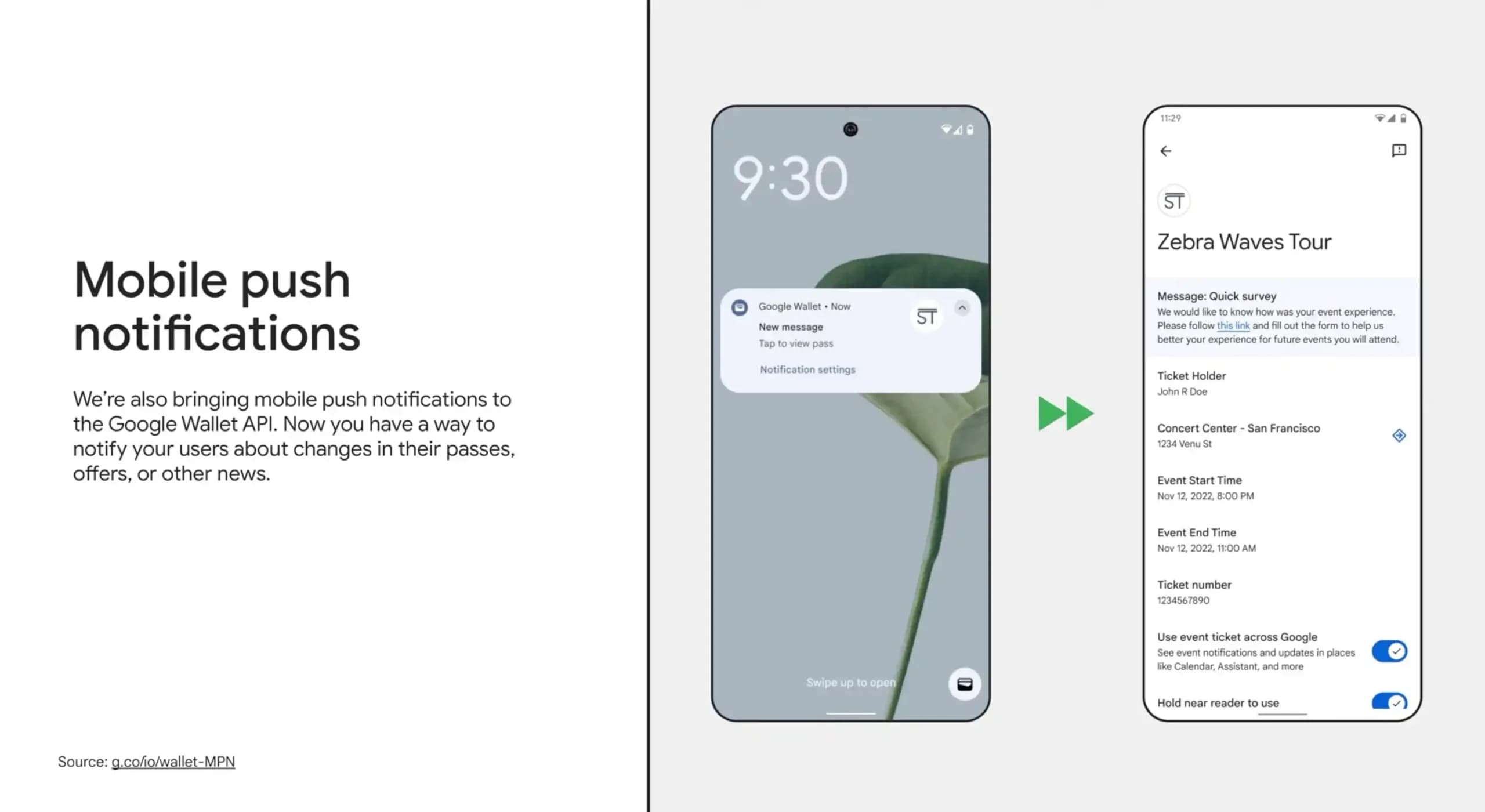
Google Wallet is rolling out an in-app notifications feed on Android alongside expanded digital passport support for Ireland and Italy.
Google Messages Enhanced Protection may replace the single spam toggle with three security options, including cloud link scans, per a new leak.

Google Messages location sharing is testing new map layers, including traffic overlays, satellite views, and terrain options for real-time tracking.
The next story loads as you reach the end. You can also load it using the button.


Comments & Discussions
Join the conversation! We use Disqus to handle comments. Click the button below to load the comment section.