

Google appears to be developing a number option for Pixel notification badges. Hidden settings discovered in Android 17 QPR3 Beta 2 reveal a new menu with choices for Number, Dot, or None, bringing Pixel phones closer to features long offered on Samsung and Apple hardware.
Google appears to be working on a dedicated number option for Pixel notification badges in Android 17. While most other modern smartphones have offered numeric badge counts for years, Google has been slow to introduce the capability to its Pixel lineup. An examination of the recent Android 17 QPR3 Beta 2 release reveals that developers are testing menu changes that could finally give Pixel owners the choice between numbers and simple indicator dots on their home screens.
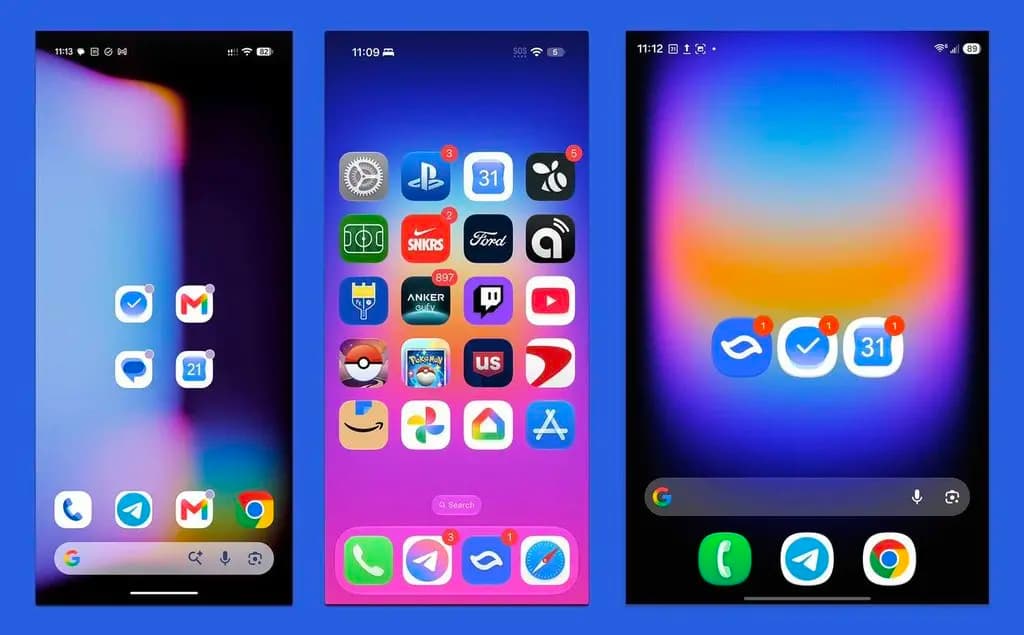
On current Pixel phones, an incoming alert appears in three places: as an icon in the status bar, as an interactive item inside the Quick Settings shade, and as a badge over the app icon on the home screen. Most competing platforms give users multiple ways to display that badge. While a dot serves as a basic indicator, a numeric badge conveys specific information at a glance, such as showing four Gmail alerts or seven incoming text messages. On Apple hardware like the iPhone 17 Pro, that counter can climb dramatically, such as showing 752 unread Mail notifications.
Direct hardware comparisons demonstrate the contrast across platforms. When viewed alongside an iPhone 17 Pro and a Galaxy Z Fold 8, the Pixel 11 Pro displays only a simple dot. Samsung phones already allow owners to select badge numbers or dots in their settings, whereas Google has kept Pixel software limited to a solitary dot.
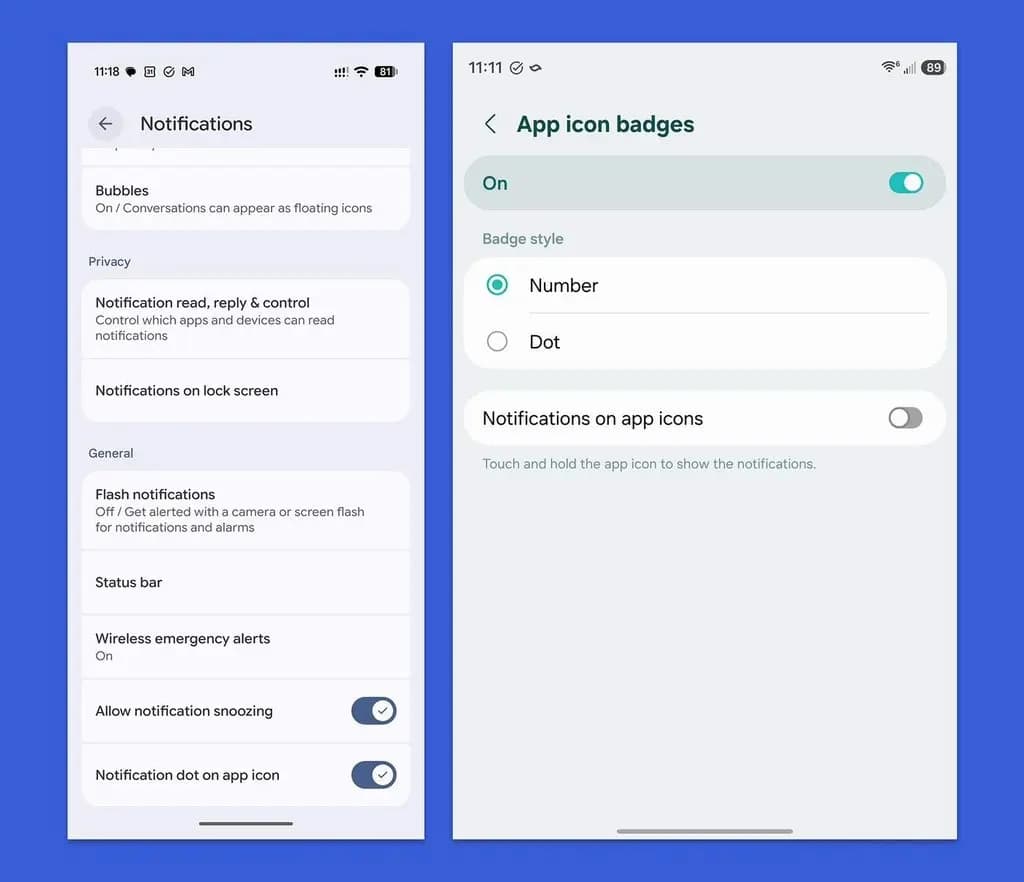
Code examined within Android 17 QPR3 Beta 2 points toward a potential adjustment, as reported by Android Authority. Under existing Pixel builds, opening the Notifications menu reveals a toggle at the very bottom labeled ‘Notification dot on app icon.’ The experimental code replaces that simple switch with a tappable preference row. Selecting that row opens a new ‘Notification Badges’ menu containing three options: Number, Dot, or None. This would allow users who prefer cleaner screens to disable badges entirely, while enabling unread totals for those who want immediate context.
Testers frequently discover unreleased settings in quarterly beta builds as Google experiments with new options before deciding on public deployment. Numeric badges represent a modest functional addition, yet they resolve a gap that has persisted on Pixel hardware for roughly seven years. Because the menu remains disabled in the current beta, Google has not officially confirmed when or whether the preference will reach a stable public release.

Samsung Galaxy Watch 8

Luiza Mosneagu is Reviews Editor at Droid Tools. A psychologist by training and tech writer by passion, she has tested over 60 Android devices since 2020 - always for a minimum of two weeks before writing a word. Her focus is camera quality, everyday usability, and cutting through marketing claims to tell you what a device is actually like to live with.

Samsung tests the 2nm Exynos 2700 for the Galaxy S27 series, aiming for 12% faster speeds and lower processor costs than Qualcomm components.

The iVANKY ultra-slim magnetic power bank is 50% off at Walmart for $15, providing 20W wired and 7.5W wireless charging in a 0.3-inch thick design.

Samsung's Galaxy S27 RAM options may include 8GB variants to offset rising memory prices, alongside potential storage tier differences.

Android 17 QPR 3 Beta 2 lets Pixel owners lock Quick Settings connectivity to prevent thieves from disabling network tracking on stolen phones.
The next story loads as you reach the end. You can also load it using the button.


Comments & Discussions
Join the conversation! We use Disqus to handle comments. Click the button below to load the comment section.