
You’ve probably heard it a hundred times: “Don’t charge your phone overnight—it’ll ruin the battery.” Or maybe the opposite: “It’s fine, modern phones know what they’re doing.” Both sides sound convincing, but which is true? Overnight charging doesn’t destroy your battery overnight (pun intended), but there are real effects worth knowing about.
This guide cuts through the noise. We’ll look at what actually happens during overnight charging, why the myths persist, and what small changes can protect your battery without making life inconvenient. No scare tactics. Just facts and practical steps.
Modern smartphone batteries are lithium-ion cells with built-in smarts. When you plug in, the phone doesn’t just blindly pump electricity until something explodes. It has charging circuits that monitor voltage, current, and temperature, stopping the charge at 100% and switching to “trickle” mode to maintain it.
Here’s where confusion creeps in. Once your phone hits 100%, it doesn’t “overcharge” in the classic sense. But it does sit at full capacity for hours – sometimes 6-8 hours if you charge from bedtime to wake-up. That full state puts mild stress on the battery chemistry, especially if the phone gets warm.
On one hand, a single night of overnight charging won’t noticeably hurt. On the other hand, doing it every single night for two years adds up. Battery capacity naturally degrades over time anyway (to about 80% after 500 full cycles), but certain habits can speed that up or slow it down.
The fear comes from older battery tech and nickel-cadmium cells that really could overcharge and bulge. Those died out 20 years ago. Today’s lithium-ion batteries have protection circuits, and manufacturers test for worst-case scenarios.
But here’s the nuance: while overnight charging won’t brick your phone tomorrow, keeping lithium-ion batteries at 100% for extended periods accelerates chemical aging. It’s not dramatic day-to-day, but over months, it contributes to capacity loss. Heat makes it worse – think charging under a pillow or in a thick case.
Most phones now include features to counter this. Samsung’s “Protect battery” limits to 85%. Google Pixel has adaptive charging that learns your routine and finishes at wake-up time. These exist because overnight charging is common, but manufacturers know the trade-offs.
Let’s break down a typical 8-hour overnight charge:
That trickle phase is where most “overnight charging damage” debates live. It doesn’t overcharge, but full voltage stresses the battery’s cathode material over time. Studies show batteries degrade faster when held at 100% vs cycling 20-80%.
Real-world tests confirm: phones charged overnight for a year lose slightly more capacity than those using charge limits. But the difference is often 2-5% over 12-18 months—not make-or-break unless you keep phones forever.
People get overnight charging half-right, then undermine it:
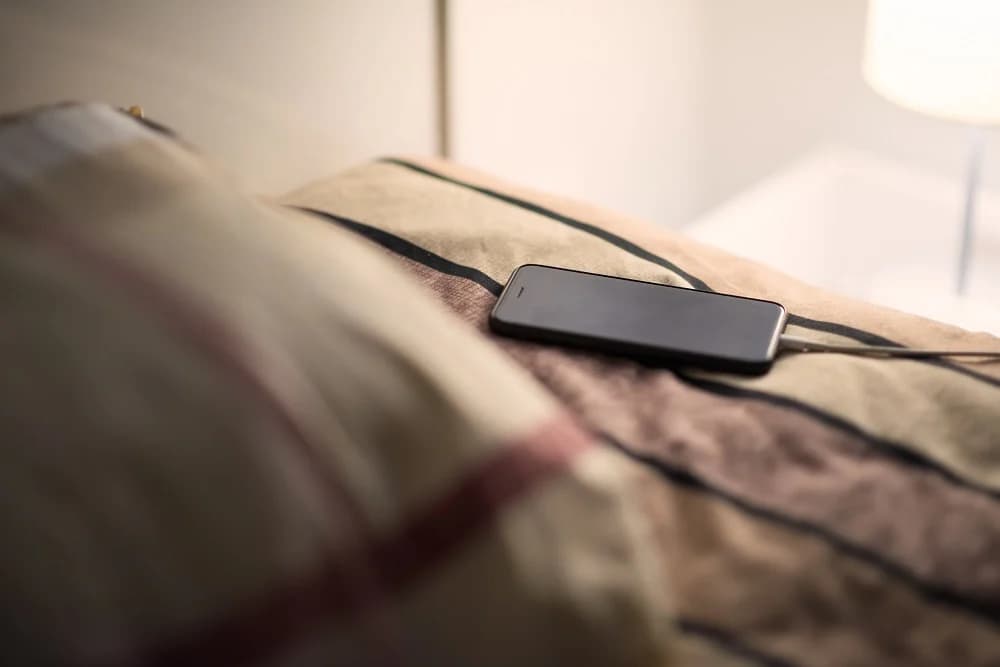
Charging in hot environments: Under pillows, blankets, or summer cars. Heat accelerates everything bad about full-charge states. Solution? Charge on a nightstand, case off if warm.
Ignoring phone smarts: Many skip “adaptive charging” because they don’t trust it. Most phones learn your schedule after 3-5 nights and time the final 20% perfectly.
Thick cases during charging: They trap heat. Remove for overnight sessions, especially fast chargers.
Old cables/chargers: Cheap or damaged ones deliver unstable power, stressing circuits. Use originals or high-quality replacements.
Wireless pads overnight: They run warmer than wired. Fine occasionally, but wired wins for regular overnight charging.
What most people miss: overnight charging isn’t “bad” in isolation. Context matters—phone model, case, room temp, charger quality.
Quick habits that make a difference:
You’ve seen the advice: “Charge only to 80% for longevity.” It’s rooted in truth—batteries age slower in mid-range states—but it’s not universal.
When it helps most:
When full charges make sense:
Many flagships now automate this. OnePlus OxygenOS pauses at 80% until 30 minutes before your usual unplug time.
For average users: enable limits if available, charge to 100% when needed. The difference won’t make your phone immortal either way.
Temperature matters more than charge percentage. Lithium-ion batteries degrade 2-3x faster above 30°C (86°F). Overnight charging often coincides with warm rooms or insulating cases.
Quick fixes:
Phones throttle charging if too hot, but prevention beats reaction.
Wireless slow charging: Less heat than fast wired, but pads must stay cool.
Power banks: Charge to 80-90% daytime, top off from bank evening. Less full-state stress.
Scheduled charging: Apps or built-in features pause at set times.
USB computer charging: Slower, cooler currents.
None beat wired overnight for convenience, but mixing methods spreads stress.
Counterintuitive truth: if your alternative is letting the phone hit 5% daily, overnight charging to 100% reduces deep discharges—which also stress batteries.
Deep cycles (0-100%) age cells faster than shallow ones (20-80%). Someone constantly running to 0% might benefit more from reliable overnight top-offs than perfect 80% habits.
Balance matters.
Most Android phones show “battery health” now, but accuracy varies:
Samsung: Precise cycle count, capacity %
Google Pixel: Basic health percentage
OnePlus/Xiaomi: Cycle count, sometimes estimated capacity
Check monthly. If capacity dips below 85% after 12-18 months of heavy overnight charging, habits might contribute. Most settle at 88-92% after two years regardless.
Forgetting phone features exist: Adaptive charging on Pixel/Samsung learns your wake-up. Use it.
Blaming overnight charging for all drain: If battery dies mid-day, screen/apps/signal matter more.
Using junk chargers: Unstable voltage stresses circuits more than time-at-100%.
Ignoring heat signs: Warm phone mornings? Case off, room cooler.
One-size-fits-all thinking: Your 3-year-old phone reacts differently than a new flagship.
Don’t overhaul everything. Try this:
Track for two weeks. Capacity stable? Habits good. Dropping fast? Consider service or replacement.
Overnight charging works fine for most with basic precautions. Your battery thanks small tweaks more than perfection.

Google Pixel Watch 5 (45mm)

Cristian Penisoara is a Guides Writer and Android specialist at Droid Tools. An Android user since version 2 and a professional event photographer, he combines technical curiosity with a detail-oriented approach - every guide he publishes is tested step-by-step on a real device before it goes live.

Quick Share for Windows transfers files from Android to your PC over Wi-Fi at rates up to 100MB/s, bypassing email and third-party cloud uploads.

Overnight charging exposes phone batteries to sustained high voltage and heat. Learn how Google Pixel and Samsung Galaxy settings stop cell degradation.
You can block ads on Android more effectively by pairing Brave’s Aggressive Shields setting with the system’s Private DNS feature. The setup filters ads at both the browser and system levels, takes only a few minutes to configure, and avoids the battery drain and VPN conflicts that come with dedicated ad-blocking apps. Why one ad […]

Behind a two-tap recharge sits a surprising amount of plumbing. Every prepaid network has its own rules about what can be topped up, in which denominations, and how quickly credit posts to a SIM. MobileTopUP hides that complexity behind a single form: pick a country, enter a number, choose an amount. What the coverage map actually covers […]
The next story loads as you reach the end. You can also load it using the button.


Comments & Discussions
Join the conversation! We use Disqus to handle comments. Click the button below to load the comment section.