Droid Tools
Home
⌘K
Search
FacebookX (Twitter)InstagramTikTokYouTubeRedditTelegramRSS Feed
Trending:
Galaxy S26•Android 16•Smartwatches• Tech Deals•Latest Reviews
Droid Tools

Droid Tools covers the latest Android news, device reviews, app updates, and OS guides. Stay informed with hands-on coverage from mobile tech experts.

Explore

  • News
  • Apps
  • OS
  • Phones
  • Reviews

Legal & Info

  • About Us
  • Contact
  • Editorial Policy
  • Review Policy
  • Privacy Policy
  • Terms & Conditions
  • Cookie Policy
  • Affiliate Disclosure
  • Disclaimer
  • HTML Sitemap
  • XML Sitemap
© 2026 Droid Tools. All rights reserved.
Home/OS/Nothing OS 5.0 announced with new AI app builder, Glyph app, and Android 17 features
OS

Nothing OS 5.0 announced with new AI app builder, Glyph app, and Android 17 features

Cristian Penisoara
Sep 9, 20264 min read
Cristian Penisoara
Cristian Penisoara
Guides Writer · Android Power User
Cristian Penisoara is a Guides Writer and Android specialist at Droid Tools. An Android user since version 2 and a professional event photographer, he combines technical curiosity with a detail-oriented approach - every guide he publishes is tested step-by-step on a real device before it goes live.
Profile →
nothingos 5.0
0%
Share on XFacebookBluesky
Follow on Google
Advertisement
Trust this source on GoogleAlways see our reviews and tech guides first in search results
Add trusted source

Key Takeaways

Automated Editorial Synthesis
AI Overview
  • Back up important data and make sure the phone is running the latest available firmware, checked via Settings > System > System updates.
  • Download the Nothing Beta Hub V2.0 APK from the official website.
  • Install the Beta Hub APK.

Nothing has officially announced Nothing OS 5.0, one of its biggest software releases in recent years. Built on Android 17, the update brings an on-device AI app builder, a standalone Glyph app, new widgets, and a range of performance and visual upgrades. Alongside the announcement, Nothing has also confirmed which phones will get the update and when.

Supported devices

Nothing has confirmed the following phones will be upgraded to Nothing OS 5.0:

  • Nothing Phone (3)
  • Nothing Phone (4a)
  • Nothing Phone (4a) Pro
  • Nothing Phone (3a)
  • Nothing Phone (3a) Pro
  • Nothing Phone (2a)
  • Nothing Phone (2a) Plus
  • Nothing Phone (3a) Lite
  • Nothing Phone (4b)
  • CMF Phone 2 Pro

Three phones – the Nothing Phone (1), Nothing Phone (2), and CMF Phone 1 – are not eligible, since they have already reached end of life (EOL) for software updates.
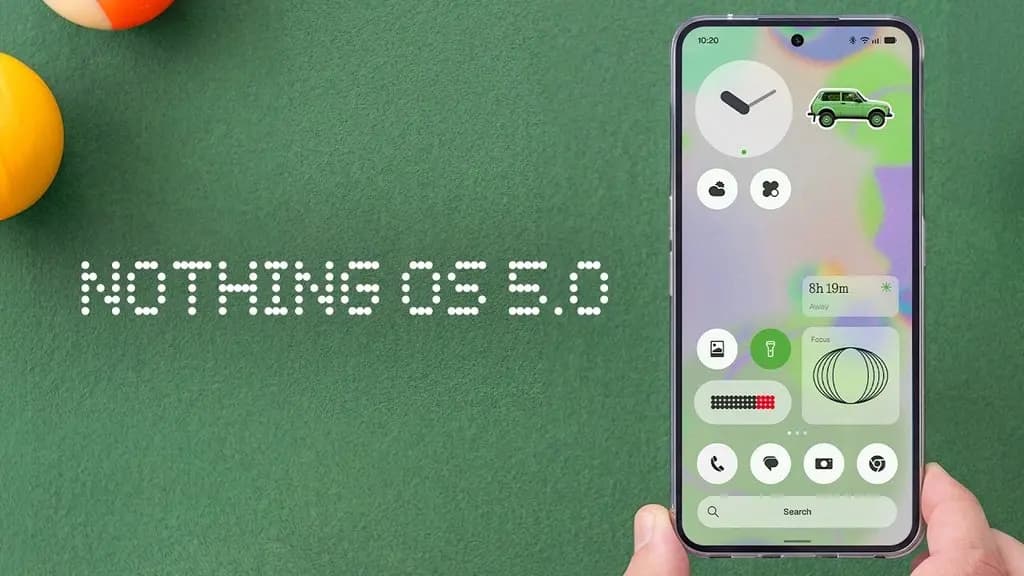
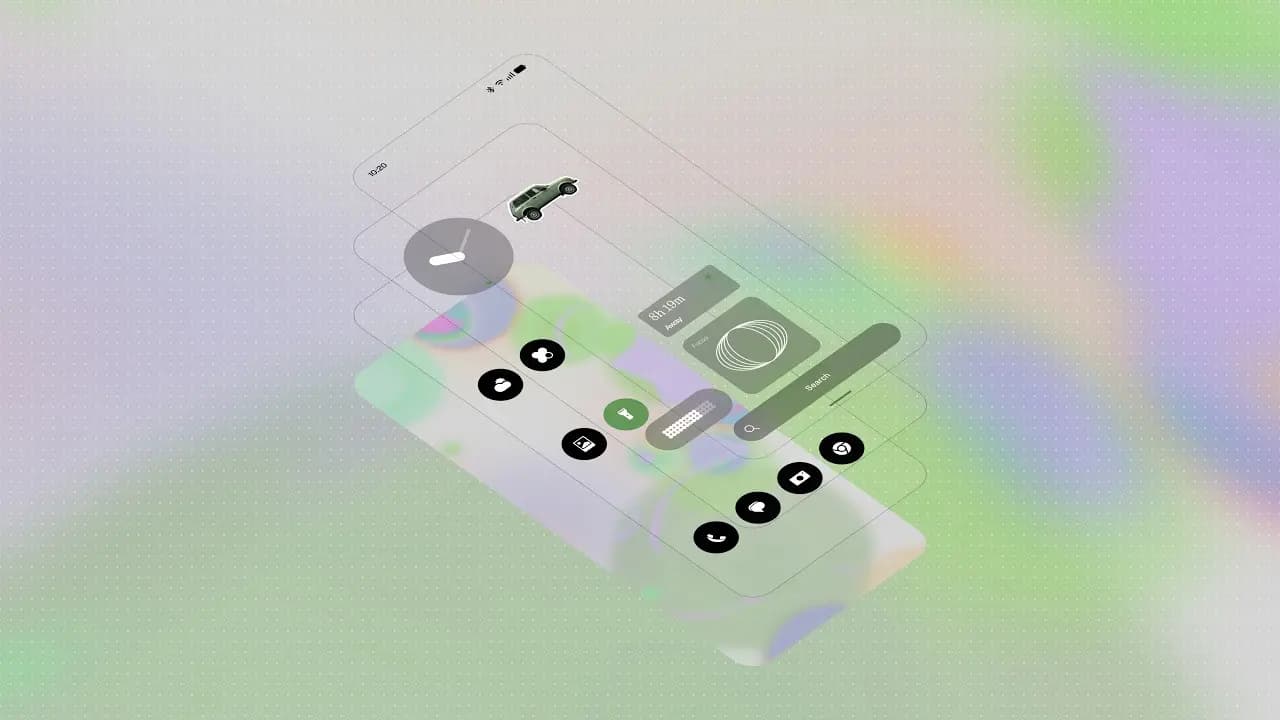
Nothing OS 5.0 announced

Beta and stable rollout timeline

The Open Beta program starts August 26 with the Phone (3), then gradually expands to the rest of the lineup over the following 4-6 weeks. The Phone (3a) Lite and CMF Phone 2 Pro won’t get beta builds at all. The stable rollout begins in mid-October, also starting with the Phone (3), and is expected to wrap up around mid-January 2027. Here’s Nothing’s official schedule:

Advertisement
ModelOpen BetaGeneral Release
Phone (3)August 26Mid October
Phone (4a) ProEarly SeptemberEarly November
Phone (4a)Late SeptemberEarly November
Phone (3a) ProLate SeptemberEarly November
Phone (3a)Late SeptemberEarly November
Phone (2a)Mid OctoberMid November
Phone (2a) PlusMid OctoberMid November
Phone (3a) Lite–Late December
Phone (4b)Mid DecemberMid January
CMF Phone 2 Pro–Mid January

Anyone interested in joining the beta program can find registration details and other important notes in a dedicated post on the Nothing Community.

How to join the beta

Once the beta goes live for a given device, Nothing outlines these steps to install it:

You May Also Like
Recommended
1

Google’s Motion Assist Android feature aims to reduce car motion sickness

motion assist
2

Huawei signals plans to expand HarmonyOS outside China

harmonyos next logo image
3

Google’s September Android Drop brings Guided vision, Motion Assist, and more

Google’s September Android Drop brings Guided vision, Motion Assist, and more
  1. Back up important data and make sure the phone is running the latest available firmware, checked via Settings > System > System updates.
  2. Download the Nothing Beta Hub V2.0 APK from the official website.
  3. Install the Beta Hub APK.
  4. Go to Settings > System > Nothing Beta and tap Check Version.
  5. Tap Join Beta to register.
  6. Once registered, tap Go to Update and install the update.
  7. If Go to Update doesn’t work, check Settings > System > System updates manually instead.

If registration returns an error saying the beta join failed, Nothing says the server may be under heavy load and recommends trying again in a few hours.
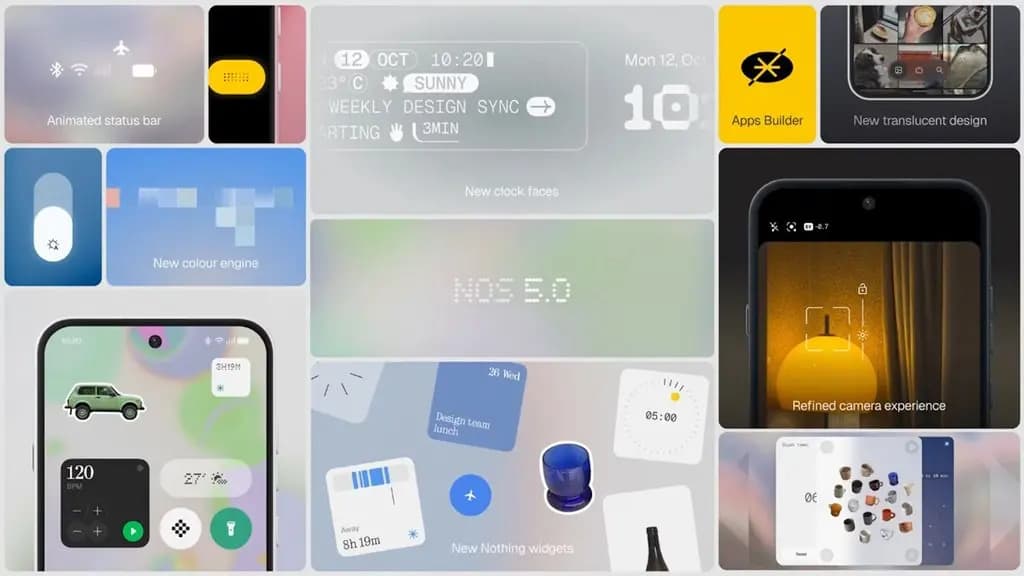
Nothing OS 5.0 announced banner

What’s new in Nothing OS 5.0

Visually, Nothing OS 5.0 separates notifications and Quick Settings into two swipe gestures – the top-left corner opens notifications, the top-right opens a redesigned control center with iOS-like volume and brightness sliders, resizable tiles, and smoother animations, while classic quick settings remain available. A new Lucent theme adds translucent effects and Gaussian blur across widgets, search, and first-party apps like Gallery, alongside refreshed status bar icons, animations, and a clearer Settings layout.

Advertisement

Home and lock screen additions include wallpaper-adaptive app icon and tile colors, an Away Time widget tracking time spent off the phone, a Collector widget that displays photos like a digital frame, a Glyph Timer launchable from the home screen, an improved Depth Effect around the clock, and two new clock faces – Gooey and the still-in-development Micrographics.

On the AI side, Essential Voice gets a faster on-device engine with real-time transcription, improved formatting, and Super Mic support for Ear (3). Essential Space adds Smart Selection to automatically sort scattered photos and screenshots, plus MCP support so compatible AI platforms can search stored information. A new Essential Apps Builder lets users build custom apps by describing them in natural language and deploy them straight to the home screen.

Built-in apps also see updates: Camera controls are simplified with lens options moved to the top-left, QR code scan results now stay stationary at the bottom of the screen, and Glyph settings move into their own dedicated app for controlling lighting, ringtone schedules, and sounds.

From Android 17 itself, Nothing OS 5.0 inherits Expanded Dark Mode for apps without native dark themes, Cross-Platform Quick Share for sending large files to iPhones via QR code, a floating screen recorder with quick controls, new privacy indicators for AI processing and location access, and isolated audio controls for adjusting smart assistant volume independently of system media.

Advertisement
Trust this source on GoogleAlways see our reviews and tech guides first in search results
Add trusted source
Tags:#ai#android17#glyph#nothing#nothingos#update
Recommended Deals
1 / 5
Google Pixel Watch 5 (45mm)

Google Pixel Watch 5 (45mm)

5.0
529.99
Buy on Amazon
Samsung Galaxy Watch 8

Samsung Galaxy Watch 8

4.9
$289.99$349.99-17%
Buy on Amazon
✨DEAL
Google Pixel 11 Pro

Google Pixel 11 Pro

5.0
1,099.00$1,299.00-15%
Buy on Amazon
👑A good choice
Apple iPhone 17 Pro

Apple iPhone 17 Pro

4.8
$1,012.97$1,099.00-8%
Buy on Amazon
✨DEAL!
Samsung Galaxy Watch Ultra (2025)

Samsung Galaxy Watch Ultra (2025)

5.0
$449.99$649.99-31%
Buy on Amazon
* As an Amazon Associate, Droid Tools earns from qualifying purchases. Read our editorial policy
Cristian Penisoara
Cristian PenisoaraGuides Writer · Android Power User

Cristian Penisoara is a Guides Writer and Android specialist at Droid Tools. An Android user since version 2 and a professional event photographer, he combines technical curiosity with a detail-oriented approach - every guide he publishes is tested step-by-step on a real device before it goes live.
Advertisement

Comments & Discussions

Join the conversation! We use Disqus to handle comments. Click the button below to load the comment section.

Advertisement

Latest Stories

semptember 2026 phones
01

The 5 biggest phone launches to watch in September 2026

02

Google Photos integration comes to Gemini Spark for Pro and Ultra users

03

Garmin Epix Pro Gen 2 Sapphire Edition drops to under $700 at Amazon

04

Pixel Watch 5 Special Edition Stephen Curry model now available

Advertisement
Amazon Deals
5.0
Google Pixel Watch 5 (45mm)

Google Pixel Watch 5 (45mm)

Best Price
529.99
Buy

Top Deals

Garmin Epix Pro Gen 2 Sapphire Edition drops to under $700 at Amazon

Deal
Garmin Epix Pro Gen 2 Sapphire Edition drops to under $700 at Amazon

Pixel Watch 5 Special Edition Stephen Curry model now available

Deal
Pixel Watch 5 Special Edition Stephen Curry model now available

Google Pixel Watch 5 launches with bigger batteries and Gemini Intelligence

Deal
Google Pixel Watch 5 launches with bigger batteries and Gemini Intelligence
Advertisement
Advertisement
Recommended stories

Continue reading

More from this category →
motion assist
OSSep 4, 2026

Google’s Motion Assist Android feature aims to reduce car motion sickness

Google is rolling out a new Motion Assist Android feature as part of its September Android Drop, giving phone users a screen-based tool meant to reduce motion sickness during car rides. The feature places moving dots near the edges of the display, aiming to help connect what a person's eyes see with the motion their […]

By Robert Haba
harmonyos next logo image
OSSep 3, 2026

Huawei signals plans to expand HarmonyOS outside China

Android and iOS still dominate mobile software almost everywhere, and escaping that duopoly is close to impossible even for advanced users. In the US, the options mostly come down to iOS 27 on the upcoming iPhone 18 Pro or Android 17 on phones like the Pixel 11 and the Galaxy Z Fold 8. Huawei, one […]

By Robert Haba
Google’s September Android Drop brings Guided vision, Motion Assist, and more
OSSep 2, 2026

Google’s September Android Drop brings Guided vision, Motion Assist, and more

Google has kicked off its September Android Drop, a rollout of new features spanning Gemini, Find Hub, Google Messages, and accessibility tools built into Android. The update lets Gemini remember where users have stored physical items, adds a Guided vision mode to Gemini Live for blind and low-vision users, introduces a Motion Assist feature aimed […]

By Robert Haba
android 17 pixel bug
OSAug 27, 2026

Android 17 network privacy adds ECH and SMS defenses

Android 17 network privacy is expanding with several protections aimed at keeping apps, carriers, and outside observers from learning more than they need to know about a user’s connections. In an Aug. 27 report, Stephen Schenck at Android Authority says Google’s latest changes include Encrypted Client Hello, tighter local-network access, default Certificate Transparency, and carrier-controlled […]

By Robert Haba
Next in queue

Read the next article

Load the next story from this section directly below without leaving the page.