




The Play services, Play Store, and Play system update for Android phones and tablets, Wear OS, Google/Android TV, Auto, and PC are the main topics covered in the monthly “Google System Release Notes.” While certain features are intended for developers, others are applicable to end users.

The “Google System” is made up of the following third-party apps:
- Adaptive Connectivity Services: Search the “All apps” list in Settings and open App info for the version number
- Android System Intelligence: App info
- Android System Key Verifier: App info
- Android System SafetyCore: App info
- Android System WebView: App info
- Android TV Core Services
- Device Health Services: App info
- Google Partner Setup: App info
- Google Play Protect Service: App info
- Google Play services: App info
- Google Play Services for AR: App info
- Google Play Store: App info
- Google Play system update: Settings > About phone > Android version
- Private Compute Services: App info
- Quick Share Extension
- Settings Services: App info
- SIM Manager: App info
- System parental controls: App info
To update, launch the Settings app, press your name at the top of the “Google services” page, then select All services > Privacy & security > System services.
A feature is not necessarily publicly accessible just because it appears in the changelog. The full launch of some capabilities takes months.
Google Play services v26.15 (2026-04-20)
Device Connectivity
- [Auto, Phone, Wear] Bug fixes for Device Connections and System Management & Diagnostics related services.
Location & Context

- [Phone] Bug fixes for Location Services related services.
Wallet
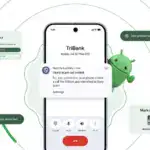
- [Phone] With this update, a message at the bottom of the screen tells the user how to add a card to Wallet.
- [Phone] With this update, you’ll get a new entry point for MyCommute.
Android System Intelligence B.24 (2026-04-16)
- [Phone] Maintenance changes.
Google Play services v26.14 (2026-04-13)
Account Management
- [Phone] With this update, you’ll get a faster way to set up your device when you transfer accounts and settings from an existing device.
System Management
- [Auto, PC, Phone, TV, Wear] You can now find open source licenses for Android Pulse in GMS Core.
Wallet
- [Phone] You can now control how private passes in Wallet work with other Google services like Autofill through new per-pass privacy settings.
- [Phone] You can now use a redesigned Wallet interface for quick access, search, and discovery.
Google Play Store v51.0 (2026-04-13)
- [Phone] You can now provide feedback on AI-generated summaries of user reviews.
- [Phone] You can now create a Gamer Profile directly from You tab.
- [Phone] You can now play some games on the You tab with no install required.
Google Play services v26.13 (2026-04-06)
Account Management
- [Auto] When a user signs in to their Google account on Android Automotive devices via QR code, the sign-in confirmation displays the requesting device’s name.
Device Connectivity
- [Phone] New developer features for Google and third party app developers to support Device Connectivity related processes in their apps.
Location & Context
- [Phone] With this update, Location Sharing APIs are refined and new location requests are introduced.
- [Phone] With this update, On-Device Location History Store Visits processes more frequently.
System Management
- [Auto, PC, Phone, TV, Wear] Updates to system management services that improve Security and Stability.
Wallet
- [Phone] Bug fixes for Wallet related services.
Google Play Store v50.9 (2026-04-06)
- [Phone] This update adds download numbers to some app and game ads to help you make informed choices.
- [Phone] You can now join and compete in Play Games Leagues directly from the You tab.


