

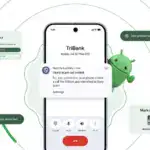





Android 17 Beta 4 is now rolling out to Pixel devices, and Google says it is the “last scheduled beta of this release cycle.” After the larger Beta 3 update brought new features and platform stability, this release appears focused on final refinements ahead of a stable launch later this quarter.
To install Android 17 Beta 4, Pixel users can enroll through the Android Beta program and wait for the over-the-air update. Those who prefer the manual route can also flash a factory image or OTA file.

The latest build details are below:
Release date: April 16, 2026
Build: CP21.260330.008
Emulator support: x86 (64-bit), ARM (v8-A)
Security patch level: 2026-04-05
Google Play services: 26.11.36
Android 17 Beta 4 supports Pixel devices back to the Pixel 6 lineup.
Developer changes
One of the main additions in Android 17 Beta 4 is conservative app memory limits, which are meant to improve system stability. If an app is killed because of these limits, ApplicationExitInfo.getDescription will return “MemoryLimiter.” Developers can also use trigger-based profiling with TRIGGER_TYPE_ANOMALY to capture heap dumps when the limits are reached.


Google has also tightened background audio rules. Starting in Android 17, the audio framework restricts background interactions such as audio playback, audio focus requests, and volume change APIs. Some changes were made after feedback from beta 2, including targetSDK gating for while-in-use FGS enforcement and exemptions for alarm audio.
Bug fixes
Android 17 Beta 4 also includes a long list of bug fixes:
- An issue where webpage URLs were automatically included when sharing screenshots from the capture preview, causing unwanted links to be shared with image files. (Issue #444631269)
- An accessibility issue caused the device to become completely unresponsive and unusable. (Issue #484755628)
- An issue where the media control widget could disappear or fail to navigate between multiple active media sessions. (Issue #457008153, Issue #466760800, Issue #497131275, Issue #499041878)
- An issue where dream services failed to correctly process key events, trigger keyguard bouncer prompts, or execute service lifecycle callbacks. (Issue #485661973)
- An issue that prevented users from successfully downloading and applying cinematic or local weather wallpaper effects. (Issue #475924636)
- An issue where the device would freeze and spontaneously restart while typing in messaging applications. (Issue #478417840)
- A critical system instability issue that causes the device to hang and crash during normal usage. (Issue #427436873, Issue #428838049)
- An issue causing devices to experience significantly reduced charging speeds when approaching the 80% battery limit, resulting in long delays before the device reaches its target charge and enters bypass mode. (Issue #485148344, Issue #490178498)
- A rendering issue that caused multicolored horizontal lines to randomly obscure the device display. (Issue #478953060, Issue #478177624, Issue #483765859, Issue #487263076)
- Pulling down the notification drawer while a feedback report is in progress can cause a System UI crash and device freeze. (Issue #488920581)
- Critical system components including Pixel Launcher and navigation may crash or become unresponsive for several minutes after a device reboot. (Issue #317282987, Issue #316689583, Issue #316188779)
- An accessibility issue that prevents users from properly interacting with apps after minimizing and returning to a split-screen view. (Issue #490735259)
- An issue that prevented Bluetooth from being re-enabled after it was turned off via the system settings or quick settings panel. (Issue #498320401)
- Notifications marked with setSilent(true) may unexpectedly play alert sounds on Android 16 when multiple notifications are present in the shade. (Issue #467164528)
- Wi-Fi analyzer applications fail to detect any available Wi-Fi signals, preventing network scanning and signal monitoring.
Source: Google


