Text communications between iOS and Android users has historically proven more often than not problematic. However, new modifications are facilitating communication between the two platforms. After years of Google trying to convince Apple to adopt the new communications standard, RCS, the company is finally doing so. Users on both systems can share high-quality media, be ...
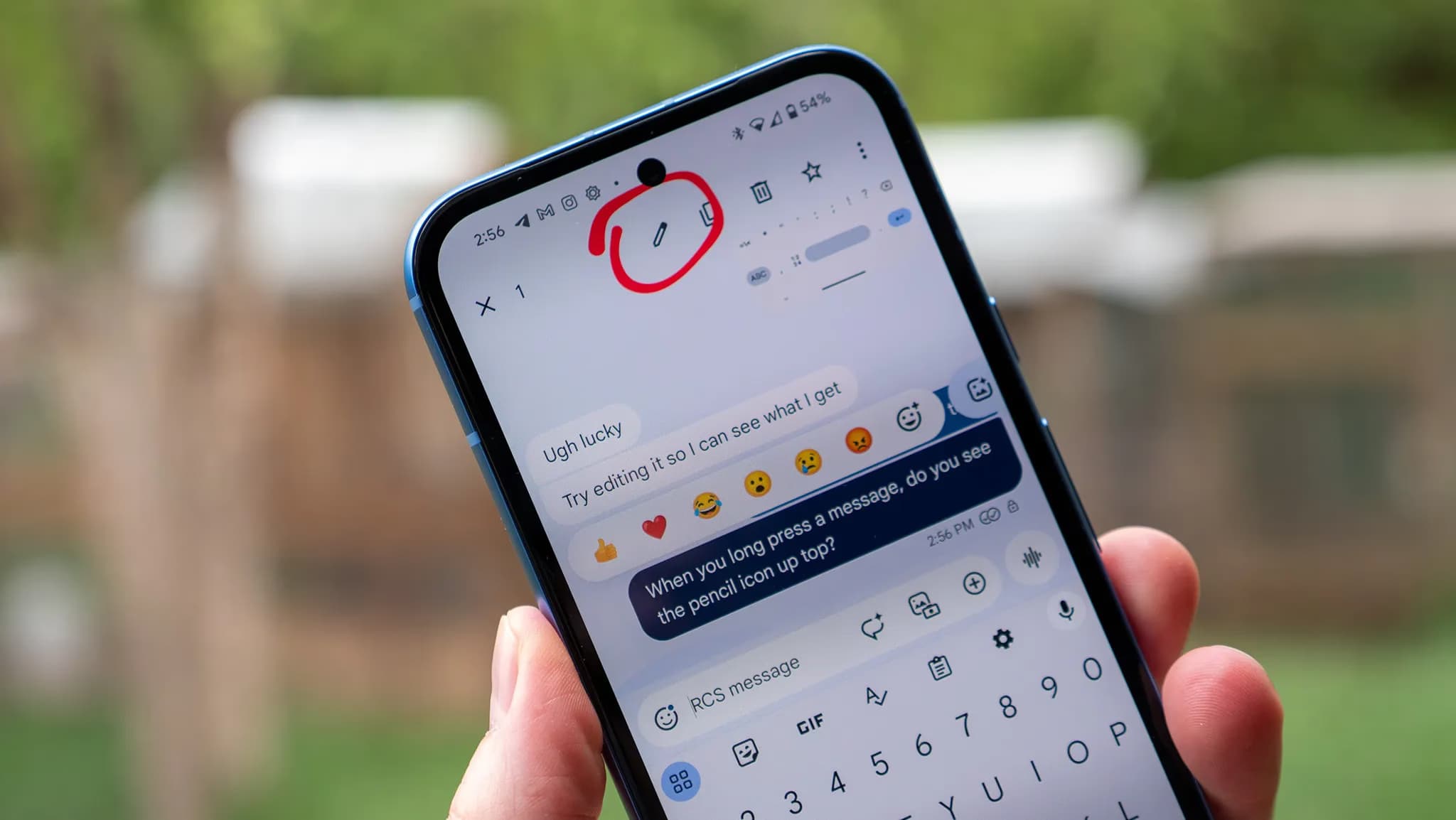
Text communications between iOS and Android users has historically proven more often than not problematic. However, new modifications are facilitating communication between the two platforms. After years of Google trying to convince Apple to adopt the new communications standard, RCS, the company is finally doing so.
Users on both systems can share high-quality media, be “seen” when messages are read, and detect typing activity thanks to RCS. However, up until now, there hasn’t been a way to alter messages sent from an Android device to an iPhone. According to Android Authority, some Android users are now starting to notice it.

For over a year, editing messages has been possible for Android-to-Android chats using RCS and iPhone-to-iPhone chats using iMessage. Because message editing was not included in the official RCS standard, Universal Profile 2.4, this feature was not available between iOS and Android. The standard was embraced by Apple, but this resulted in cross-platform conversations lacking the edit option.
The GSM Association published Universal Profile 3.0 earlier this year, which includes end-to-end encryption and message editing. As a result, if the iPhones are running iOS 18.5 or later, including the iOS 26 beta, some Android users can now edit messages sent to iPhone users.
It operates by requiring modifications to be performed within a 15-minute interval. Since Apple’s Messages app does not yet fully support this feature, the updated message appears on iPhones as a new message with an asterisk.
Stay connected with the latest from Droid Tools—follow us on X @droid_tools, like our page on Facebook, check out our updates on Instagram, and follow us on Google News for real-time news, device tips, and mobile tech insights.

Apple AirPods Pro 3

Robert Haba is the founder and editor-in-chief of Droid Tools. A lifelong gadget enthusiast with over a decade following the Android ecosystem, he built this publication to cut through the noise and give readers honest, real-world coverage of the tech they actually use.

A new leak suggests the Huawei Nova 17 series could launch next month with a 200MP main sensor, a 50MP telephoto camera, and a Kirin 8 series chip.

Samsung may open a One UI 9.5 beta soon after test firmware appeared for the Galaxy S26 Ultra, ahead of an expected release alongside the Galaxy S27.

Silicon-carbon batteries push smartphone capacity to 10,000mAh, but full recharge times have grown as phone makers likely prioritize cell longevity.
Google took down an Android TV botnet linked to Videostrong, but researchers warn that infected devices may require replacement.
The next story loads as you reach the end. You can also load it using the button.


Comments & Discussions
Join the conversation! We use Disqus to handle comments. Click the button below to load the comment section.