A leaked HyperOS 4 setup screen has exposed Xiaomi's planned onboarding flow, along with a list of ten major features tied to the update. The files directly reference “Xiaomi HyperOS 4” and divide several features by device class, with some Glass effects marked exclusively for flagship models and the Q18. The leak also backs up ...
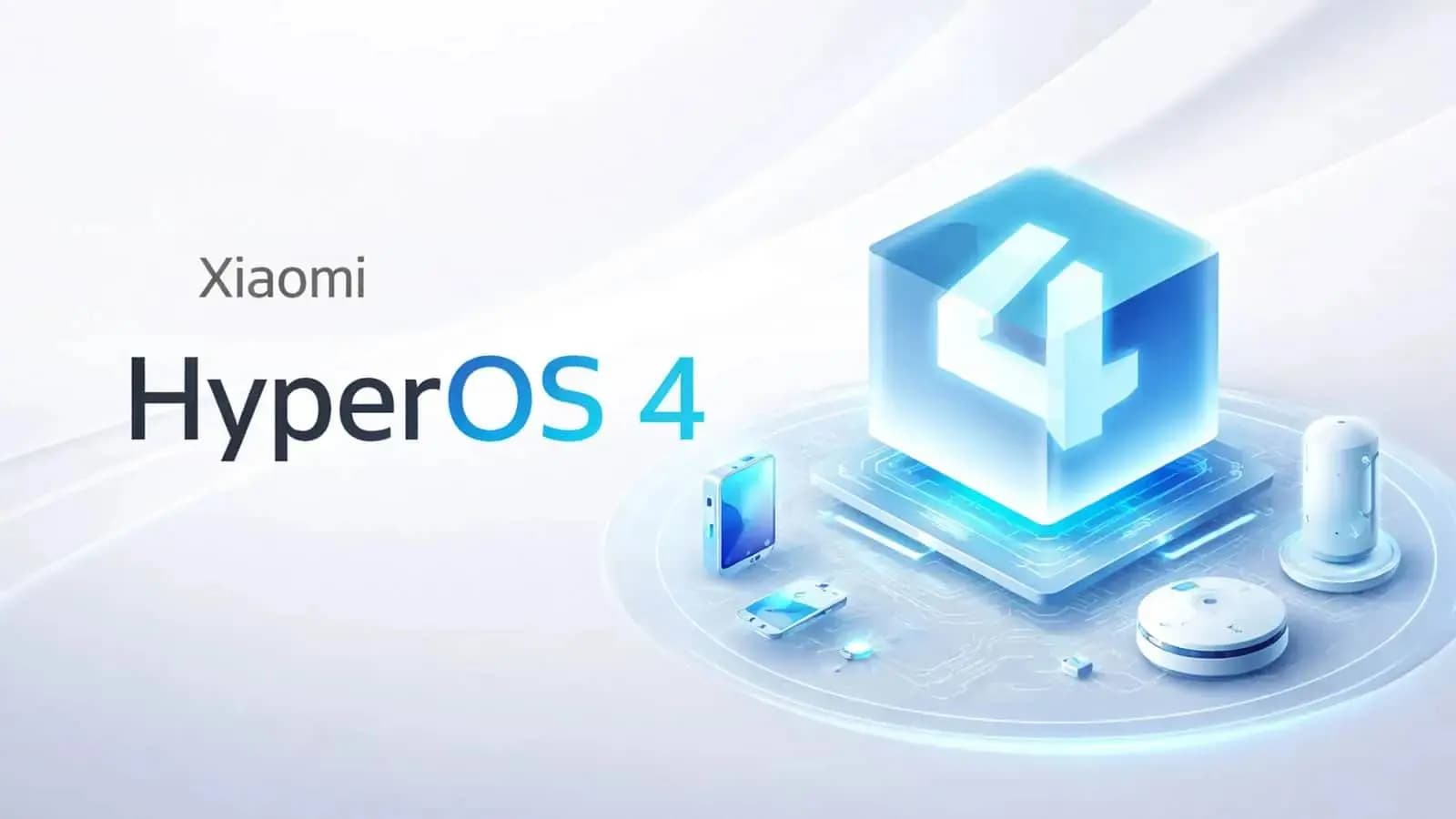
A leaked HyperOS 4 setup screen has exposed Xiaomi’s planned onboarding flow, along with a list of ten major features tied to the update. The files directly reference “Xiaomi HyperOS 4” and divide several features by device class, with some Glass effects marked exclusively for flagship models and the Q18. The leak also backs up earlier reports about Xiaomi’s new Glass interface, AI features, widget stacking, and redesigned system apps.
The leaked configuration includes the following onboarding text:
title: New Xiaomi HyperOS 4
text: Tap to experience new features
landTitle: OS4
landText: New features
aodTitle: Tap to experience new OS4 features
aodText: Tap to experience new OS4 features
The leaked onboarding package contains ten distinct sections:
This matters because the package goes beyond concept images. It includes internal labels describing exactly how Xiaomi plans to present HyperOS 4 features during the setup process.
One of the most notable entries is “Glass Material,” which supports earlier leaked source-code findings showing that HyperOS 4’s full Liquid Glass rendering won’t be available on every chipset.
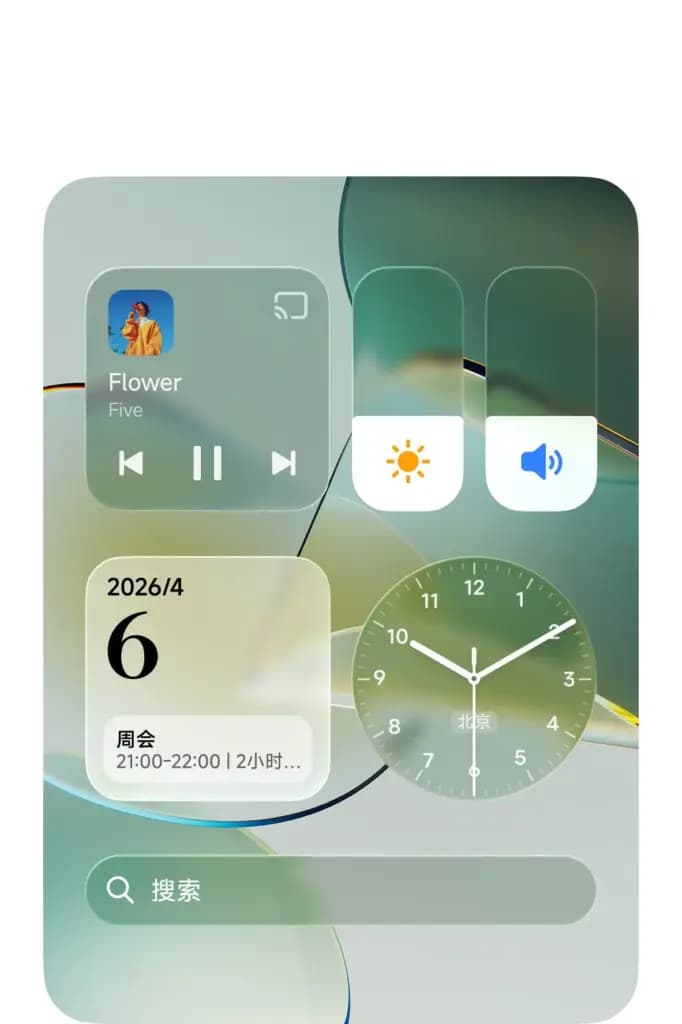
Previous code discoveries pointed to support limited to:
The new setup files add another useful clue: Xiaomi itself appears to separate Glass features from the basic HyperOS 4 experience. In other words, a device could receive HyperOS 4 without gaining access to every advanced Glass effect.
Previous coverage looked at Xiaomi’s HyperOS 4 Liquid Glass design direction and the HyperOS 4 V8 Launcher leak. These new onboarding files provide stronger evidence that Glass effects are part of the actual HyperOS 4 feature set, rather than existing only as an experimental launcher design.
The leaked screenshots reveal a major lock-screen redesign. Large transparent clock layouts can sit directly over photos and wallpapers. Some styles feature oversized vertical numbers, while others pair the clock with translucent notification cards.
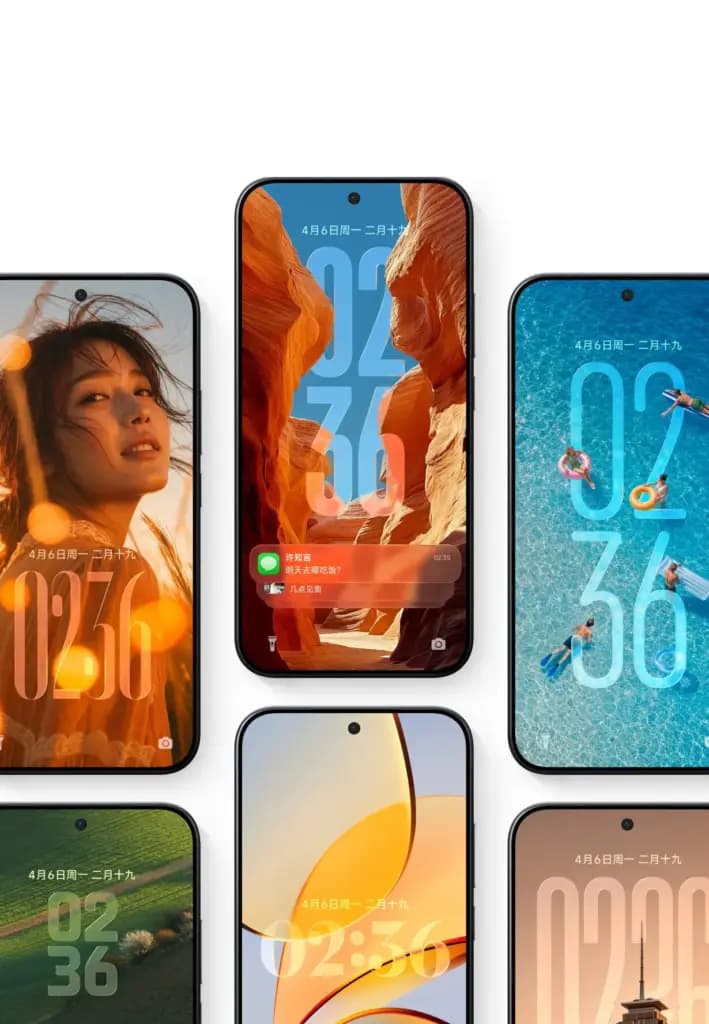
The setup file specifically labels the new lock-screen experience as “Glass,” suggesting the complete Glass version of the lock screen may be reserved for higher-end devices. The notification design also lines up with earlier reports about stacked lock-screen notifications. Rather than several separate cards taking up screen space, notifications can appear layered inside a single Glass container.
HyperOS 4 will introduce desktop widget stacking, according to the leaked setup package.
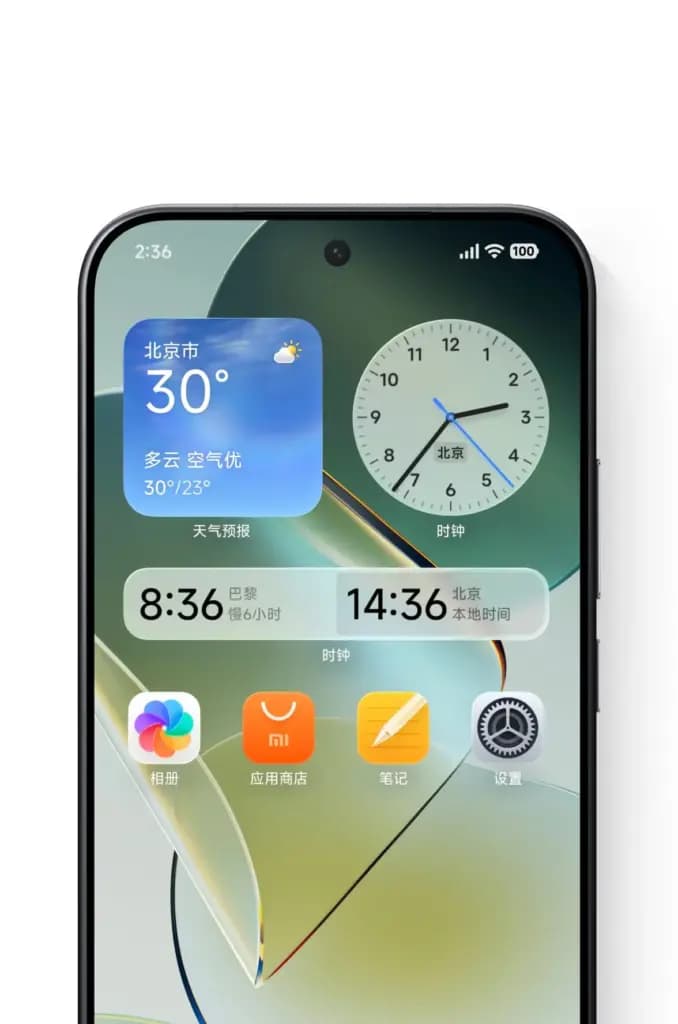
The screenshots show several redesigned widgets, including:
Many of these widgets use translucent surfaces that reflect or blur the wallpaper underneath them.
The internal entry for widget stacking again lists both “flagship” and “Glass,” indicating that the full visual implementation may depend on supported hardware, even if a simpler version of the widget functionality reaches more devices broadly. This feature is already usable through the leaked HyperOS Launcher V8.
HyperOS 4 also appears set to expand Xiaomi’s large folder system. The setup files reference folder size switching, and the screenshots show compact folders capable of displaying multiple system applications directly on the home screen. Earlier HyperOS 4 V8 Launcher builds had already demonstrated more flexible folder controls, and this new setup leak indicates Xiaomi plans to present folder resizing as one of the update’s main features.
Another screenshot reveals the redesigned Xiaomi HyperConnect device center. Connected products appear as large translucent cards, with examples including:
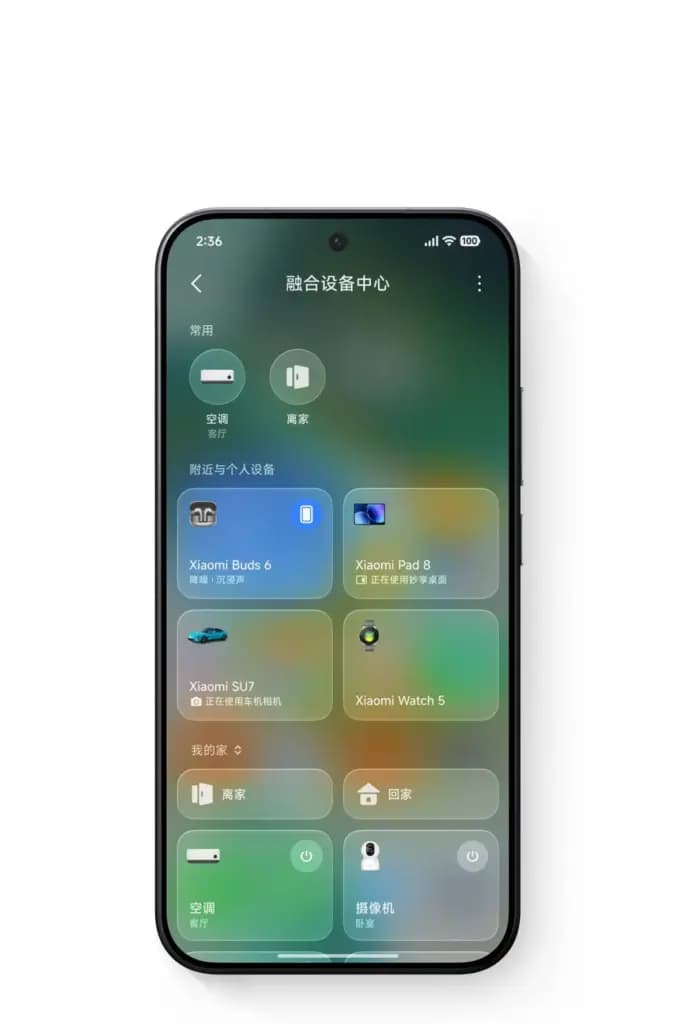
Each card blends with colors pulled from the background, making this one of the clearest examples of the new Glass material system shown in the leak. The setup package refers to this feature as the “New Fusion Device Center,” Xiaomi’s term for its cross-device control interface.
HyperOS 4 also includes a major Super XiaoAI redesign. One screenshot shows the assistant appearing as a floating interface over the home screen, while another shows a compact status element near the top of the display while the assistant processes a request. This lines up with an earlier Digital Chat Station report describing an AI assistant floating island, compared conceptually to an AI Siri-style interface.
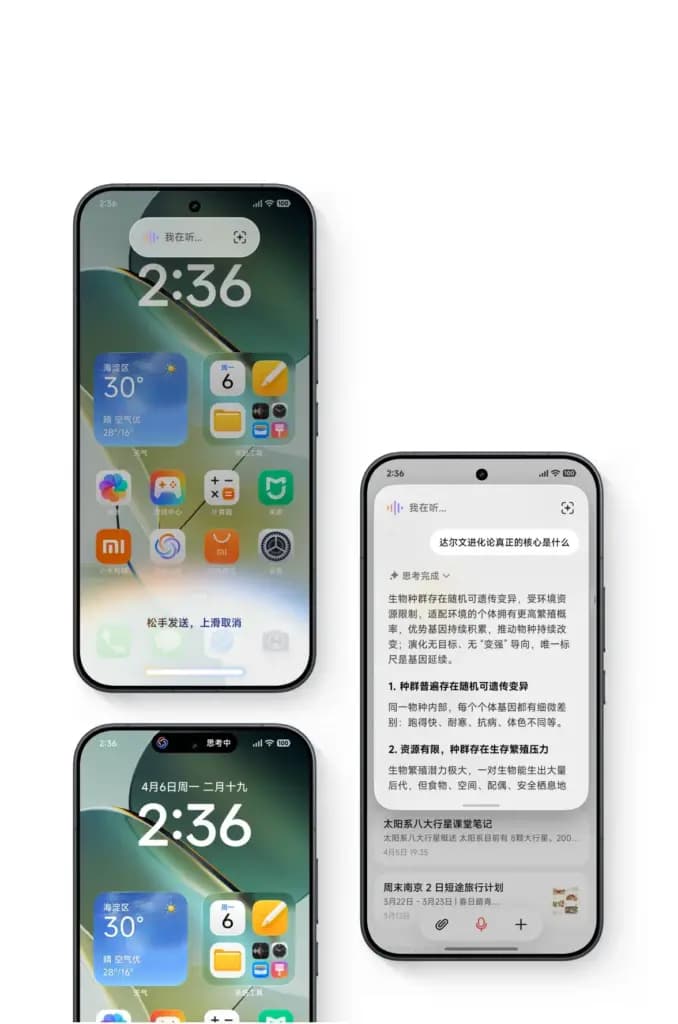
The screenshots also reveal different AI processing modes, including:
The leaked setup package separately lists Super XiaoAI Expert Mode, suggesting the assistant may let users choose how deeply it processes a given task.
The Expert Mode screenshot offers another clue about Xiaomi’s AI direction. In the example, a user asks Super XiaoAI to create a recurring task that collects product information every week and sends the result at a scheduled time. The assistant then generates an AI task card with a weekly schedule attached. This suggests Expert Mode may extend beyond simple question answering to handle multi-step actions across applications.
That said, the screenshots don’t confirm which apps, regions, or languages will support this functionality at launch.
HyperOS 4’s Notes app is also receiving deeper AI integration. The screenshots show:
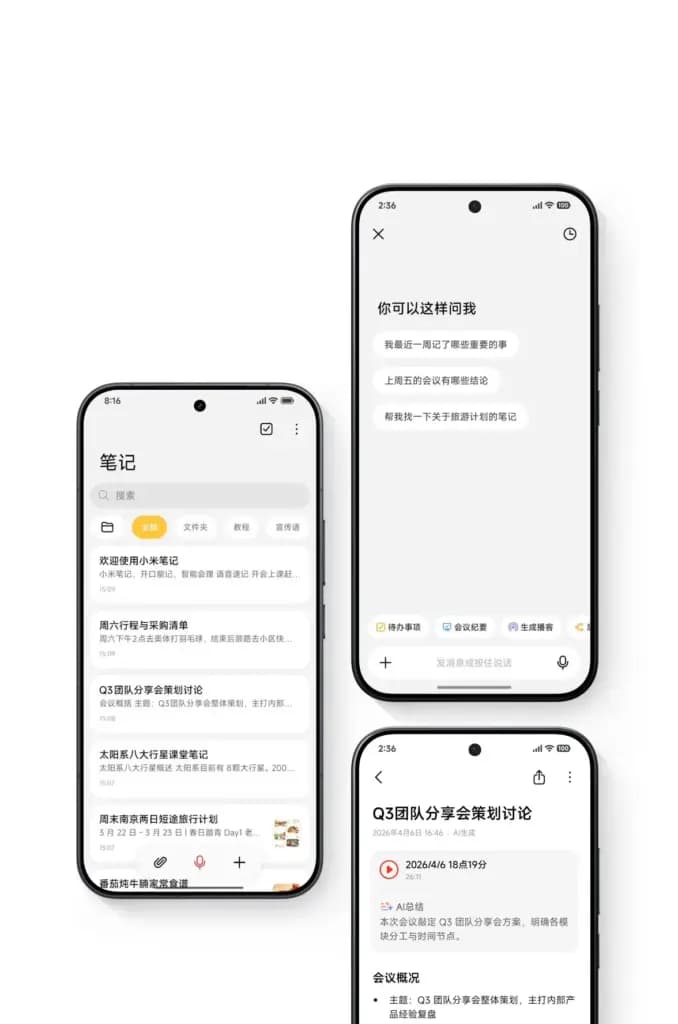
One example shows a meeting note paired with an audio recording and an automatically generated summary. Another interface lets users ask questions about stored notes, including requests to recall important recent events or summarize previous meetings. This appears to go beyond a simple visual refresh, with AI features integrated directly into the Notes workflow itself.
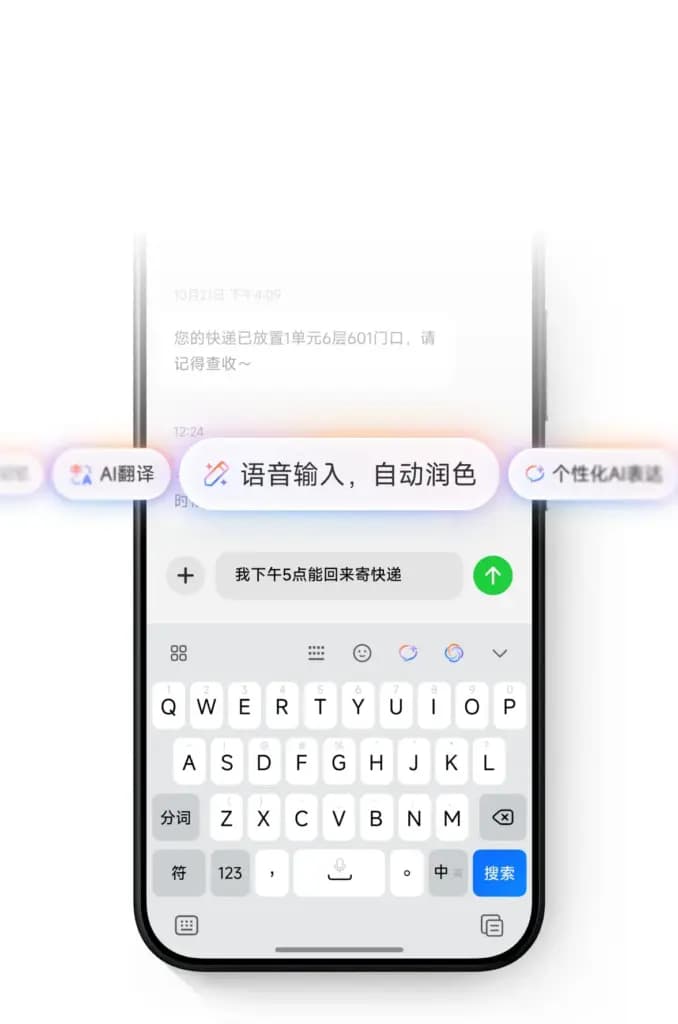
The leaked setup package also lists a new Xiaomi Intelligent Input Method. One screenshot shows an AI toolbar positioned above the keyboard, offering options such as:
This suggests HyperOS 4 will bring system-level AI writing tools directly into text input, rather than requiring users to open a separate assistant app to access them.
Based on the current development stage and the appearance of a finished onboarding package, HyperOS 4 now looks much closer to release than earlier leaks suggested. Current information points to a possible launch window at the end of August or in early September 2026. That timing remains unofficial, so it should be treated as an expected window rather than a confirmed date.
The setup package matters because it brings together many previously separate leaks in one place: Glass materials, lock-screen changes, stacked widgets, folder customization, AI input tools, AI Notes, Super XiaoAI, and the redesigned HyperConnect device center.

Google Pixel Watch 4

Luiza Mosneagu is Reviews Editor at Droid Tools. A psychologist by training and tech writer by passion, she has tested over 60 Android devices since 2020 - always for a minimum of two weeks before writing a word. Her focus is camera quality, everyday usability, and cutting through marketing claims to tell you what a device is actually like to live with.
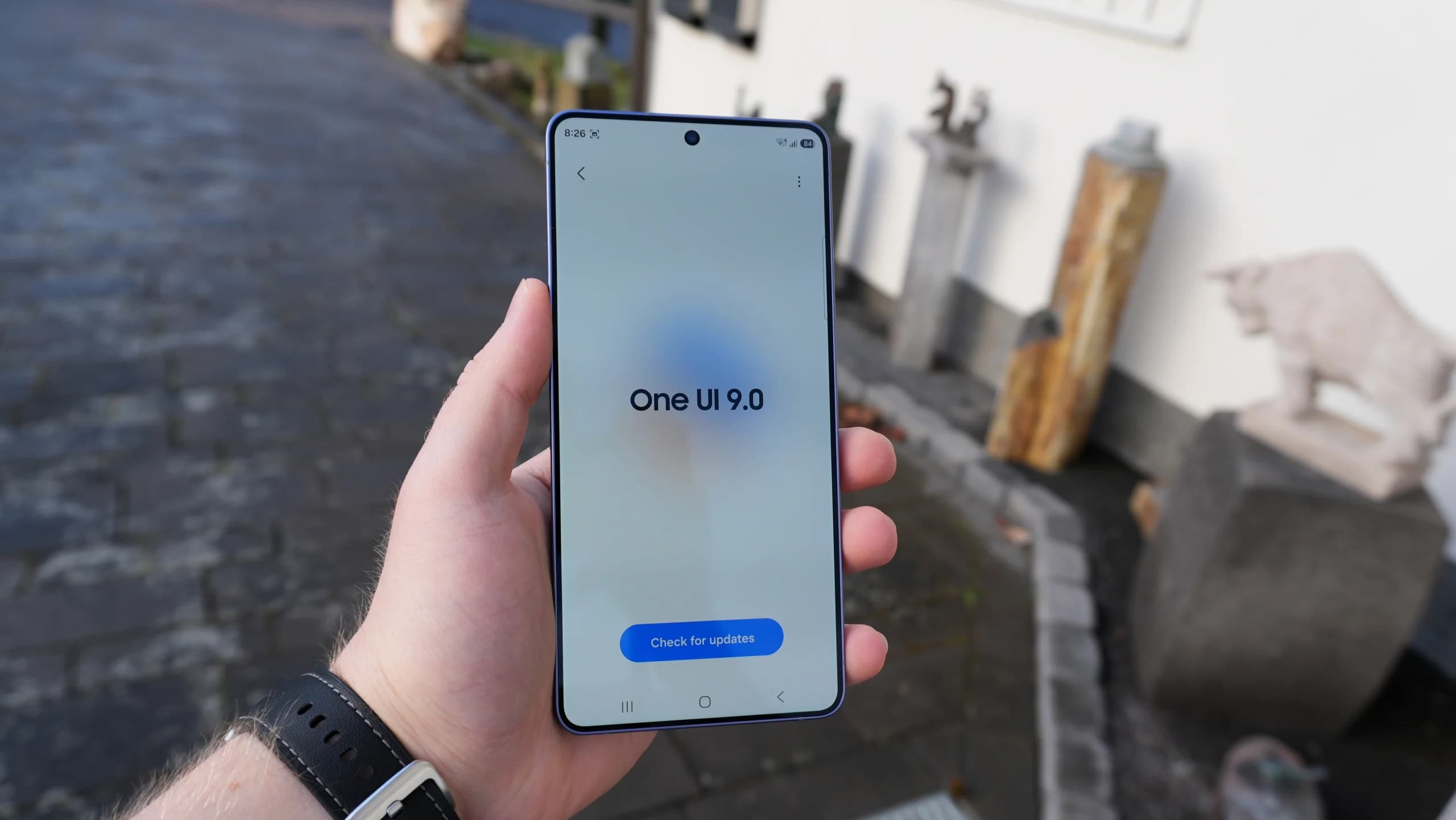
Samsung is releasing the stable One UI 9 update based on Android 17 to Galaxy M47, A26, A55, and other budget and mid-range devices.

The Pixel update schedule has shifted with missed monthly rollouts as the Pixel 6 and Pixel 7 series near the end of their official support periods.

Vivo introduces OriginOS Time-Based Lighting with dynamic 3D depth alongside a dual-mode Control Center featuring Merge and Split layouts.
Samsung confirmed which Galaxy phones and tablets will get the One UI 9 update, with rollouts set for Japan across October and November 2026.
The next story loads as you reach the end. You can also load it using the button.


Comments & Discussions
Join the conversation! We use Disqus to handle comments. Click the button below to load the comment section.